

RX 9060 XT Like a Dragon Performance: FPS Test & Settings Guide 2026
RX 9060 XT Like a Dragon Performance: FPS Test. Real-world benchmark data, FPS numbers & performance analysis. What SA gamers can actually expect.
Read moreReal-world speed difference: 530 MB/s SATA SSD vs HDD—see load times, copy speeds, and gaming impact. Understand where the bottleneck shifts and when HDD still makes sense. ⚡💾
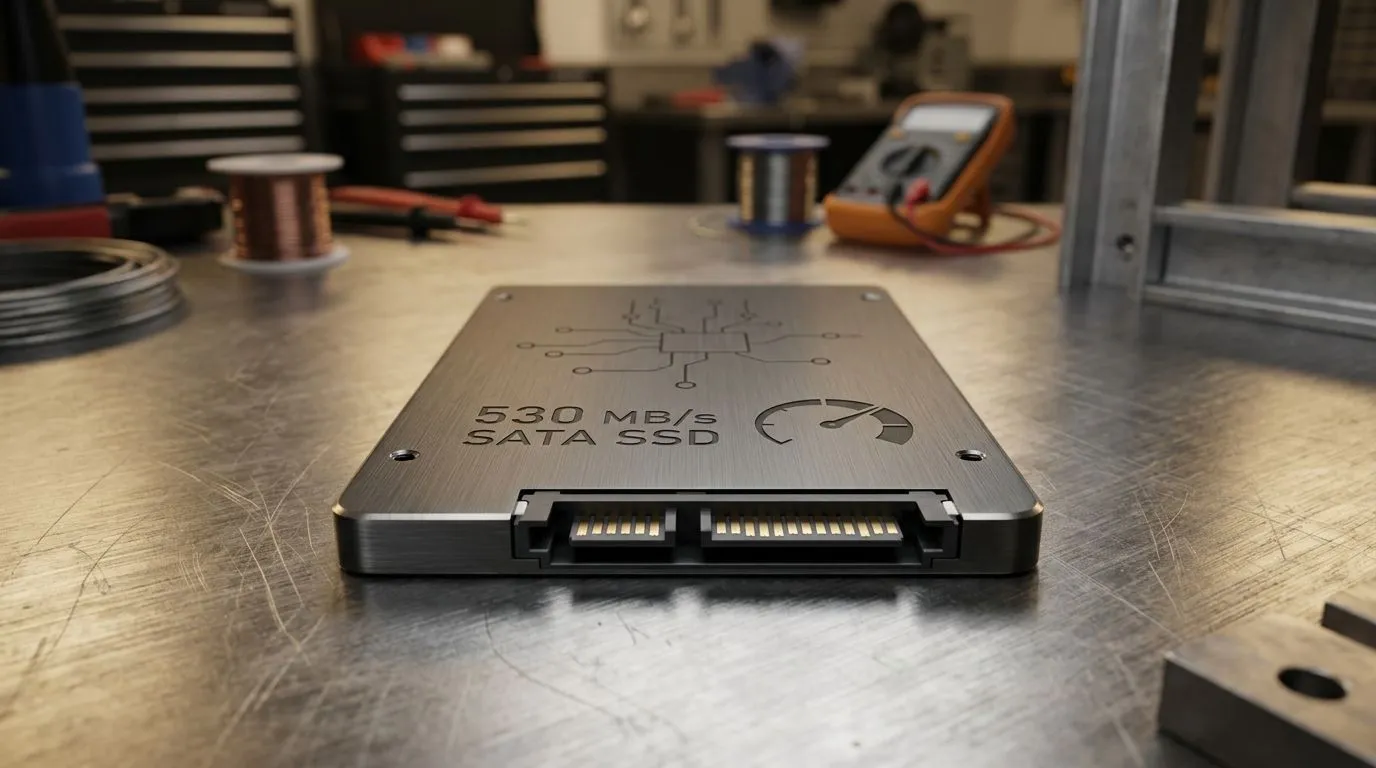
Ever waited ages for a game update… then watched it crawl like it’s on dial-up? That’s the real-world pain point: storage speed changes how fast Windows boots, how quickly maps load, and how responsive your whole PC feels. In South Africa, where you might choose between a budget HDD build and a fast SSD upgrade, the choice is not just “specs” on a box. Let’s break down what “530 MB/s SATA SSD” actually means versus an HDD in daily gaming and tech use. 🚀
A “530 MB/s SATA SSD” headline refers to a theoretical maximum sequential read speed common to many 2.5-inch SATA SSDs. Actual performance depends on the drive model, controller, and workload. Meanwhile, HDDs generally deliver far lower transfer rates and much slower access times due to the moving platter and read head.
Here’s the key: gaming and Windows don’t only need high “streaming” speed. They also need fast access to lots of small files: shaders, asset bundles, config files, and launcher data. SSDs handle this way better than HDDs.
When you launch a game, the system reads many files in a specific order. HDDs can stall between file reads because the drive has to physically seek. SSDs don’t have that mechanical delay, so you get fewer “waiting moments” and smoother transitions between loading screens.
If you’re currently on an HDD, moving to a SATA SSD is usually the most noticeable everyday improvement per rand. It’s also easier to fit in most existing desktops and many older systems.
Windows, enable “Fast Startup” (Power Options) after installing your SATA SSD. Then check Task Manager → Startup apps and disable anything you do not need. You’ll feel the SSD win twice: quicker boot and fewer background delays during launch day.
Not every SATA SSD is the same. Look for:
If you want to stay compatible with older desktops, a 2.5-inch SATA SSD is often the safe bet. If you’re building new or have an M.2 slot, you may eventually move to faster NVMe drives. But for “feel the speed” upgrades, SATA SSDs are a strong start.
To get the right SSD for your system, it helps to start with Evetech’s SSD options and narrow by brand, interface, or form factor.
If your goal is maximum improvement without changing your whole PC:
Ready to feel the difference every time you boot and every time your next match loads?
Ready to Find Your Perfect Match? The Mac vs Windows debate is complex, but for maximum power, choice, and value in South Africa, Windows is hard to beat. Explore our massive range of laptop specials and find the perfect machine to conquer your world.
In everyday use, a 530 MB/s SATA SSD usually feels dramatically faster due to much lower seek time, often beating HDD on boot and app launch.
Gaming FPS may not change much, but you can see shorter level and asset load times. SSDs help most with streaming and stutter caused by HDD delays.
Boot and app launches typically improve the most because SSD latency is far lower. File transfers depend on workload, file sizes, and controller bottlenecks.
Synthetic read/write tests may not reflect mixed workloads. Real systems use small files, queues, and latency, which favor SSDs differently than pure throughput.
For many users, SATA SSD upgrades deliver major gains over HDD. NVMe can be faster, but only helps if your workload is storage-bound.
HDDs can still be practical for low-cost bulk storage or infrequent access. If you prioritize responsiveness, SSDs are usually the better choice.
If loading screens, app launches, or OS responsiveness feel sluggish and disk activity stays high, you’re likely HDD-limited and an SSD upgrade will help.
Yes, but latency and access times matter just as much. Many everyday improvements come from reduced seek time, not just peak MB/s.
RX 9060 XT Like a Dragon Performance: FPS Test. Real-world benchmark data, FPS numbers & performance analysis. What SA gamers can actually expect.
Read more
Head-to-head comparison of RTX 5080 vs RTX 4070 Super: Gaming Performance for SA gamers. Performance benchmarks, Rand pricing & which delivers better value.
Read more
Ryzen 7 9800X3D + RTX 5060 Build: Bottleneck. Real-world benchmark data, FPS numbers & performance analysis. What SA gamers can actually expect.
Read more
RTX 4070 Super Linux Support: Benchmark. Real-world benchmark data, FPS numbers & performance analysis. What SA gamers can actually expect.
Read more
RTX 5080 CS2 FPS: Performance Benchmark & Settings. Real-world benchmark data, FPS numbers & performance analysis. What SA gamers can actually expect.
Read more
RX 9070 PUBG at 4K: FPS Benchmark & Optimal. Real-world benchmark data, FPS numbers & performance analysis. What SA gamers can actually expect.
Read more
Snapdragon X2 NPU Explained: How 80 TOPS Changes. Plain-English explanation of what it means, why it matters & how it affects your buying decisions in SA.

HBM? High Bandwidth Memory Used in GPUs and AI. Plain-English explanation of what it means, why it matters & how it affects your buying decisions in SA.

How much should you spend on sim racing accessories in South Africa for a realistic setup? We break down budgets by quality tiers, so you buy smart gear and avoid overspending 🎮💸

G-Sync and FreeSync? Variable Refresh Rate. Plain-English explanation of what it means, why it matters & how it affects your buying decisions in SA.

AMD Laptop: Value. SA-focused analysis with local pricing data, real-world insights & actionable buying advice.

How MacBook Neo Handles 30+ Chrome Tabs with Only. SA-focused analysis with local pricing data, real-world insights & actionable buying advice.

Why Apple Put 8GB RAM in MacBook Neo: The A18 Pro. SA-focused analysis with local pricing data, real-world insights & actionable buying advice.

Upgrade your work laptop with a New Motherboard. Step-by-step instructions with SA-specific tips, common pitfalls to avoid & expert recommendations.

Maintain wired headset — Checklist: • inspect cables • clean earpads • store properly 🔧🎧 Practical steps to preserve sound quality and avoid premature replacements.

Fix crackling headset fast: step-by-step checks for cables, connectors, drivers, and settings to remove static or distorted audio on wired headsets 🎧⚙️

Stereo vs mono headsets: learn which delivers clearer calls, better spatial music, or simpler mono voice performance — pick the right headset for meetings, music, or gaming 🎧💬

- Compare gaming headset vs studio headphones; - Assess comfort, mic and sound; - Recommend best daily picks. Gaming headset vs studio headphones: learn which suits work, music and casual gaming. 🎧⚖️