

RX 9060 XT Like a Dragon Performance: FPS Test & Settings Guide 2026
RX 9060 XT Like a Dragon Performance: FPS Test. Real-world benchmark data, FPS numbers & performance analysis. What SA gamers can actually expect.
Read moreRTX 5060 Multi-Monitor Support: Benchmark. Real-world benchmark data, FPS numbers & performance analysis. What SA gamers can actually expect.
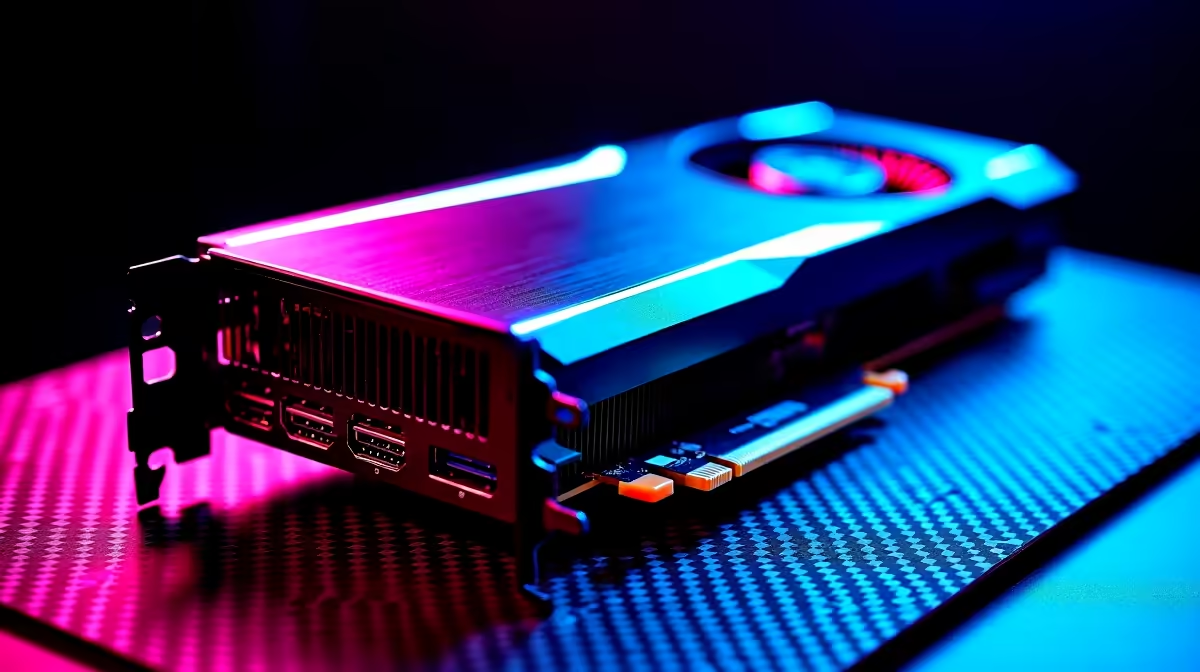
Tracking Discord chats, watching Twitch streams, or dominating competitive lobbies... you need serious screen real estate. Running a single display in 2026 feels like driving with one eye closed. But does the new mainstream king handle the pressure? Let us dive into our RTX 5060 multi-monitor support benchmark to see if it is worth your hard-earned ZAR.
Nvidia built the new 50-series architecture with massive bandwidth in mind. The RTX 5060 features updated DisplayPort 2.1a and HDMI 2.1 outputs. This means you can easily drive up to four high-resolution displays simultaneously. The upgraded GDDR7 memory handles background tasks much better than previous generations.
Power efficiency is another massive win for South African gamers. Lower power draw means your UPS lasts longer during unexpected load shedding. Ready to upgrade an aging rig? Explore our massive range of graphics cards to find the perfect fit.
We hooked up three 1440p displays to truly push the hardware. On the primary screen, we ran Cyberpunk 2077 at high settings. The second screen handled OBS Studio recording. The third screen kept our browser tabs and chat windows alive.
The results were surprisingly good. We noticed only a tiny five percent drop in frame rates compared to a single-screen setup. We also tested competitive titles like Valorant. Pushing over 240 frames per second was incredibly easy. The extra screens did not introduce any noticeable input lag. You do not need a flagship GPU for this kind of multitasking. Just grab reliable monitors that match your gaming setup.
Of course, a modern GPU needs a balanced system to prevent annoying bottlenecks. Pairing the 5060 with a solid CPU ensures smooth performance across all your screens. See this synergy in action by checking out the best gaming PC deals available right now.
When running multiple screens on your RTX 5060, ensure your primary gaming monitor is plugged into the first DisplayPort. Set your secondary screens to a fixed refresh rate in the Nvidia Control Panel to prevent annoying desktop stuttering while you play.
Gamers are not the only ones who need extra pixels to get things done. Video editors and data analysts benefit massively from RTX 5060 multi-monitor support. We tested rendering a complex 4K timeline in DaVinci Resolve. At the same time, we previewed raw assets on a secondary 4K display.
The 8GB of ultra-fast memory handled the heavy workload without breaking a sweat. Scrubbing through the timeline remained incredibly smooth. Stock traders and programmers will also love the crisp text rendering. Having your code on one vertical screen and a live preview on another changes everything.
If you are building a workstation from scratch, a balanced and optimised setup is crucial. Grab incredible value with our pre-built PC deals tailored specifically for creators.
Sometimes you need to take that multi-screen productivity on the road. Desktop replacements offer fantastic alternatives for hybrid workers. Browse our premium laptops for sale if mobility is a major priority for your daily workflow.
Ready to Expand Your Vision? Upgrading to a multi-monitor setup transforms how you play and work. For maximum power, choice, and value in South Africa, Evetech is hard to beat. Explore our massive range of desktop specials and find the perfect machine to conquer your world.
RTX 5060 Multi-Monitor Support: Benchmar available at Evetech.co.za with local warranty and fast delivery.
RTX 5060 Multi-Monitor Support: Benchmar - check Evetech for latest stock and SA pricing.
Depends on your use case. RTX 5060 Multi-Monitor Support offers good value at current Rand pricing.
RX 9060 XT Like a Dragon Performance: FPS Test. Real-world benchmark data, FPS numbers & performance analysis. What SA gamers can actually expect.
Read more
Head-to-head comparison of RTX 5080 vs RTX 4070 Super: Gaming Performance for SA gamers. Performance benchmarks, Rand pricing & which delivers better value.
Read more
Ryzen 7 9800X3D + RTX 5060 Build: Bottleneck. Real-world benchmark data, FPS numbers & performance analysis. What SA gamers can actually expect.
Read more
RTX 4070 Super Linux Support: Benchmark. Real-world benchmark data, FPS numbers & performance analysis. What SA gamers can actually expect.
Read more
RTX 5080 CS2 FPS: Performance Benchmark & Settings. Real-world benchmark data, FPS numbers & performance analysis. What SA gamers can actually expect.
Read more
RX 9070 PUBG at 4K: FPS Benchmark & Optimal. Real-world benchmark data, FPS numbers & performance analysis. What SA gamers can actually expect.
Read more
Snapdragon X2 NPU Explained: How 80 TOPS Changes. Plain-English explanation of what it means, why it matters & how it affects your buying decisions in SA.

HBM? High Bandwidth Memory Used in GPUs and AI. Plain-English explanation of what it means, why it matters & how it affects your buying decisions in SA.

How much should you spend on sim racing accessories in South Africa for a realistic setup? We break down budgets by quality tiers, so you buy smart gear and avoid overspending 🎮💸

G-Sync and FreeSync? Variable Refresh Rate. Plain-English explanation of what it means, why it matters & how it affects your buying decisions in SA.

AMD Laptop: Value. SA-focused analysis with local pricing data, real-world insights & actionable buying advice.

How MacBook Neo Handles 30+ Chrome Tabs with Only. SA-focused analysis with local pricing data, real-world insights & actionable buying advice.

Why Apple Put 8GB RAM in MacBook Neo: The A18 Pro. SA-focused analysis with local pricing data, real-world insights & actionable buying advice.

Upgrade your work laptop with a New Motherboard. Step-by-step instructions with SA-specific tips, common pitfalls to avoid & expert recommendations.

Maintain wired headset — Checklist: • inspect cables • clean earpads • store properly 🔧🎧 Practical steps to preserve sound quality and avoid premature replacements.

Fix crackling headset fast: step-by-step checks for cables, connectors, drivers, and settings to remove static or distorted audio on wired headsets 🎧⚙️

Stereo vs mono headsets: learn which delivers clearer calls, better spatial music, or simpler mono voice performance — pick the right headset for meetings, music, or gaming 🎧💬

- Compare gaming headset vs studio headphones; - Assess comfort, mic and sound; - Recommend best daily picks. Gaming headset vs studio headphones: learn which suits work, music and casual gaming. 🎧⚖️