

RX 9060 XT Like a Dragon Performance: FPS Test & Settings Guide 2026
RX 9060 XT Like a Dragon Performance: FPS Test. Real-world benchmark data, FPS numbers & performance analysis. What SA gamers can actually expect.
Read moreRTX 5060 Ti High FPS Mode: step-by-step tweaks to boost frame rates, cut stutter, and balance thermals and power for smoother 1080p/1440p play. 🚀🎮
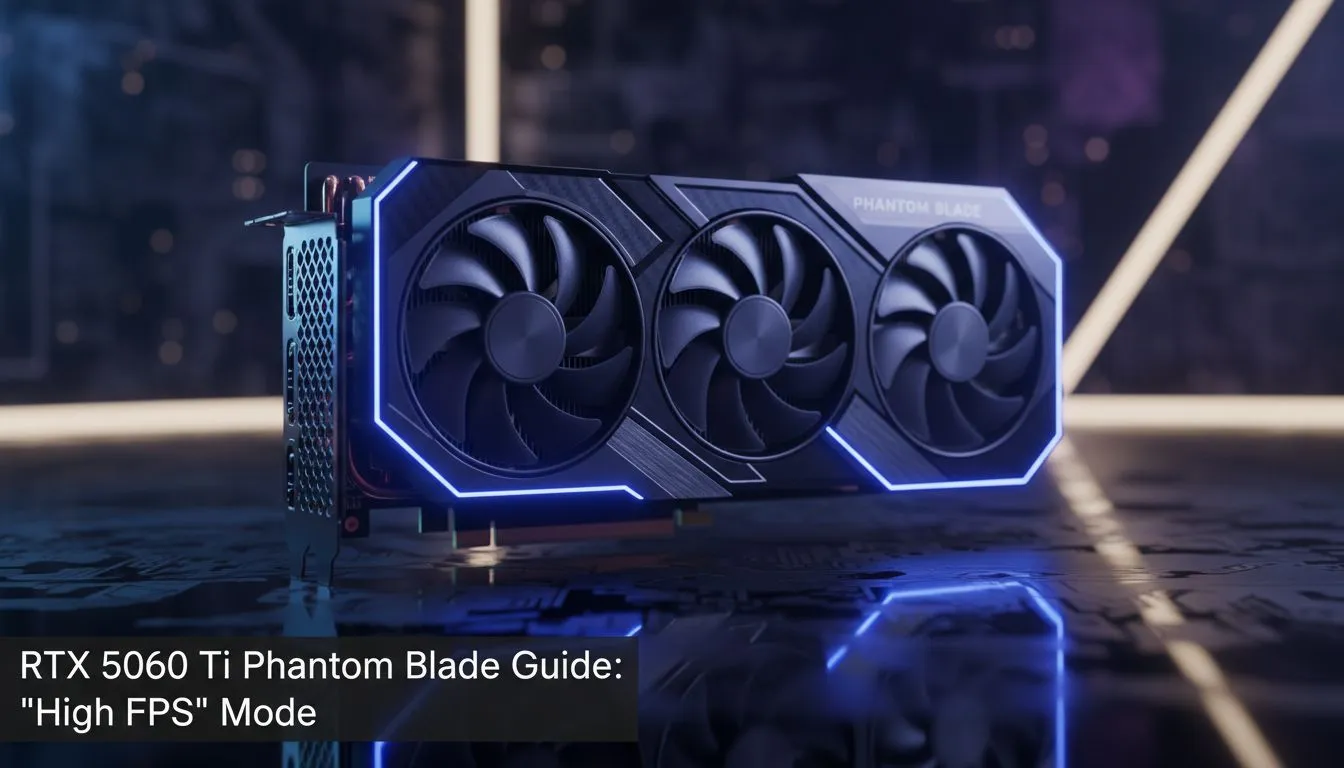
Struggling to hit that sweet 144Hz spot on your new monitor? Whether you are climbing the ranks in Valorant or exploring Night City, performance matters. Our RTX 5060 Ti High FPS Mode Guide breaks down how to squeeze every frame out of your mid-range beast. It is time to stop lagging and start winning without breaking the bank in ZAR.
To get the most out of your setup, you need to understand how software and hardware interact. The latest NVIDIA graphics cards leverage AI-driven technologies like DLSS 3.5 to boost frames significantly. By enabling Frame Generation in your game settings, you can often double your output in demanding titles. This is the core of any RTX 5060 Ti High FPS Mode Guide... ensuring your GPU works smarter, not harder.
Always enable Nvidia Reflex in your game settings when using High FPS modes. It reduces system latency, making your mouse clicks feel instantaneous. This is crucial for competitive shooters where every millisecond counts toward your victory.
Not all cards are built the same. If you prefer premium cooling and higher clock speeds, checking out MSI graphics cards is a smart move. Better thermals mean your card can maintain its boost clock for longer periods. This prevents thermal throttling during those intense summer gaming sessions in Gauteng or Cape Town.
While NVIDIA leads the pack in ray tracing, it is always worth looking at the competition. You might find great value in AMD Radeon graphics cards if raw rasterisation is your priority. Similarly, the latest Intel Arc graphics cards offer impressive AV1 encoding for South African streamers on a budget.
High frame rates are not just for entertainment. If you are a professional editor or architect, you might be tempted by workstation graphics cards. However, the RTX 5060 Ti bridges the gap beautifully for hobbyist creators. By following an RTX 5060 Ti High FPS Mode Guide, you ensure your viewport remains fluid during complex 3D renders... saving you time and frustration. ✨
Remember to keep your drivers updated via GeForce Experience. New patches often include specific optimisations for the latest local releases. When you balance your settings correctly, that 50-series power really begins to shine. 🚀
Ready to Find Your Perfect Match? The quest for the ultimate frame rate is ongoing, but with the right hardware, you are already halfway there. Explore our massive range of NVIDIA graphics cards and find the perfect machine to conquer your world.
Open the Phantom Blade or NVIDIA Control Panel, choose performance profile or High FPS Mode, apply settings and restart. (how to enable high fps mode rtx 5060 ti)
Set Power Management to Prefer Maximum Performance, adjust Low Latency Mode, and turn off VSync in NVCP for better FPS. (rtx 5060 ti phantom blade settings)
Yes, modest core and memory overclocks can raise FPS but monitor temps and stability. Follow an rtx 5060 ti overclock guide and stress test.
Use the latest stable NVIDIA Game Ready driver; check Phantom Blade notes and rollback only if a new driver reduces performance. (best drivers for rtx 5060 ti)
Raise power limit slightly, optimize fan curve, and improve case airflow to sustain boost clocks without throttling. (rtx 5060 ti power limits high fps)
Yes—use Game Mode, set GPU scheduling on, disable background apps, and set power plan to High Performance. (windows settings for high fps)
Expect high 100s+ FPS at 1080p in many titles and solid gains at 1440p with tuned settings; see phantom blade high fps benchmark for specifics.
RX 9060 XT Like a Dragon Performance: FPS Test. Real-world benchmark data, FPS numbers & performance analysis. What SA gamers can actually expect.
Read more
Head-to-head comparison of RTX 5080 vs RTX 4070 Super: Gaming Performance for SA gamers. Performance benchmarks, Rand pricing & which delivers better value.
Read more
Ryzen 7 9800X3D + RTX 5060 Build: Bottleneck. Real-world benchmark data, FPS numbers & performance analysis. What SA gamers can actually expect.
Read more
RTX 4070 Super Linux Support: Benchmark. Real-world benchmark data, FPS numbers & performance analysis. What SA gamers can actually expect.
Read more
RTX 5080 CS2 FPS: Performance Benchmark & Settings. Real-world benchmark data, FPS numbers & performance analysis. What SA gamers can actually expect.
Read more
RX 9070 PUBG at 4K: FPS Benchmark & Optimal. Real-world benchmark data, FPS numbers & performance analysis. What SA gamers can actually expect.
Read more
Snapdragon X2 NPU Explained: How 80 TOPS Changes. Plain-English explanation of what it means, why it matters & how it affects your buying decisions in SA.

HBM? High Bandwidth Memory Used in GPUs and AI. Plain-English explanation of what it means, why it matters & how it affects your buying decisions in SA.

How much should you spend on sim racing accessories in South Africa for a realistic setup? We break down budgets by quality tiers, so you buy smart gear and avoid overspending 🎮💸

G-Sync and FreeSync? Variable Refresh Rate. Plain-English explanation of what it means, why it matters & how it affects your buying decisions in SA.

AMD Laptop: Value. SA-focused analysis with local pricing data, real-world insights & actionable buying advice.

How MacBook Neo Handles 30+ Chrome Tabs with Only. SA-focused analysis with local pricing data, real-world insights & actionable buying advice.

Why Apple Put 8GB RAM in MacBook Neo: The A18 Pro. SA-focused analysis with local pricing data, real-world insights & actionable buying advice.

Upgrade your work laptop with a New Motherboard. Step-by-step instructions with SA-specific tips, common pitfalls to avoid & expert recommendations.

Maintain wired headset — Checklist: • inspect cables • clean earpads • store properly 🔧🎧 Practical steps to preserve sound quality and avoid premature replacements.

Fix crackling headset fast: step-by-step checks for cables, connectors, drivers, and settings to remove static or distorted audio on wired headsets 🎧⚙️

Stereo vs mono headsets: learn which delivers clearer calls, better spatial music, or simpler mono voice performance — pick the right headset for meetings, music, or gaming 🎧💬

- Compare gaming headset vs studio headphones; - Assess comfort, mic and sound; - Recommend best daily picks. Gaming headset vs studio headphones: learn which suits work, music and casual gaming. 🎧⚖️