

RTX 4060 Ti PUBG at 1440p: FPS Benchmark & Optimal Settings
RTX 4060 Ti PUBG at 1440p: FPS Benchmark. Real-world benchmark data, FPS numbers & performance analysis. What SA gamers can actually expect.
Read moreRTX 5070 Apex Legends settings: Tune graphics, DLSS, and drivers to boost FPS and cut input lag for competitive play. Follow presets, sensitivity tips, and troubleshooting. ⚙️🎯
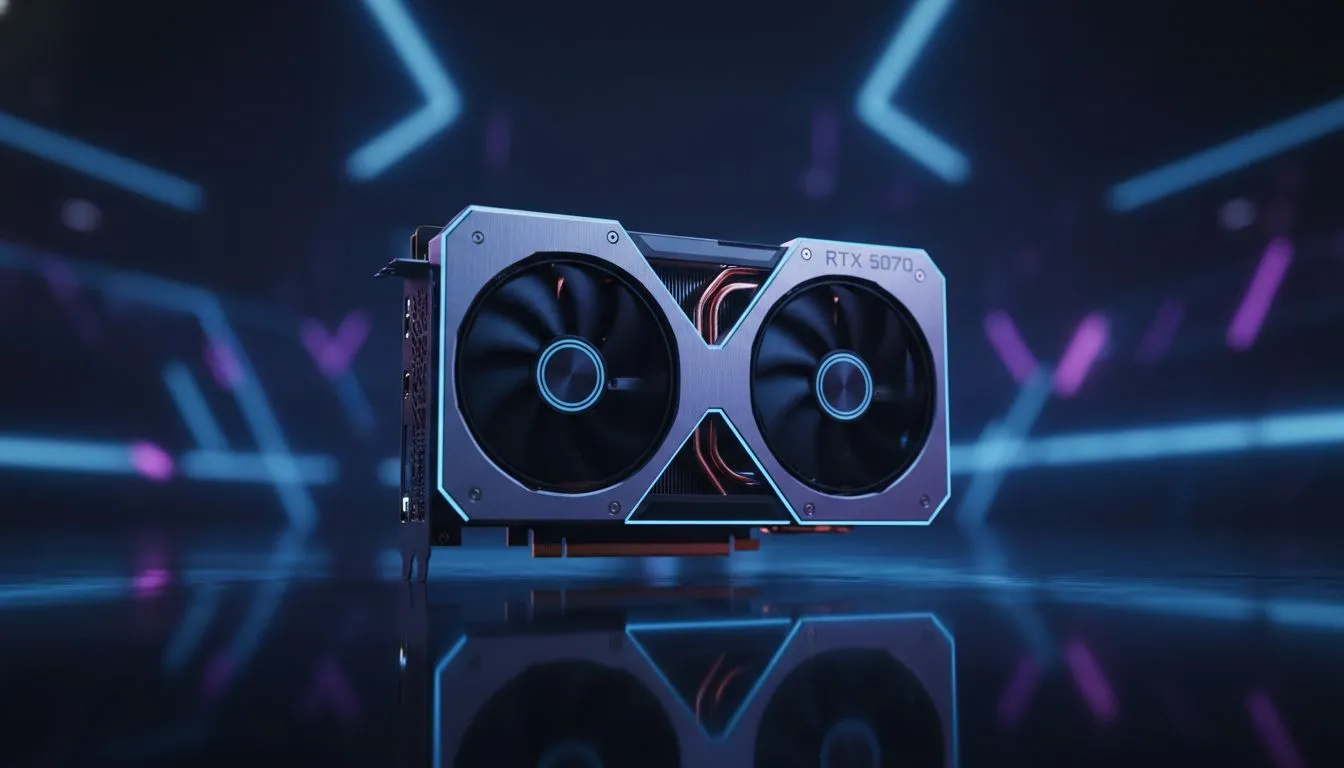
Dropping into Fragment or Storm Point requires more than just skill; it needs frames. With the RTX 5070 hitting South African shores, Apex Legends players are looking for that perfect balance between eye candy and competitive edge. If you want to push your 144Hz or 240Hz monitor to its limit without breaking a sweat, getting your RTX 5070 Apex Legends settings right is the first step to victory. ⚡
The RTX 5070 is a powerhouse for 1440p gaming. When you browse the latest NVIDIA graphics cards, you will notice the massive leap in efficiency. For Apex, we want to maintain a stable frame rate that matches your monitor’s refresh rate. Start by setting your Resolution to Native and the Display Mode to Fullscreen. This reduces input lag... a crucial factor when you are in a frantic wingman duel.
While the card can handle everything at "Insane" settings, competitive players usually dial things back. Set Texture Streaming Budget to 6GB or 8GB VRAM. Since the 5070 has ample memory, you can afford high textures without stuttering. However, keep Ambient Occlusion and Volumetric Lighting low. These settings eat frames and often make it harder to spot enemies hiding in dark corners.
If you are looking for specific hardware, the MSI custom cooled models offer excellent thermal headroom. This allows the card to boost higher for longer during those intense final circles. You should also enable NVIDIA Reflex to "On + Boost" to ensure your system latency is as low as possible. ✨
Always disable "Spot Shadow Detail" in the advanced video settings. This specific setting often causes micro-stutters during heavy ultimate ability usage. By turning it off, you gain a smoother experience during chaotic 3v3 fights without losing the visual clarity needed to track targets.
While NVIDIA remains a top choice, it is worth looking at the broader market. Some gamers might find better value in AMD Radeon graphics cards if they prefer raw rasterization performance over ray tracing. Alternatively, budget-conscious builders are starting to look at Intel Arc graphics cards for entry-level 1080p setups.
For those who use their PC for more than just gaming... perhaps 3D rendering or heavy video editing... dedicated workstation graphics cards might be the better investment. However, for the pure gamer, the RTX 5070 strikes a brilliant balance. It delivers high-end performance without the R40,000 price tag of flagship models. 🚀
Ready to Find Your Perfect Match? The RTX 5070 is a beast, but the best build is the one that fits your budget and goals. For maximum power, choice, and value in South Africa, our selection is hard to beat. Explore our massive range of graphics card specials and find the perfect hardware to conquer the Apex Games.
Use low textures/shadows, enable DLSS Performance, cap to your monitor rate, and set NVIDIA driver to maximum performance for top RTX 5070 Apex performance settings.
Yes. Enable DLSS Performance or Balance to boost FPS with minimal visual loss—ideal for competitive play on RTX 5070.
Use native resolution, target 144Hz+ if available. Consider 1080p or 1440p with DLSS to hit higher FPS on RTX 5070 Apex Legends.
Enable NVIDIA Reflex Low Latency, disable V-Sync, use low-latency monitor mode, and set in-game low-latency options to cut input lag.
Moderate core and memory boosts via MSI Afterburner can raise FPS. Always monitor temps and run stability tests when overclocking RTX 5070.
Shadows, ambient occlusion and particle effects hit FPS hardest. Lower those and enable DLSS to recover frame rate on RTX 5070 Apex.
Yes. Install GeForce WHQL and game-ready driver updates to fix performance bugs and keep RTX 5070 Apex Legends settings optimized.
RTX 4060 Ti PUBG at 1440p: FPS Benchmark. Real-world benchmark data, FPS numbers & performance analysis. What SA gamers can actually expect.
Read more
Head-to-head comparison of RTX 4080 Super vs RTX 3050: Gaming Performance for SA gamers. Performance benchmarks, Rand pricing & which delivers better value.
Read more
RTX 4080 Super for Scientific Computing. Real-world benchmark data, FPS numbers & performance analysis. What SA gamers can actually expect.
Read more
RTX 4060 Ti Star Wars Outlaws FPS: Performance. Real-world benchmark data, FPS numbers & performance analysis. What SA gamers can actually expect.
Read more
RTX 4060 Ti AV1 Encoding: Benchmark & Real-World. Real-world benchmark data, FPS numbers & performance analysis. What SA gamers can actually expect.
Read more
Snapdragon X2 NPU Explained: How 80 TOPS Changes. Plain-English explanation of what it means, why it matters & how it affects your buying decisions in SA.

HBM? High Bandwidth Memory Used in GPUs and AI. Plain-English explanation of what it means, why it matters & how it affects your buying decisions in SA.

How much should you spend on sim racing accessories in South Africa for a realistic setup? We break down budgets by quality tiers, so you buy smart gear and avoid overspending 🎮💸

G-Sync and FreeSync? Variable Refresh Rate. Plain-English explanation of what it means, why it matters & how it affects your buying decisions in SA.

AMD Laptop: Value. SA-focused analysis with local pricing data, real-world insights & actionable buying advice.

How MacBook Neo Handles 30+ Chrome Tabs with Only. SA-focused analysis with local pricing data, real-world insights & actionable buying advice.

Why Apple Put 8GB RAM in MacBook Neo: The A18 Pro. SA-focused analysis with local pricing data, real-world insights & actionable buying advice.

Upgrade your work laptop with a New Motherboard. Step-by-step instructions with SA-specific tips, common pitfalls to avoid & expert recommendations.

Maintain wired headset — Checklist: • inspect cables • clean earpads • store properly 🔧🎧 Practical steps to preserve sound quality and avoid premature replacements.

Fix crackling headset fast: step-by-step checks for cables, connectors, drivers, and settings to remove static or distorted audio on wired headsets 🎧⚙️

Stereo vs mono headsets: learn which delivers clearer calls, better spatial music, or simpler mono voice performance — pick the right headset for meetings, music, or gaming 🎧💬

- Compare gaming headset vs studio headphones; - Assess comfort, mic and sound; - Recommend best daily picks. Gaming headset vs studio headphones: learn which suits work, music and casual gaming. 🎧⚖️