

RTX 4060 Ti PUBG at 1440p: FPS Benchmark & Optimal Settings
RTX 4060 Ti PUBG at 1440p: FPS Benchmark. Real-world benchmark data, FPS numbers & performance analysis. What SA gamers can actually expect.
Read moreRX 7800 XT Call of Duty Warzone at 1440p: FPS. Real-world benchmark data, FPS numbers & performance analysis. What SA gamers can actually expect.
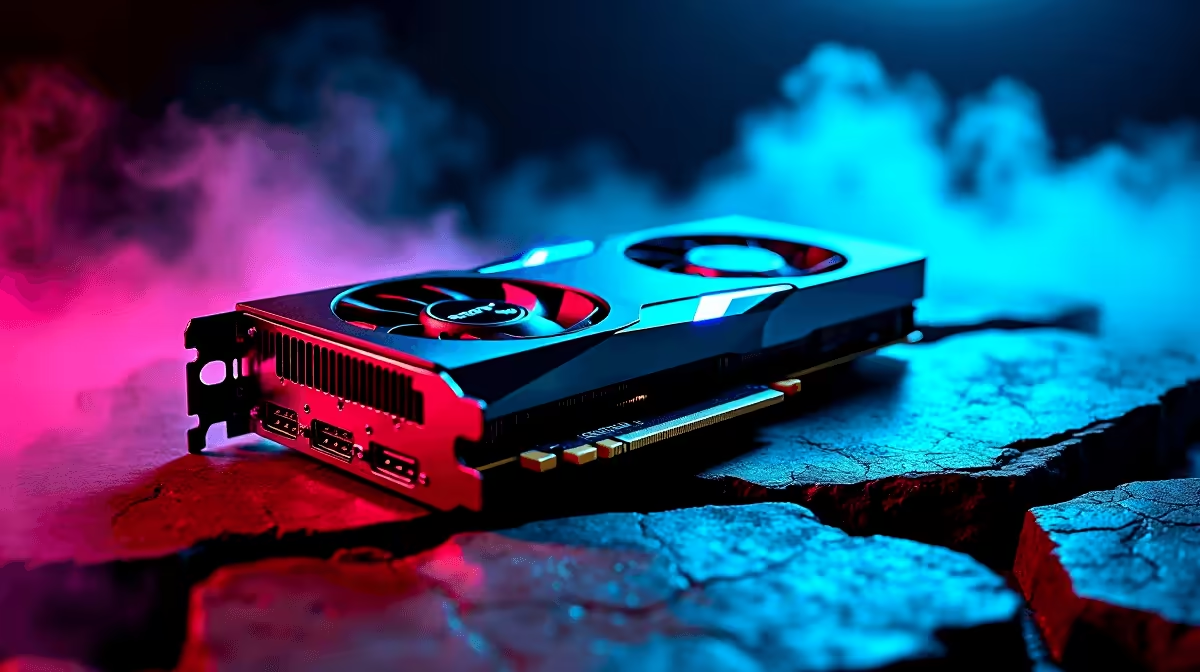
Dropping into Urzikstan with a stuttering frame rate is a quick ticket to the Gulag. South African gamers know that every frame counts... especially when local ping is already testing our patience. If you want high-refresh dominance without destroying your ZAR budget, you need to look at the RX 7800 XT Call of Duty Warzone at 1440p performance. Let us break down the exact benchmarks and optimal settings.
1440p has quickly become the sweet spot for competitive gaming. It offers much better clarity than 1080p without the massive hardware tax of 4K. AMD engineered the RX 7800 XT specifically for this performance tier. The massive 16GB of VRAM easily handles uncompressed textures and complex maps.
When balancing cost and performance, browsing the best gaming PC deals reveals that systems featuring this GPU offer incredible value. It pushes serious pixels without breaking a sweat... ensuring your gameplay remains incredibly smooth during intense firefights.
Raw numbers dictate your monitor choice. In our RX 7800 XT Call of Duty Warzone at 1440p testing, the results are highly impressive. On native 1440p with high settings, you can expect a stable average of 130 to 145 FPS. Need to max out a 165Hz display? Switching on AMD FSR 3 upscaling pushes those numbers well past the 160 FPS mark.
If you prefer a plug-and-play solution to hit these frames instantly, exploring pre-built PC deals is a brilliant move. Building from scratch is fun, but a pre-tested system saves you time. Even if you are constantly travelling for work or studies, modern notebooks for sale can offer surprisingly competitive performance... though a dedicated desktop graphics card still reigns supreme for raw power and thermal efficiency.
To maximise your RX 7800 XT Warzone 1440p benchmark results, you must tweak your graphics menu. Never leave everything on ultra if you want to win.
These optimal settings ensure you spot enemies hiding in dark corners before they spot you. If you are upgrading an older rig to achieve this competitive edge... checking out the latest graphics cards is your logical first step. Always keep an eye out for weekly component specials to stretch your hard-earned Rands even further.
Turn off World Motion Blur and Weapon Motion Blur immediately. These cinematic effects look great in single-player campaigns but will completely ruin your target tracking in fast-paced multiplayer gunfights.
Ready to Dominate the Warzone? Stop losing gunfights to low frame rates. Upgrade your arsenal with the best tech in South Africa and experience true 1440p performance. Explore our massive range of gaming PC specials and find the perfect machine to conquer your next match.
RX 7800 XT Call of Duty Warzone at 1440p available at Evetech.co.za with local warranty and fast delivery.
RX 7800 XT Call of Duty Warzone at 1440p - check Evetech for latest stock and SA pricing.
Depends on your use case. RX 7800 XT Call of Duty Warzon offers good value at current Rand pricing.
RTX 4060 Ti PUBG at 1440p: FPS Benchmark. Real-world benchmark data, FPS numbers & performance analysis. What SA gamers can actually expect.
Read more
Head-to-head comparison of RTX 4080 Super vs RTX 3050: Gaming Performance for SA gamers. Performance benchmarks, Rand pricing & which delivers better value.
Read more
RTX 4080 Super for Scientific Computing. Real-world benchmark data, FPS numbers & performance analysis. What SA gamers can actually expect.
Read more
RTX 4060 Ti Star Wars Outlaws FPS: Performance. Real-world benchmark data, FPS numbers & performance analysis. What SA gamers can actually expect.
Read more
RTX 4060 Ti AV1 Encoding: Benchmark & Real-World. Real-world benchmark data, FPS numbers & performance analysis. What SA gamers can actually expect.
Read more
Snapdragon X2 NPU Explained: How 80 TOPS Changes. Plain-English explanation of what it means, why it matters & how it affects your buying decisions in SA.

HBM? High Bandwidth Memory Used in GPUs and AI. Plain-English explanation of what it means, why it matters & how it affects your buying decisions in SA.

How much should you spend on sim racing accessories in South Africa for a realistic setup? We break down budgets by quality tiers, so you buy smart gear and avoid overspending 🎮💸

G-Sync and FreeSync? Variable Refresh Rate. Plain-English explanation of what it means, why it matters & how it affects your buying decisions in SA.

AMD Laptop: Value. SA-focused analysis with local pricing data, real-world insights & actionable buying advice.

How MacBook Neo Handles 30+ Chrome Tabs with Only. SA-focused analysis with local pricing data, real-world insights & actionable buying advice.

Why Apple Put 8GB RAM in MacBook Neo: The A18 Pro. SA-focused analysis with local pricing data, real-world insights & actionable buying advice.

Upgrade your work laptop with a New Motherboard. Step-by-step instructions with SA-specific tips, common pitfalls to avoid & expert recommendations.

Maintain wired headset — Checklist: • inspect cables • clean earpads • store properly 🔧🎧 Practical steps to preserve sound quality and avoid premature replacements.

Fix crackling headset fast: step-by-step checks for cables, connectors, drivers, and settings to remove static or distorted audio on wired headsets 🎧⚙️

Stereo vs mono headsets: learn which delivers clearer calls, better spatial music, or simpler mono voice performance — pick the right headset for meetings, music, or gaming 🎧💬

- Compare gaming headset vs studio headphones; - Assess comfort, mic and sound; - Recommend best daily picks. Gaming headset vs studio headphones: learn which suits work, music and casual gaming. 🎧⚖️