


Hitting record in your home studio, but your laptop is giving you grief? That dreaded spinning wheel, crackling audio... it’s enough to kill your creative flow. In South Africa, getting your setup right is key, and it often starts with your machine's performance heart: its storage. The classic SSD vs HDD for music production debate isn't just tech talk; it's about unlocking a smoother, faster workflow. Let's sort it out and find the best drive for your laptop.
Why Your Laptop's Storage is Critical for Music Production
When you're producing music, your laptop's drive is doing more than just saving your project file. It's constantly reading and writing data. Think about it: your Digital Audio Workstation (DAW), massive multi-gigabyte sample libraries (like Kontakt), VST plugins, and dozens of audio tracks are all demanding information instantly. A slow drive creates a bottleneck, leading to frustrating lag, audio dropouts, and painfully long loading times.
This is why the choice of storage for music production is so important. You need a drive that can keep up with your creativity. The good news is that hardware powerful enough for both gaming and creative work is more accessible than ever, and many of our best gaming laptop deals come equipped with the specs you need to run a smooth session.
The Classic Choice: Are HDDs Still Viable?
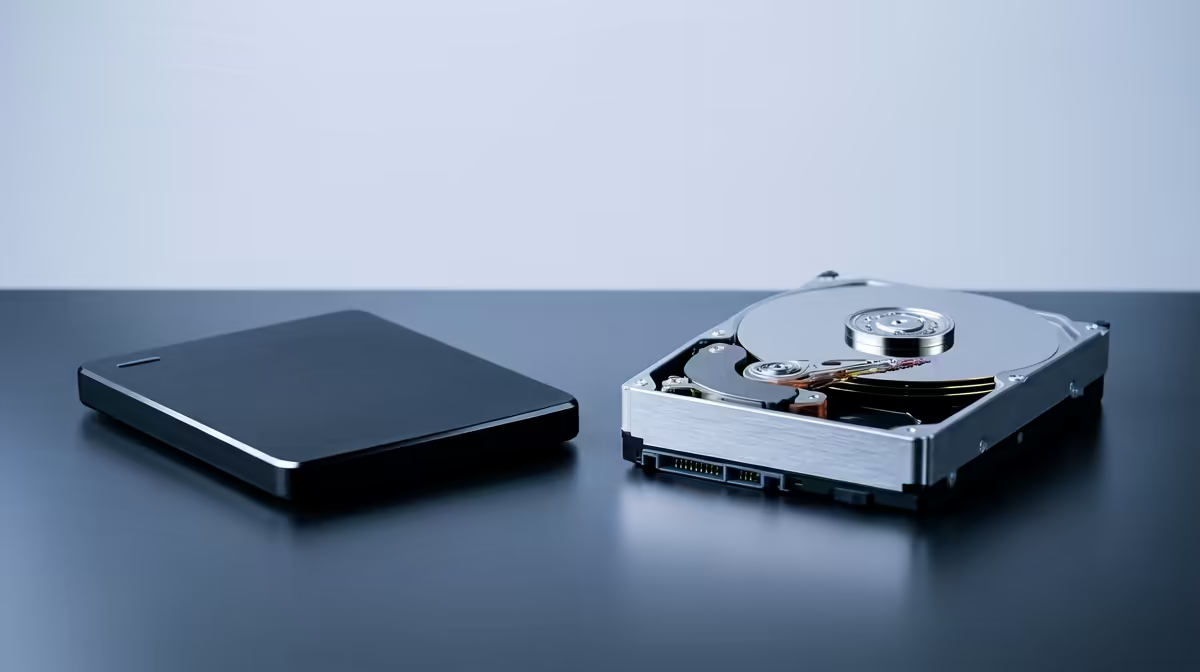
A Hard Disk Drive (HDD) is the traditional storage you’re likely familiar with. It uses a spinning magnetic platter and a mechanical arm to read and write data, a bit like a tiny record player.
The Big Plus: Cost per Gigabyte
The main advantage of an HDD is its price. You can get massive amounts of storage—we're talking multiple terabytes (TB)—for a very reasonable price in ZAR. This makes them fantastic for archiving your finished projects, storing backups, or holding a massive library of raw audio files you don't access every day.
The Major Downsides for Producers
Unfortunately, that mechanical nature is also its biggest weakness. The physical movement limits its speed, which directly impacts your workflow. Loading a complex project or a huge piano sample library from an HDD can take minutes instead of seconds. The constant spinning can also create low-level noise and vibrations, which is the last thing you want in a quiet recording environment. 🔧
The New Standard: Why SSDs Rule for Producers
A Solid-State Drive (SSD) is the modern champion of storage. It uses flash memory with no moving parts, working more like a giant USB stick than a record player. This fundamental difference is what makes an SSD for music production the superior choice for active work.
The Unbeatable Advantage: Speed 🚀
The performance jump from an HDD to an SSD is massive.
- Near-Instant Loading: Your operating system, DAW, and plugins will launch in a fraction of the time.
- Smooth Playback: You can run more tracks, more effects, and more virtual instruments simultaneously without your system choking.
- Silent Operation: With no moving parts, SSDs are completely silent, ensuring nothing interferes with your audio work.
This speed isn't just a luxury; it directly translates to a more fluid and creative process. The technology is a standard feature now, whether you're looking at cutting-edge Intel laptops on special or powerful alternatives.
The Final Mix: Deciding Between SSD vs HDD for Your Laptop
So, what's the verdict in the SSD vs HDD for music production showdown? For any serious producer working on a laptop today, the answer is clear: you need an SSD. It should be your primary drive, housing your operating system, DAW, and your most frequently used plugins and sample libraries.
However, that doesn't mean HDDs are useless. The smartest approach is often a hybrid one. This is where modern multi-core processors, like those found in the latest AMD laptops, truly shine, as they can easily manage complex I/O between different drives without breaking a sweat.
Storage Pro Tip 🎧
Keep your main SSD lean and mean! Install your OS, DAW, and essential plugins on it. Store your large sample libraries and active projects on a secondary internal SSD if your laptop has a spare slot. For completed tracks and backups, a large external HDD offers the best value in ZAR. This tiered approach optimises both speed and budget.
Ultimately, using an SSD for your active production work removes technical barriers and lets you focus purely on the music. The difference in workflow is something you'll feel in every single session. ✨
Ready to Upgrade Your Sound? Choosing the right storage is crucial for a smooth production workflow. Whether you need a pure SSD powerhouse or a hybrid setup, the perfect machine is waiting. Explore our massive range of laptop specials and find the right laptop to bring your music to life.











