

RTX 4060 Ti PUBG at 1440p: FPS Benchmark & Optimal Settings
RTX 4060 Ti PUBG at 1440p: FPS Benchmark. Real-world benchmark data, FPS numbers & performance analysis. What SA gamers can actually expect.
Read moreXREAL Hub overheating is a common issue—learn proven ways to avoid heat while charging and playing, from airflow and cables to settings and firmware updates 🧊🎮
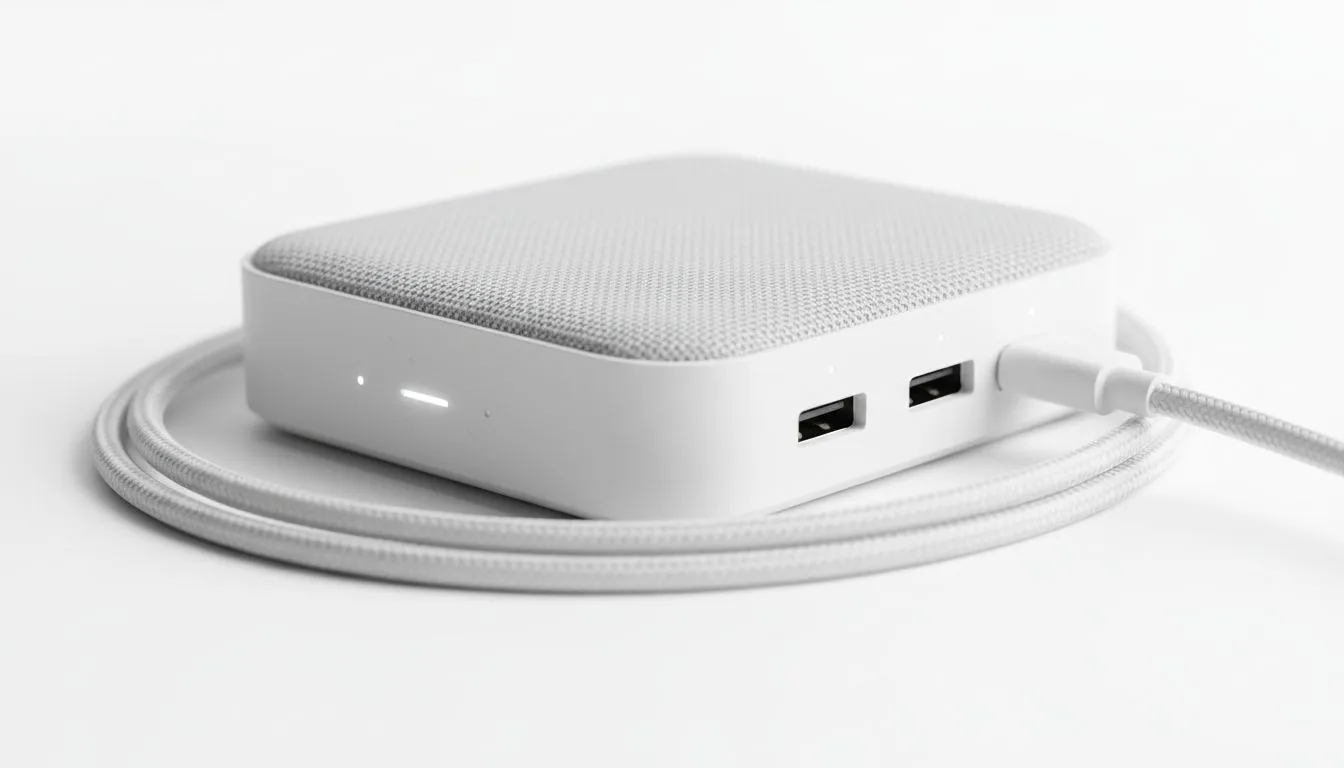
Imagine you are deep into an immersive gaming session or halfway through a movie on a long flight. Suddenly, the connection drops or your device starts throttling. If you have noticed your adapter getting uncomfortably warm, you are likely dealing with XREAL Hub overheating. Balancing high-speed data and power delivery in such a small form factor is a thermal challenge... especially during a sweltering South African summer 🔧.
The XREAL Hub is designed to solve a specific problem. It allows you to charge your smartphone or handheld console while using your latest range of AR glasses. This process involves converting voltage and managing high-bandwidth video signals simultaneously.
When you push 45W of Power Delivery through a compact plastic shell, heat is the natural byproduct. If the environment is already warm, the hub can struggle to dissipate that energy. This can lead to disconnected peripherals or slower charging speeds as the internal safety sensors kick in to protect the circuitry.
To prevent your hub from reaching critical temperatures, placement is everything. Many users make the mistake of leaving the hub on a couch or bed. These soft surfaces act like insulators... trapping heat exactly where you do not want it.
If you are browsing for a variety of ar glasses to build your ultimate portable rig, remember that cable management matters too. Ensure the hub hangs freely or rests on a hard, flat surface like a desk or a tray table. This allows air to circulate around the casing, helping the passive cooling do its job more effectively ⚡.
When using the XREAL Hub with a Steam Deck or ROG Ally, try to use a 65W or higher wall charger. While the hub only passes through a portion of that power, a higher-rated brick often runs cooler than a smaller one pushed to its absolute limit. This reduces the total thermal load on your entire connection chain.
Your choice of cables and chargers can impact how much heat is generated. Using low-quality "no-name" cables can increase resistance, which leads to more heat. When investing in high-end ar glasses, it pays to use the original cables provided or high-quality replacements from reputable brands.
If you find the hub is still getting too hot, consider lowering the brightness on your glasses slightly. This reduces the power draw from the host device through the hub. It is a small trade-off that can significantly extend your playtime without the hardware getting toasted 🚀.
Most modern devices will tell you if they are overheating. If you see a warning on your phone or console, unplug the hub immediately. Give it a few minutes to reach room temperature before reconnecting. In South Africa, where ambient temperatures can easily hit 30 degrees Celsius, being mindful of your tech’s "breathing space" is the best way to ensure longevity ✨.
Ready to Level Up Your Portable Setup? Avoiding heat is just the first step to a perfect AR experience. Whether you are looking for the latest glasses or the perfect hub to keep you powered up, we have the gear you need. Explore our massive range of AR tech and accessories and find the perfect match for your gaming lifestyle.
High power draw plus restricted airflow causes XREAL Hub overheating. Reduce load, improve ventilation, and use recommended cables to lower temps.
Yes. Using a high-quality PD cable rated for the hub reduces resistance and heat. Try a certified cable to prevent XREAL Hub overheating while charging.
Absolutely. Firmware updates often include thermal optimizations. Install updates to help reduce heat and avoid xreal hub thermal throttling.
A cooling pad or elevated stand improves airflow and reduces surface temps. External cooling for XREAL Hub lowers operating heat effectively.
Lowering output and disabling unnecessary USB power can cut heat. Tweak power settings to reduce load and lessen XREAL Hub overheating risk.
Mild warmth is normal, but persistent high heat risks damage. Stop use, unplug, and follow reduce heat when using XREAL Hub tips until it cools.
Use a thermometer or touch test after unplugging. Temperatures above normal operating range or throttled performance indicate XREAL Hub overheating.
RTX 4060 Ti PUBG at 1440p: FPS Benchmark. Real-world benchmark data, FPS numbers & performance analysis. What SA gamers can actually expect.
Read more
Head-to-head comparison of RTX 4080 Super vs RTX 3050: Gaming Performance for SA gamers. Performance benchmarks, Rand pricing & which delivers better value.
Read more
RTX 4080 Super for Scientific Computing. Real-world benchmark data, FPS numbers & performance analysis. What SA gamers can actually expect.
Read more
RTX 4060 Ti Star Wars Outlaws FPS: Performance. Real-world benchmark data, FPS numbers & performance analysis. What SA gamers can actually expect.
Read more
RTX 4060 Ti AV1 Encoding: Benchmark & Real-World. Real-world benchmark data, FPS numbers & performance analysis. What SA gamers can actually expect.
Read more
Snapdragon X2 NPU Explained: How 80 TOPS Changes. Plain-English explanation of what it means, why it matters & how it affects your buying decisions in SA.

HBM? High Bandwidth Memory Used in GPUs and AI. Plain-English explanation of what it means, why it matters & how it affects your buying decisions in SA.

How much should you spend on sim racing accessories in South Africa for a realistic setup? We break down budgets by quality tiers, so you buy smart gear and avoid overspending 🎮💸

G-Sync and FreeSync? Variable Refresh Rate. Plain-English explanation of what it means, why it matters & how it affects your buying decisions in SA.

AMD Laptop: Value. SA-focused analysis with local pricing data, real-world insights & actionable buying advice.

How MacBook Neo Handles 30+ Chrome Tabs with Only. SA-focused analysis with local pricing data, real-world insights & actionable buying advice.

Why Apple Put 8GB RAM in MacBook Neo: The A18 Pro. SA-focused analysis with local pricing data, real-world insights & actionable buying advice.

Upgrade your work laptop with a New Motherboard. Step-by-step instructions with SA-specific tips, common pitfalls to avoid & expert recommendations.

Maintain wired headset — Checklist: • inspect cables • clean earpads • store properly 🔧🎧 Practical steps to preserve sound quality and avoid premature replacements.

Fix crackling headset fast: step-by-step checks for cables, connectors, drivers, and settings to remove static or distorted audio on wired headsets 🎧⚙️

Stereo vs mono headsets: learn which delivers clearer calls, better spatial music, or simpler mono voice performance — pick the right headset for meetings, music, or gaming 🎧💬

- Compare gaming headset vs studio headphones; - Assess comfort, mic and sound; - Recommend best daily picks. Gaming headset vs studio headphones: learn which suits work, music and casual gaming. 🎧⚖️