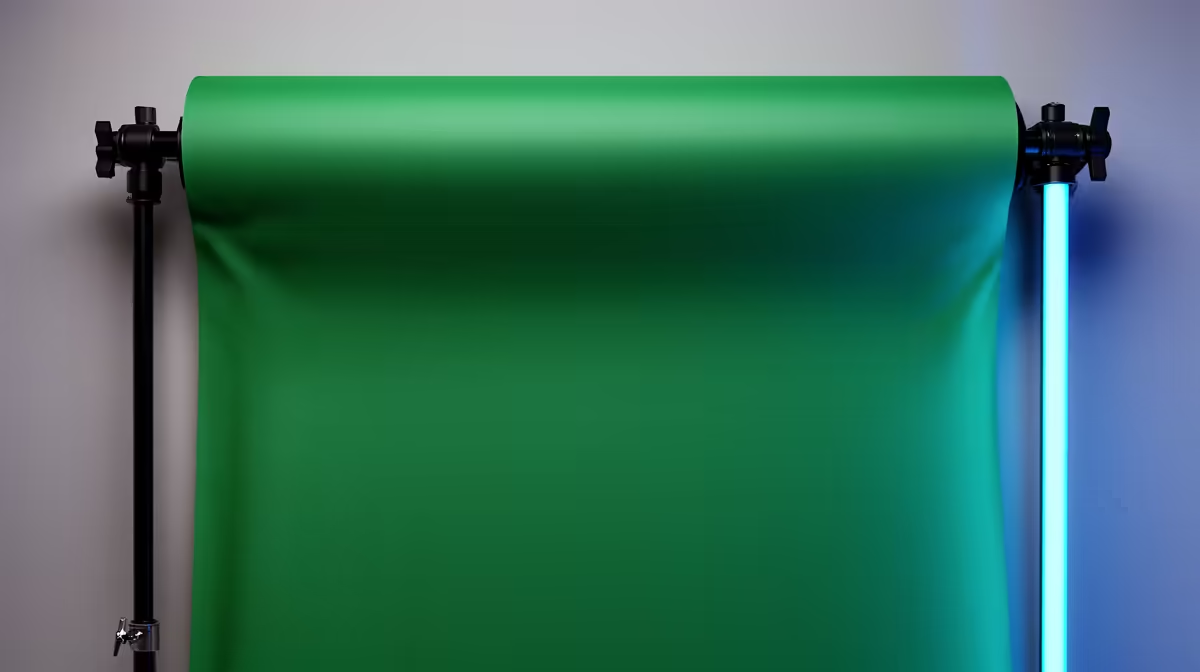
Before editing software can cut you out of a background, it needs something to cut against. Chroma green backdrops give it that reference point: a single, highly saturated hue the software can isolate and discard without touching the subject in front. Understanding why green works and what threatens the key tells you exactly what to control on set.
Quick Answer
Green is used because it sits furthest from human skin tones on the colour spectrum, letting keying software remove it without affecting faces. Even lighting and a crease-free surface matter most. Uneven light or wrinkles leave multiple shades of green that confuse the key.
🎨 Why Green and Not Any Other Colour
The choice of green is not arbitrary. Skin tones carry red and warm-yellow information regardless of complexion. Green, at the saturated levels a backdrop is dyed to, contains almost none of that warm signal. A keying algorithm targets the colour difference between backdrop and subject; the wider that gap, the cleaner the cut.
Blue screen has a niche use case in low-light conditions and reflects less onto blue-tinted surfaces. In modern digital video, green is the standard because most sensors dedicate more resolution to the green channel, giving the algorithm more data to produce a sharper key edge.
For SA presenters and streamers: avoid wearing yellow-green or lime. A forest-green shirt loses patches, and tight light-coloured patterned fabric can pick up green reflections from the screen and pull them into the key.
🔆 Lighting the Screen for an Even Key
The single biggest predictor of key quality is how evenly the backdrop is lit, not the cost of the screen or the editing software.
Lighting professionals measure this in stops: the brightness difference between the brightest and darkest parts of the surface. Keep that variation inside one stop and most keyers work cleanly. Two or more stops and you get a graduated key, with darker corners resisting removal and leaving murky borders around the subject.
Two common causes: a single light angled from one side, and the subject standing close enough to cast a shadow back onto the screen. Use a dedicated light aimed at the backdrop separately from the subject lights, and put at least 1.5 to 2 metres of distance between subject and screen.
🧠 Fabric Tension and Surface Quality
Wrinkles are a different problem from uneven lighting. A crease catches light at a different angle from the flat surface beside it, reading to the software as a second, slightly different colour.
A properly tensioned muslin on a crossbar has minimal surface variation. Distribute the tension evenly across the top loop or pole pocket and most storage creases pull straight. A clothes steamer resolves persistent folds in a few minutes.
Pop-up screens are pre-tensioned by their spring frame and arrive nearly flat. The trade-off is width: a pop-up covers about 1.5 metres while a muslin on a 3m crossbar nearly doubles that.
Frequently Asked Questions
How tightly must the green screen be lit relative to the subject?
Backdrop and subject lights should be independent circuits. Light the screen separately and aim to make it as uniformly bright as possible without sending that light forward onto the subject. Green spill turning the subject's skin slightly green is a common problem in compact setups, and keeping distance between subject and screen is the main safeguard against it.
Does the colour consistency differ between muslin and painted boards?
Yes. Painted chroma boards can be very uniform in colour, ideal for the narrow spectral range a keyer targets. Muslin varies slightly in dye saturation between batches, though quality purpose-dyed fabric keys well. The advantage of muslin is coverage: far more area for the same cost, which matters for standing shots and wider frames.
What happens when green reflects off jewellery or glasses?
Metallic surfaces and glass can pick up green from the backdrop and carry it into the frame, causing the keyer to partially remove them along with the background. Increase your distance from the screen to reduce forward bounce, or address the specific problem areas with manual masking in post if the shot demands it.
Can a painted wall substitute for a proper backdrop?
In theory, if the paint matches chroma green exactly. Standard wall paints are not the saturated hue the software expects and rarely cover large areas with sufficient consistency. A purpose-dyed fabric arrives calibrated and ready to key, making it the more reliable and lower-effort option for most home setups.
Does clothing colour affect anything besides obvious green items?
Yes. Highly reflective or shiny fabrics pick up green cast from the screen and introduce partial transparency in the key. Matte, neutral-toned clothing performs most predictably. Dark tops are the safest choice; they absorb rather than reflect the backdrop light and leave the key algorithm nothing to confuse.
Ready to get a cleaner key on your next shoot?
Browse the chroma green backdrop and lighting range at Evetech and find the combination that fits your studio space and editing workflow.