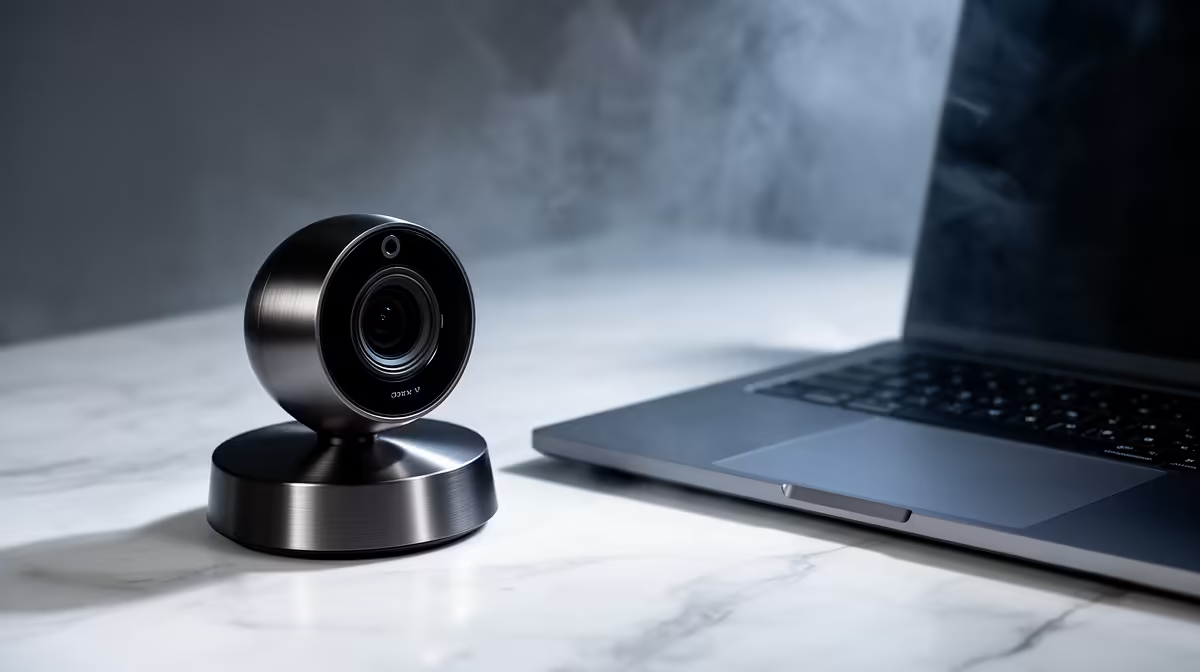
Your monitor might display every word crisp and your keyboard might feel just right, but if your professional work-from-home webcam looks like grainy CCTV footage on a Teams call, the whole setup lets you down. Getting the specifications right is not about chasing the highest number on a box. It is about knowing which numbers translate to sharper calls, cleaner audio, and a desk that looks considered.
Quick Answer
For a solid WFH setup, target 1080p at 30fps, genuine autofocus, a 78 to 90-degree field of view, and a dual-mic array with noise reduction. These four specs cover the gap between a webcam that undermines you on calls and one that makes you look prepared.
🔧 Resolution and Frame Rate: The Starting Point
The floor for any professional call is 1080p at 30fps. Below that you are delivering a soft, compressed picture that looks noticeably degraded on a large monitor at the other end. 720p was acceptable a few years ago; today it reads as unprepared.
1080p at 30fps handles talking-head video well. Your face is not a fast-moving object, so 30 frames per second captures every expression without the bandwidth overhead of 60fps. On a capped SA fibre plan or a shared home connection, 30fps keeps upload usage sensible across long call days.
4K is not necessary for calls alone. Platforms like Teams and Zoom cap their video streams well below 4K, so the extra resolution rarely reaches the person watching. Where a 4K webcam earns its place is when it doubles as a recording camera, where the detail survives to the final file.
🎯 Autofocus and Field of View
Fixed-focus webcams are calibrated for one distance. Set your desk up to match and you are fine, until you lean forward to read something or gesture toward the screen. In those moments a fixed lens drifts soft and stays there. A webcam with motorised autofocus adjusts continuously, keeping your face sharp across a practical desk range of 30 to 80cm.
Field of view determines how much of your surroundings appears in the frame. A 78 to 90-degree angle suits a single person at a desk, framing your head and shoulders without swallowing the room. Go wider than 95 degrees and the camera drags in whatever is behind and beside you. Some webcams let you narrow the FOV through the companion app, which is worth having for different call types.
🔆 Built-in Microphone
A dual-capsule array with noise reduction picks up your voice clearly while cutting keyboard clicks, pedestal fan hum, and street noise through a summer window. For calls it removes the need for an extra USB device and frees up a port.
The physical privacy shutter is worth having. A sliding cover over the lens guarantees the camera is off between calls, beyond what a software toggle can promise. On a desk that also holds personal documents, that certainty is a small but real benefit.
Frequently Asked Questions
What resolution is actually needed for work-from-home calls?
1080p at 30fps is the practical minimum for professional calls. It renders clearly on large monitors without demanding high upload bandwidth. 720p still functions but looks compressed on anything above a laptop screen and signals a lower-effort setup to the people on the call.
Is autofocus necessary for a home desk setup?
Yes, once you see what a fixed lens misses. A fixed-focus webcam is sharp only at its set distance. Move forward to read a document, gesture, or shift in your chair and the image softens. Autofocus tracks those adjustments continuously, keeping the picture clean however naturally you move through a call.
What field of view is right for one person?
Between 78 and 90 degrees works for most desks. That range frames from the shoulders up without pulling in too much of the room. A webcam set wider than 95 degrees brings more background into the picture, which in a home office usually means more visible clutter rather than a more professional look.
Does the built-in mic replace a standalone microphone?
For calls, a good dual-mic webcam with noise reduction handles the job. It keeps audio clear, reduces ambient sound, and saves a port. If you record podcasts or voice-overs where audio quality is the product itself, a dedicated microphone is worth buying separately. For meetings specifically, the webcam mic is enough.
Ready to upgrade your call quality from the ground up?
Browse the webcam range built for South African home offices, where the right resolution, autofocus, and mic specs come matched to a professional desk.