


How to Reduce Desk Clutter with a TKL Wireless Keyboard
Learn how to reduce desk clutter with a TKL wireless keyboard using fewer cables, smart placement, and tidy essentials. Get a faster, calmer workspace with better ergonomics. ✅🧼
Read moreFix ghost inputs in multiplayer gaming fast—learn quick checks, controller and keyboard settings, and troubleshooting steps to stop missed key commands. 🎮⚡ Get your aim and actions back.
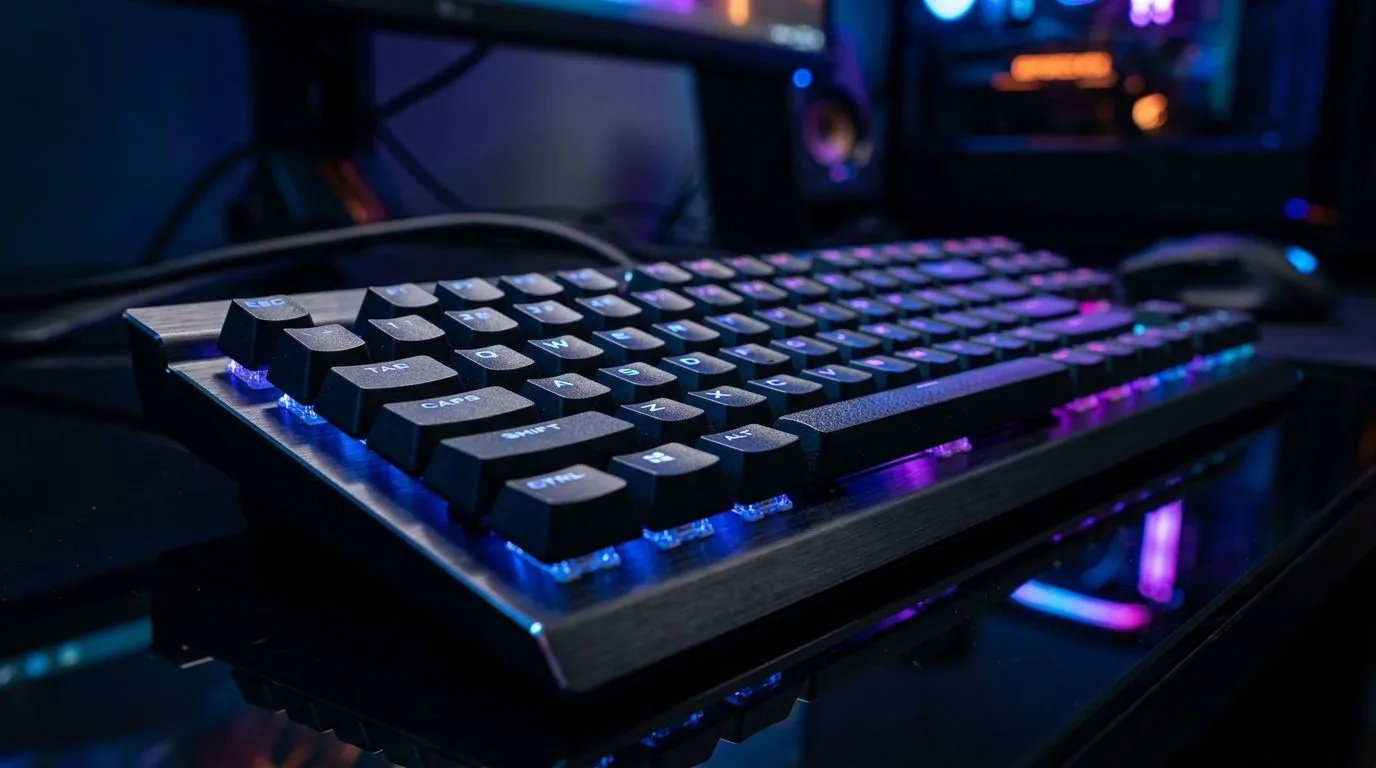
Ever had your character freeze or move unexpectedly during an intense multiplayer session? Ghost inputs can silently wreck your gameplay, turning clutch kills into frustrating losses. South African gamers know every millisecond counts when your ping is low but your keyboard misfires. Fixing ghost inputs in multiplayer gaming is the fastest way to reclaim control and precision on your rig—no need to blame your internet every time.
Ghost inputs happen when your keyboard registers extra key presses that you never made. This often stems from hardware limitations or faulty wiring. For competitive players, this means commands trigger incorrectly or at the wrong time—absolutely deadly in fast-paced games.
If your character suddenly runs without command or combos don’t register properly, ghost inputs might be why. Wired and wireless keyboards alike can suffer this glitch, but the fix lies in knowing your gear and adjusting accordingly.
Some budget keyboards don’t natively support "N-key rollover," the tech that ensures multiple keys register accurately when pressed simultaneously. South Africans hunting for the cheapest gaming keyboard in South Africa can find options with full anti-ghosting features at Evetech right here.
For wired keyboard lovers, this wired selection offers excellent anti-ghosting performance, while you can also browse wireless alternatives designed to minimise input lag and ghosting.
Outdated drivers cause many input quirks. Head over to the manufacturer’s site or Evetech for driver downloads and ensure your keyboard firmware is up-to-date. This often resolves ghosting without hardware replacement.
Enable “game mode” if your keyboard supports it. This mode disables certain keys to minimise distraction or accidental input. Testing your keyboard on another PC or gaming device can also pinpoint if ghost inputs stem from your setup or the keyboard itself.
When you pair a keyboard and mouse designed to work flawlessly together, like those on Evetech’s keyboard-mouse combos, you lower the chance of input conflicts or wireless interference causing ghost inputs. This setup is perfect for South African gamers seeking smooth, dependable performance without fuss.
Even the sleekest keyboard can have quirks. Try it with your favourite multiplayer games for 15 minutes to check ghosting before fully committing.
Ghost inputs can feel like lag, but they’re a hardware or configuration issue. Upgrading your keyboard and regularly tuning your system can keep inputs crisp and exact. South African gamers who invest wisely on keyboards at Evetech enjoy fewer frustrations and higher precision every match.
Don’t let ghost inputs decide your placement in online leagues or your squad’s fate. Stay informed and gear up with the best to keep every command sharp and responsive.
Take Control of Your Gaming Inputs Today Eliminate ghost inputs for good—Shop now at Evetech to find top-rated gaming keyboards that elevate your multiplayer experience.
Ghost inputs often appear when inputs overload the system or keyboard/controller settings conflict. Check polling rate, drivers, and keybinds to stop missed commands.
Test in a keyboard input tester and in the OS control panel first. If ghost inputs appear outside the game, it is likely hardware or driver-related.
Try disabling macro tools, resetting keybinds, and confirming key rollover support (N-key vs 2-key). Also verify Windows input and accessibility settings.
Yes. High or mismatched polling rates can trigger driver or USB power conflicts. Lower the polling rate and retest to identify polling-related ghost inputs.
Bad dead zones and wrong stick mappings can look like missed commands. Recalibrate, update controller firmware, and clear conflicting profiles.
This usually points to game-specific bindings, overlay conflicts, or focus/input priority issues. Disable overlays and reset controls to default.
They can. If buffering or latency modes are misconfigured, your key presses may feel dropped. Try resetting those settings and retesting performance.
Learn how to reduce desk clutter with a TKL wireless keyboard using fewer cables, smart placement, and tidy essentials. Get a faster, calmer workspace with better ergonomics. ✅🧼
Read more
RGB keyboard lighting too distracting? Learn how to manage backlight modes, set brightness, and reduce distraction for focus and productivity 😌🖱️
Read more
A plunger switch keyboard uses a simple plunger mechanism for a crisp feel—often compared to mechanical keyboards. Here’s what it is, how it sounds, and whether it feels right. ⌨️🔍
Read more
Learn how to connect MacBook Air to multiple external monitors without adapters ✅ Use the right ports, cables, and settings for smooth display control across screens. 🖥️
Read more
Centre Stage camera not working properly? Fix your 12MP FaceTime setup with practical checks for settings, permissions, and signal flow. ✅📷
Read more
Is a Ultra Short Throw Projector Good for Gaming?. Diagnosis steps, proven fixes & when to seek professional help. SA-specific support info included.

Is a Short Throw Projector Good for Gaming? Input. Diagnosis steps, proven fixes & when to seek professional help. SA-specific support info included.

Top Mouse Settings for Competitive FPS: Sensitivity picks evaluated on performance, value & SA availability with current Rand pricing from Evetech.

Top Speakers for MacBook Desk Setup picks evaluated on performance, value & SA availability with current Rand pricing from Evetech.

Is a Ergonomic Chair Better Than a Standard Office Chair for Gaming Detailed answer with SA data, expert analysis & practical recommendations for local buyers.

Use Spotlight Search Like a Pro on macOS. Step-by-step instructions with SA-specific tips, common pitfalls to avoid & expert recommendations.

wireless keyboard Fan Noise Too Loud: Quiet. Everything you need to know with SA pricing, step-by-step instructions & expert recommendations.

Connection Timeout: Troubleshooting Guide #2. Diagnosis steps, proven fixes & when to seek professional help. SA-specific support info included.

Gaming PC Question: Is my power supply dying Detailed answer with SA data, expert analysis & practical recommendations for local buyers.

Projector Throw Ratio Calculator: Perfect. SA-focused analysis with local pricing data, real-world insights & actionable buying advice.

Monitor Stock Levels in Nelspruit: July Report. Current stock data & price tracking for SA buyers. See what is available and where prices are heading.

CS2 Low FPS: Power Supply Bottleneck. Real-world benchmark data, FPS numbers & performance analysis. What SA gamers can actually expect.