


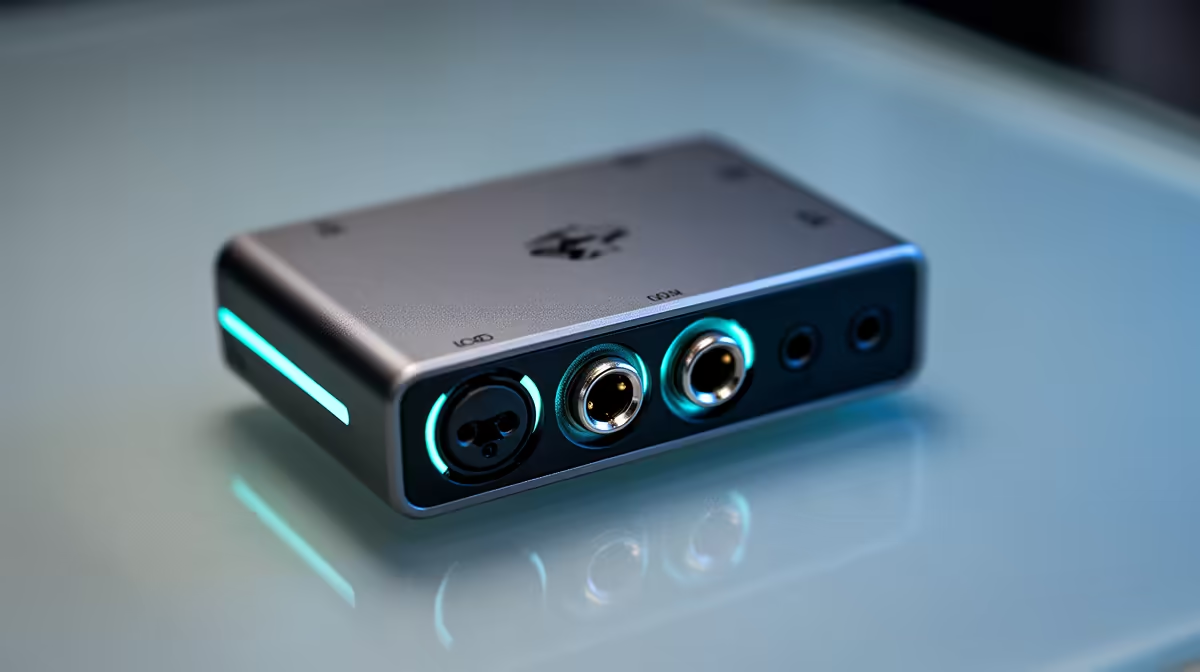
Party chat delay is one of those problems that sounds like a network issue but often lives entirely inside your capture setup. When in-game comms delay creeps in, the culprit is usually the audio path, not the fibre line. Routing voice through PC software adds buffering the 3.5mm ports on your capture card simply do not have.
Quick Answer
Plug your party chat headset into the 3.5mm ports on the capture card, not the PC. Analog audio over that path arrives in under 10ms, while software routing can add 40 to 80ms of lag. The card's onboard mixer then lets you blend voice and game audio on a single dial.
🎯 Why the 3.5mm Path Is So Much Faster
Analog audio does not queue. When your voice travels from the headset jack straight into the capture card's 3.5mm input, it converts to digital at the card's onboard chip and lands in the recording within roughly 10ms. That figure holds whether you are on a PS5, Xbox Series X, or any console that surfaces party chat through the controller headset socket.
Software-routed audio is a different story. A virtual audio device, a mixer app, or even the default Windows sound routing all introduce buffering. The system collects audio into chunks before handing them off, and each handoff adds latency. For music playback that buffer is invisible. For a conversation mid-match, 40 to 80ms of delay makes voices sound like they are arriving from a different dimension.
The 3.5mm ports on most capture cards accept a 4-pole TRRS cable, the same type that comes with in-ear headsets designed for phones. One end goes to the controller, the other feeds the card. That is the entire wiring change.
🔧 Getting the Cable Right
Cable choice matters here, and it catches people out. A standard 3-pole TRS cable carries only audio output, so it feeds your ears but carries no microphone line back to the card. Party chat vanishes from the recording.
A 4-pole TRRS cable carries both directions simultaneously: headset output and mic input in the same plug. Use the 4-pole type and the card receives the party chat stream. Use the wrong one and the card hears only game audio, with chat missing entirely from the mix.
Most phone and gaming headsets already ship with a 4-pole lead. If yours has a separate split for mic and headphones, grab a single 4-pole converter cable and the problem solves itself.
🔆 Balancing Voice Against Game Audio
The reason capture cards include a physical mixer dial rather than relying purely on software is exactly this scenario. Once chat routes through the 3.5mm input and game audio arrives over HDMI, the onboard mixer gives you a single control to blend them.
Twist the dial toward voice and chat sits above the game sound, which helps commentary stay intelligible even during loud in-game moments. Twist the other way and the game mix dominates, useful for gameplay highlight recordings where commentary is secondary. Most cards set this balance at source, meaning the mix is baked into the recorded file before software ever sees it. That removes one more variable from the latency chain.
Frequently Asked Questions
How does routing through the card's 3.5mm ports reduce delay?
Analog audio arriving through a physical 3.5mm input bypasses software audio buffers entirely. The card converts it to digital at the point of capture, keeping the journey from your mouth to the recording within roughly 10ms. Software routing collects audio into buffered chunks first, adding 40 to 80ms before the signal reaches the recording track.
My party chat is drifting out of sync on stream. What is happening?
The most common cause is chat audio passing through a software audio device while the game video goes through the card. Both arrive at the encoder at different times, and the drift becomes obvious during longer sessions. Moving chat to the card's 3.5mm input puts voice and video on the same hardware path, so they arrive together.
Can I still adjust levels after the card mixes them?
The onboard mixer sets the initial balance between game and voice, but your streaming or recording software can apply further adjustments through its audio tracks. Many cards also split game and mic audio onto separate tracks in the recording, letting you adjust the blend in post without touching the live mix.
Does this approach work for both PS5 and Xbox controllers?
Yes. Both output party chat through the 3.5mm headset socket on the controller. A 4-pole TRRS cable from that socket into the capture card's 3.5mm input captures the party audio stream. The console brand does not affect the principle, since both use the same jack standard.
Will chat quality drop going through the 3.5mm route?
No meaningful quality loss happens. Capture cards sample incoming audio at 48kHz, which is the same rate used for the game audio and matches standard streaming audio quality. The analog path introduces no noticeable degradation compared with software routing, and the latency improvement is far more significant than any theoretical difference in the sample chain.
Ready to get your party chat locked in sync? Browse the game capture card range and find the card with the 3.5mm mixing ports that keeps your voice and gameplay arriving at exactly the same moment.










