One recline angle rarely suits gaming, typing and breaks equally. Finding a comfortable gaming chair recline means testing small changes around the actual task and coordinating lumbar, neck and arm support.
Quick Answer
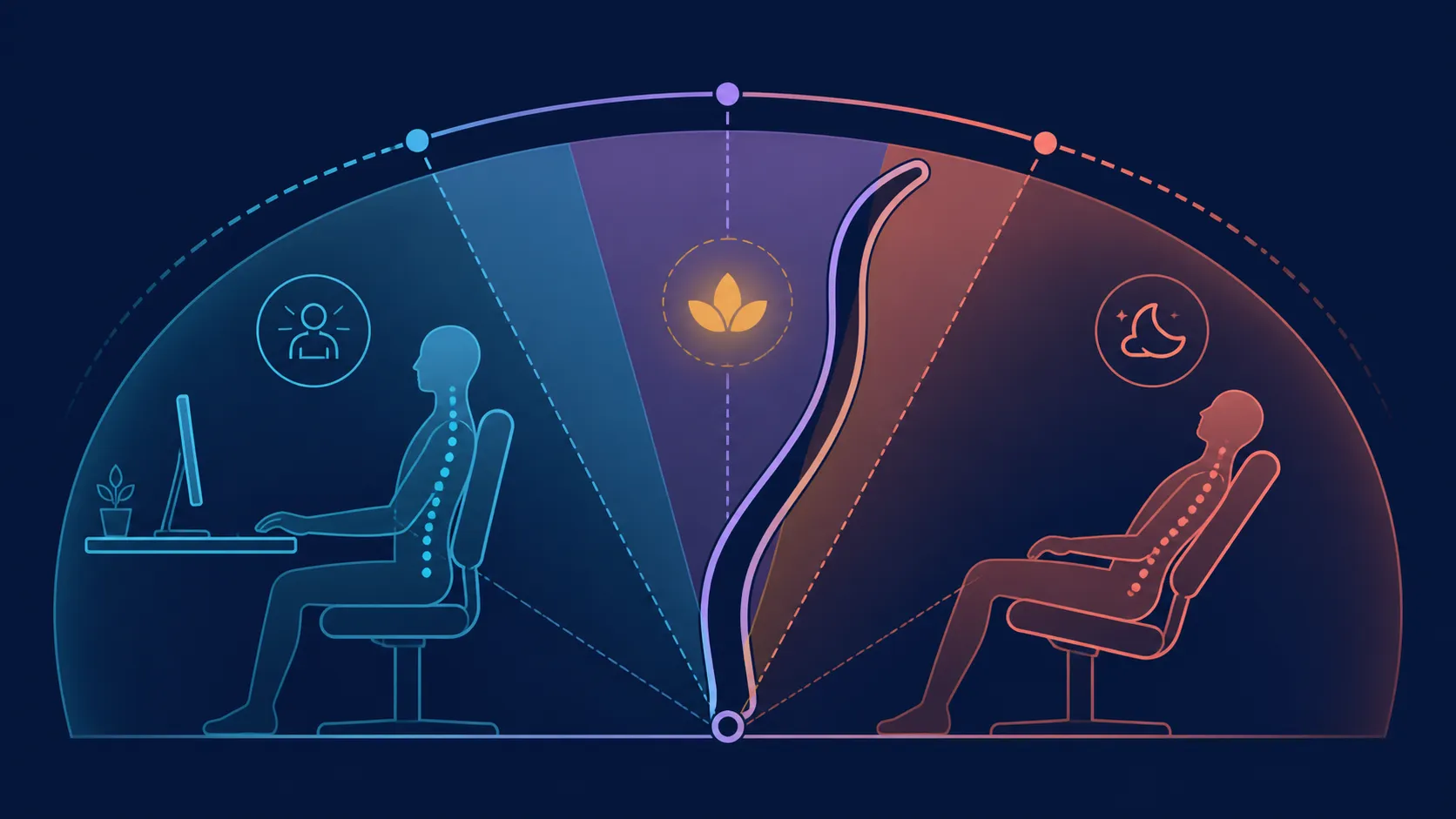
Start near the active task zone and move the backrest in small steps. On the R16,599 M6 Pro+ 2.0, travel ends at 160 degrees. Reassess responsive lumbar contact and the 3D ErgoCloud pillow during that movement; no angle guarantees comfort for every user.
💻 Start with active tasks
Place the keyboard, mouse or controller in use and choose a backrest position that preserves access. Typing and focused gaming may need different relationships, so test them separately.
Explore Evetech's AutoFull gaming chair range after defining task-specific angles rather than one universal target.
↘️ Move toward breaks
Increase recline in small steps, checking the space behind the chair and the exact mechanism procedure. Treat 160 degrees as the endpoint, not the required break position.
Locking behaviour should be learned from the model instructions. Do not infer lock points from the maximum angle.
🧩 Coordinate support
Observe dynamic lumbar contact and place the 3D ErgoCloud pillow for the neck area. Reposition the foldable armrests as the backrest changes.
Compare the full support relationship around recline across Evetech's local selection of gaming chairs.
✅ Record repeatable angles
Write down the positions that work for gaming, typing and breaks. A useful setting is one the owner can reproduce without forcing other adjustments out of place.
No angle promises a health benefit. The chair supports up to 150kg, while body dimensions and personal response remain separate.
Divide the backrest range into task zones instead of chasing one perfect number. Use an upright area for active inputs, a modest change for passive viewing and a deeper position only for a genuine break. Move gradually between zones and observe whether feet, pelvis, lower back, neck and forearms remain appropriately supported for that activity.
Test the return path before relying on a break setting. Learn how the exact mechanism holds and releases a position, check the room behind the chair and keep cables away from moving parts. The 160-degree endpoint does not reveal lock points or operating steps. Those details should be confirmed directly, especially in a small office or shared bedroom.
Make separate notes for each user and task. Their useful range may change with body dimensions, desk height or input device. Recheck lumbar contact, pillow placement and arm support every time the backrest moves. Include normal time away from the chair in the routine; varying the angle is a setup choice, not a substitute for movement or health advice.
Add a time boundary to each zone in the plan, based on the owner's intended routine rather than a universal prescription. The purpose is to prevent a break setting from becoming the default for focused input work and to prompt ordinary movement away from the chair. Review the sequence after several days, keeping only angles that can be entered and exited comfortably through the correct controls.
When the room is shared, label the clearance area as well as the angle. Other furniture or temporary items can change whether a previously useful position remains practical. Recheck the path before moving into a deeper zone, and update the map if the desk arrangement shifts.
Frequently Asked Questions
Where should recline testing begin?
Begin near the ordinary active-task position, then make one small angle change at a time.
What is the deepest M6 Pro+ angle?
The backrest reaches a maximum recline of 160 degrees.
Should gaming and typing use the same angle?
Not automatically. Compare each task with its actual controls and preferred body relationship.
How does dynamic lumbar affect recline testing?
It changes lower-back contact as the seated position moves, so reassess it at each used angle.
What supports the neck area?
Above its responsive lower-back area, the chair carries a 3D ErgoCloud pillow for neck contact.
Can one angle guarantee comfort?
No. Body fit, task, desk relationship and personal response all influence comfort.
Do dimensions still matter?
Yes. Recline range cannot replace seat, backrest or surrounding-space measurements.
Ready to map separate angles for work, gaming and breaks?
Browse Evetech's gaming chairs after testing each task through gradual, repeatable backrest changes.