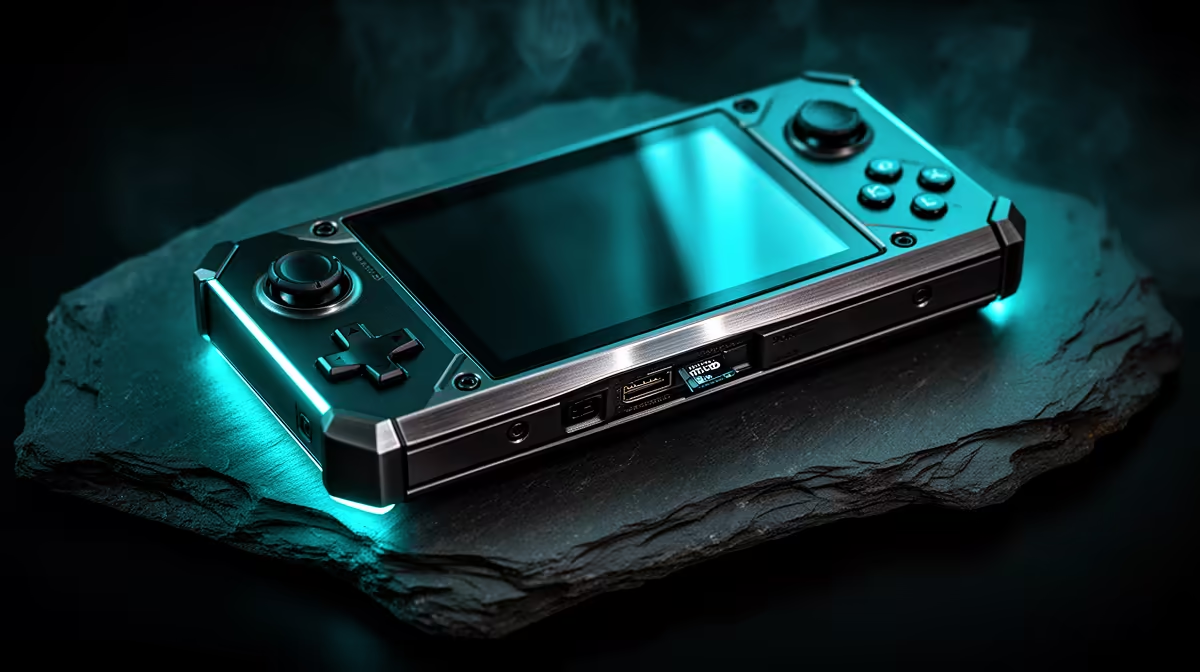
Your retro handheld powers on to a blank screen, an error, or an empty games list, and the microSD card not detected problem is to blame. On most budget handhelds the card is not just for storing games. It often holds the operating system itself, so when the slot cannot read it, the device has nothing to boot from. That makes a fix urgent, but it is usually a quick one once you know whether the issue is the seating, the format, or the card.
Quick Answer
Start by powering off, removing the card, and reseating it firmly until it clicks. If that fails, check the card's format: most handhelds expect FAT32 or exFAT, and a wrong file system stops the firmware loading. If a known-good card still fails in the slot but works in a PC, you are looking at a hardware fault rather than a format issue.
Reseat the Card First
The most common cause is the simplest. A card that is slightly proud of the slot, or one knocked loose in a bag, will not make full contact. Power the device off completely, push the card in until it clicks home, and power back on. On handhelds with a spring-loaded slot, listen for that click, since a card sitting on the spring without latching looks inserted but is not.
While the card is out, look at the gold contacts. A smudge of grease or dust can break the connection. Wipe them gently with a dry cloth, and blow out the slot before reinserting.
Check the File System
If reseating does nothing, the format is the next suspect. Many budget handhelds load their entire operating system from the card, so the firmware can only read specific file systems. FAT32 and exFAT are the usual safe choices, while a card formatted as NTFS or left in an unexpected layout will simply not be recognised.
Put the card in a PC and confirm it reads there. If the PC sees it but the handheld does not, reformat to the file system your device's documentation specifies, then restore the games or operating system files. Always back up the card's contents first, because formatting erases everything on it.
Rule Out the Card Itself
Counterfeit and worn-out cards are a real problem in the handheld world. A card advertised as a large capacity but built on cheaper hardware can read fine at first, then fail intermittently. Test with a second card you trust. If a genuine, freshly formatted card works and the original does not, the original card is the fault.
When buying a replacement, stick to reputable brands and realistic capacities, and pair it with the right card reader so you can flash and manage it cleanly. The gaming accessories best sellers cover readers and adapters that make card swaps painless.
When the Slot Is the Problem
If no card works in the handheld but every card works elsewhere, the slot or its reader has likely failed. Bent contact pins, debris lodged deep in the slot, or a hardware fault all produce this pattern. Inspect under good light, and if a pin is visibly bent, the device usually needs repair rather than a software fix. At that point a newer handheld is often the more sensible move, and the current handheld gaming console range is worth a look.
Frequently Asked Questions
Why does my handheld show no games after a card swap?
Most likely the new card is unformatted, formatted in the wrong file system, or missing the operating system files the old card held. Confirm the format matches what your device expects and that the necessary system files are present on the card.
What file system should a retro handheld card use?
FAT32 and exFAT are the most widely supported, with FAT32 common on simpler firmware and exFAT used where larger files are needed. Check your specific handheld's documentation, since loading the wrong format is a frequent reason a card is ignored.
Can a fake microSD card cause this?
Yes. Counterfeit cards often misreport their true capacity and fail unpredictably, sometimes reading at first and then dropping out. Testing with a genuine card from a trusted brand quickly tells you whether the card is the problem.
My card works in my PC but not the handheld. Why?
That points to a format or firmware mismatch rather than a dead card. The PC is more flexible about file systems than the handheld's firmware, so reformat the card to the layout your device requires and restore the needed files.
Could draining the battery help?
On some handhelds a full power cycle clears a stuck state that prevents the card from being read. Letting the battery drain fully and then charging and booting again is a low-risk thing to try before assuming hardware failure.
Is it worth upgrading to a newer handheld instead of repairing?
If the slot fault is on an older budget unit, a replacement is often the better call. The best-selling PC and gaming hardware at Evetech shows what buyers are moving to, and current handhelds offer noticeably better screens, chips, and build quality for a modest step up in cost.