



1200W PSU Planning for RTX 5090 Builds in SA
1200W for RTX 5090 needs a full-build check, not a simple yes. Review GPU guidance, CPU draw, transient load, connectors, PSU quality, and upgrade plans before deciding.
Read moreFix Core i7-14700K Compatibility Issues. Step-by-step instructions with SA-specific tips, common pitfalls to avoid & expert recommendations.
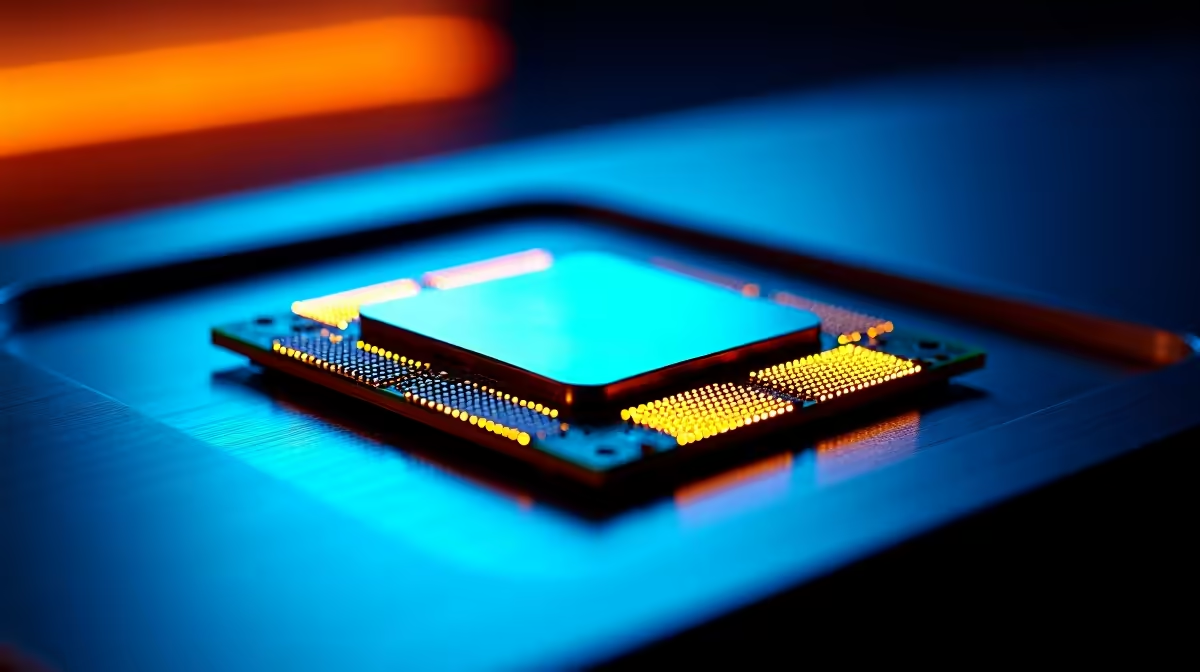
Core i7-14700K compatibility issues are usually caused by mismatched motherboard BIOS versions, unsupported RAM speeds, or insufficient power delivery - all fixable with targeted updates and correct hardware pairing.
The Core i7-14700K is Intel's 14th Gen Raptor Lake Refresh flagship, and while it slots into LGA 1700 motherboards that also supported 12th and 13th Gen chips, that backwards compatibility comes with conditions. Many Z690 and Z790 boards shipped with BIOS versions that predate the 14700K's release, meaning the CPU microcode was never loaded onto the firmware. When you drop the chip into an outdated BIOS, the system either refuses to POST, boots to a black screen, or runs the processor at degraded clocks.
Power delivery is the second big culprit. The i7-14700K has a maximum turbo power draw that can exceed 250W under sustained loads. Budget Z790 boards with weak VRM configurations will throttle the CPU aggressively, causing performance drops that look like software problems but are actually thermal and electrical in nature. Identifying whether you have a BIOS or power delivery issue is the first diagnostic step.
Start with a BIOS update before anything else. Download the latest firmware from your motherboard manufacturer's support page, flash it via USB using the board's built-in BIOS Flashback feature - which lets you update even without a working CPU installed. Once the BIOS is current, reset settings to optimised defaults and re-enable XMP or EXPO for your RAM.
If the system POSTs but shows instability, check your CPU power limits. In BIOS, look for settings like PL1 (long duration power limit) and PL2 (short duration power limit). Intel's recommended values are 125W for PL1 and 253W for PL2, but many boards ship with unlimited power settings that push the chip beyond what lower-tier VRMs can sustain. Setting manual power limits often resolves crash loops and unexpected shutdowns. Also confirm your cooler is rated for 250W+ TDP - the i7-14700K runs hot and a weak cooler will cause immediate thermal throttling.
The i7-14700K officially supports DDR4 up to 3200MHz and DDR5 up to 5600MHz, depending on your motherboard. Running RAM at speeds above the official JEDEC spec requires enabling XMP profiles, which some boards handle inconsistently. If your system crashes during memory-intensive tasks, try dropping XMP frequency by one step (for example, from 6000MHz to 5600MHz) and testing stability with a tool like MemTest86.
Also confirm your RAM is on your motherboard's Qualified Vendor List (QVL). Not all memory kits work reliably at rated speeds on every board, even if they use the same spec on paper. QVL lists are published on motherboard manufacturer websites and cross-referencing them before purchase saves a lot of troubleshooting time.
A: Yes, Z690 boards support 14th Gen CPUs via BIOS update, but you need to flash a compatible firmware version first. Performance is generally identical to Z790 for most workloads, though some Z690 boards have weaker VRM designs that can limit sustained boost performance.
A: This is almost always thermal throttling or power limit throttling. Check your CPU temperatures under load using HWiNFO64 - sustained temperatures above 100 degrees Celsius indicate inadequate cooling. Also check your BIOS power limits to ensure PL1 and PL2 are set correctly.
A: If your board is Z690 or an early Z790 revision, yes - update the BIOS using an older compatible CPU or use the BIOS Flashback feature (if available) before installing the 14700K for the first time.
Also at Evetech: Intel Processors | Graphics Card Deals
Ready to Find Your Perfect Match? Shop at Evetech
How to Fix Core i7-14700K Compatibility available at Evetech.co.za with local warranty and fast delivery.
How to Fix Core i7-14700K Compatibility - check Evetech for latest stock and SA pricing.
Depends on your use case. How to Fix Core i7-14700K Comp offers good value at current Rand pricing.
1200W for RTX 5090 needs a full-build check, not a simple yes. Review GPU guidance, CPU draw, transient load, connectors, PSU quality, and upgrade plans before deciding.
Read more
ultrawide monitor low FPS may point beyond the device named in the title. Review drivers, settings, thermals, power, background apps, display limits, cables, and game options before changing hardware.
Read more
How to fix low FPS on an RTX 5070 build in South Africa starts with driver, display, cooling, and CPU checks. Use local gaming setup context to test RAM profile, PCIe speed, airflow, and game settings.
Read more
Windows 11 gaming PC low FPS often comes from drivers, power plans, background apps, display settings, or thermals. This SA gaming checklist helps isolate Windows issues before replacing healthy hardware.
Read more
How to fix low FPS Windows 11 Steam Deck issues starts with drivers, power limits, storage, and handheld settings. Use this SA-focused checklist to tune display, background tasks, and game profiles without unsupported performance claims on the go.
Read more
4K monitors stay expensive for East London gamers because panels, refresh rates, ports, and GPU demands raise total cost. SA buyers should compare screen size, warranty, graphics card needs, and whether 1440p gives better value.
Read more
Black Friday Gaming PC Wait can help if your PC need is flexible. On a R5,000 SA budget, compare deal risk, component balance, warranty, and timing before waiting.

Wi-Fi 7 and Wi-Fi 6E differ most in capacity, latency handling, and future router support for SA gamers. The choice depends on your fibre speed, home layout, device support, and whether cable-free gaming must stay consistent.

Choosing the right USB-C hub is essential for a clean, efficient desk setup. 🖥️ Discover exactly how many ports you need to replace your bulky desktop docking station without sacrificing performance or connectivity. ⚡

ATX 3.1 vs ATX 3.0 for SA Buyers comes down to GPU power connectors, PSU quality, cable routing, headroom, and upgrade plans. SA buyers should match the choice to their setup instead of assuming one option always wins.

A recovery drive and system restore points turn a failed driver or BIOS update on a gaming pc from a full reinstall into a five-minute fix. Setting both up takes about 15 minutes, and Evetech recommends doing it the week you unbox a new build, before tweaking drivers.

RTX 5090 with a 1000W PSU is a strong compatibility target for high-end builds. SA buyers should still match the exact PSU quality, connector support, CPU choice, case airflow, and upgrade needs to the final system.

RTX 5090 on a 1000W PSU offers the best headroom in this PSU tier set. SA builders can plan more confidently for top-tier CPUs, cooling, and cautious OC, while still checking cable support and total system load.

A 550W PSU is a risky fit for an RTX 5080 Super system in SA unless guidance and demand support it. Check CPU draw, cabling, PSU age, cooling, and upgrade margin before deciding whether the setup is safe enough.
1200W for RTX 5090 needs a full-build check, not a simple yes. Review GPU guidance, CPU draw, transient load, connectors, PSU quality, and upgrade plans before deciding.

FSR 4 vs FSR 3.1 for aaa single-player gaming depends on game support, image quality preferences, latency goals, and GPU fit. SA buyers should check the game and hardware path first.
ultrawide monitor low FPS may point beyond the device named in the title. Review drivers, settings, thermals, power, background apps, display limits, cables, and game options before changing hardware.

Ray Tracing vs Path Tracing for Video Editing in 4K comes down to visual settings, GPU load, creator workflow needs, and whether the feature fits your use case. SA buyers should match the choice to their setup instead of assuming one option always.