



1200W PSU Planning for RTX 5090 Builds in SA
1200W for RTX 5090 needs a full-build check, not a simple yes. Review GPU guidance, CPU draw, transient load, connectors, PSU quality, and upgrade plans before deciding.
Read moreGet 144Hz in Baldur's Gate 3 on RTX 5070 Ti. Step-by-step instructions with SA-specific tips, common pitfalls to avoid & expert recommendations.
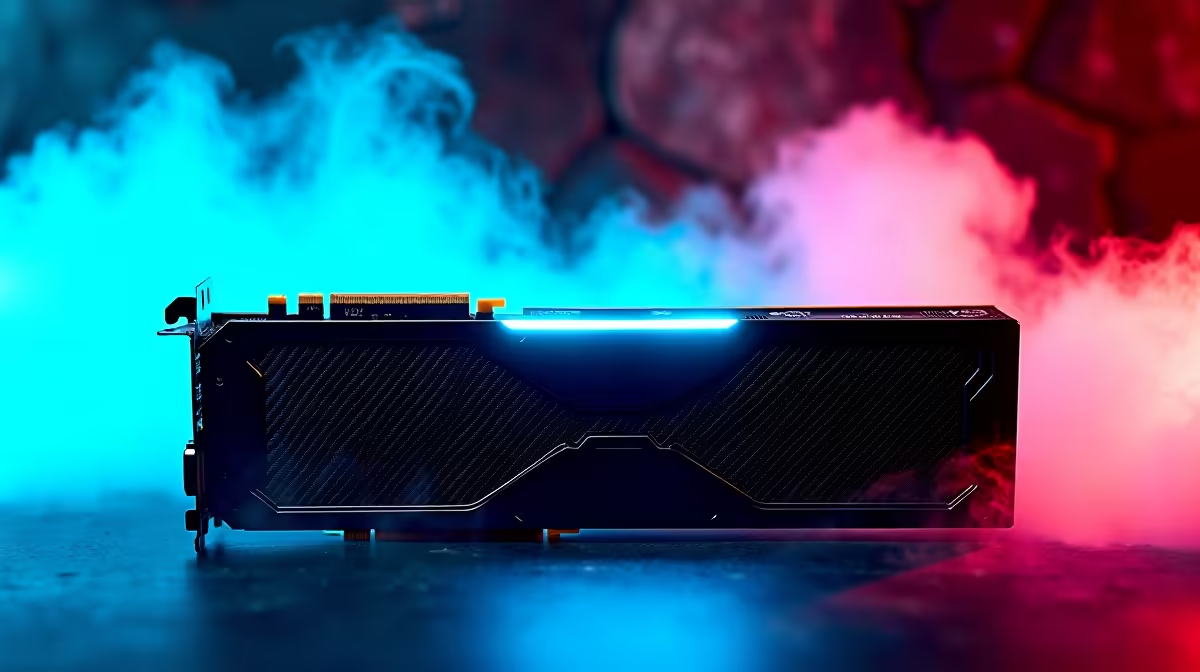
Exploring Faerûn is a visual treat... but experiencing it at a buttery-smooth frame rate takes it to another level. If you recently dropped your hard-earned ZAR on a shiny new GPU, you are probably wondering how to get 144Hz in Baldur's Gate 3 on RTX 5070 Ti. It is entirely possible with the right tweaks. Let us dive into the best settings to maximise your performance. 🚀
The RTX 5070 Ti is an absolute powerhouse. It handles modern RPGs effortlessly. However, Baldur's Gate 3 is incredibly detailed. To push those frames up, you need to balance visual fidelity with raw speed. If you are still running an older card and want this level of performance, it might be time to browse the latest graphics cards to upgrade your rig.
Start by adjusting your resolution scaling. NVIDIA DLSS is your best friend here. Set it to 'Quality' or 'Balanced' to keep the vibrant colours of the Sword Coast intact. This will immediately boost your frame rate.
Next, dial down volumetric fog and shadow quality slightly. These settings eat up resources but barely impact the overall visual experience. For gamers who prefer portability, modern gaming laptops equipped with 50-series GPUs can also benefit heavily from these exact tweaks.
Pushing 144 frames per second requires more than just a beefy graphics card. Act 3 of the game is notoriously CPU-heavy. Your processor needs to keep up with the GPU. If your current setup is bottlenecking your experience, checking out some of the best gaming PC deals can help you find a balanced system.
Alternatively, our pre-built PC deals offer plug-and-play solutions that are specifically tailored for high-refresh-rate gaming. You want a machine that handles heavy NPC counts without breaking a sweat.
When trying to figure out how to get 144Hz in Baldur's Gate 3 on RTX 5070 Ti, test both DirectX 11 and Vulkan APIs from the Larian launcher. Many South African gamers report significantly more stable frame rates using Vulkan on newer NVIDIA architectures.
High frame rates mean your hardware is working overtime. Make sure your cooling is up to scratch so your GPU does not throttle. Upgrading your airflow does not have to cost thousands of ZAR. You can often find great cooling solutions and component upgrades in our daily tech specials.
With a cool system and optimised settings, you will be rolling critical hits at a flawless 144 frames per second.
Ready to Conquer Faerûn? Achieving high frame rates in modern RPGs requires the right hardware. If you want to experience every spell and sword strike in glorious 144Hz, explore our massive range of gaming PCs and find the perfect machine to conquer your world.
How to Get 144Hz in Baldur's Gate 3 on R available at Evetech.co.za with local warranty and fast delivery.
How to Get 144Hz in Baldur's Gate 3 on R - check Evetech for latest stock and SA pricing.
Depends on your use case. How to Get 144Hz in Baldur's G offers good value at current Rand pricing.
1200W for RTX 5090 needs a full-build check, not a simple yes. Review GPU guidance, CPU draw, transient load, connectors, PSU quality, and upgrade plans before deciding.
Read more
ultrawide monitor low FPS may point beyond the device named in the title. Review drivers, settings, thermals, power, background apps, display limits, cables, and game options before changing hardware.
Read more
How to fix low FPS on an RTX 5070 build in South Africa starts with driver, display, cooling, and CPU checks. Use local gaming setup context to test RAM profile, PCIe speed, airflow, and game settings.
Read more
Windows 11 gaming PC low FPS often comes from drivers, power plans, background apps, display settings, or thermals. This SA gaming checklist helps isolate Windows issues before replacing healthy hardware.
Read more
How to fix low FPS Windows 11 Steam Deck issues starts with drivers, power limits, storage, and handheld settings. Use this SA-focused checklist to tune display, background tasks, and game profiles without unsupported performance claims on the go.
Read more
4K monitors stay expensive for East London gamers because panels, refresh rates, ports, and GPU demands raise total cost. SA buyers should compare screen size, warranty, graphics card needs, and whether 1440p gives better value.
Read more
Black Friday Gaming PC Wait can help if your PC need is flexible. On a R5,000 SA budget, compare deal risk, component balance, warranty, and timing before waiting.

Wi-Fi 7 and Wi-Fi 6E differ most in capacity, latency handling, and future router support for SA gamers. The choice depends on your fibre speed, home layout, device support, and whether cable-free gaming must stay consistent.

Choosing the right USB-C hub is essential for a clean, efficient desk setup. 🖥️ Discover exactly how many ports you need to replace your bulky desktop docking station without sacrificing performance or connectivity. ⚡

ATX 3.1 vs ATX 3.0 for SA Buyers comes down to GPU power connectors, PSU quality, cable routing, headroom, and upgrade plans. SA buyers should match the choice to their setup instead of assuming one option always wins.

A recovery drive and system restore points turn a failed driver or BIOS update on a gaming pc from a full reinstall into a five-minute fix. Setting both up takes about 15 minutes, and Evetech recommends doing it the week you unbox a new build, before tweaking drivers.

RTX 5090 with a 1000W PSU is a strong compatibility target for high-end builds. SA buyers should still match the exact PSU quality, connector support, CPU choice, case airflow, and upgrade needs to the final system.

RTX 5090 on a 1000W PSU offers the best headroom in this PSU tier set. SA builders can plan more confidently for top-tier CPUs, cooling, and cautious OC, while still checking cable support and total system load.

A 550W PSU is a risky fit for an RTX 5080 Super system in SA unless guidance and demand support it. Check CPU draw, cabling, PSU age, cooling, and upgrade margin before deciding whether the setup is safe enough.
1200W for RTX 5090 needs a full-build check, not a simple yes. Review GPU guidance, CPU draw, transient load, connectors, PSU quality, and upgrade plans before deciding.

FSR 4 vs FSR 3.1 for aaa single-player gaming depends on game support, image quality preferences, latency goals, and GPU fit. SA buyers should check the game and hardware path first.
ultrawide monitor low FPS may point beyond the device named in the title. Review drivers, settings, thermals, power, background apps, display limits, cables, and game options before changing hardware.

Ray Tracing vs Path Tracing for Video Editing in 4K comes down to visual settings, GPU load, creator workflow needs, and whether the feature fits your use case. SA buyers should match the choice to their setup instead of assuming one option always.