



650W PSU Planning for RTX 5090 Builds in SA
650W for RTX 5090 needs a full-build check, not a simple yes. Review GPU guidance, CPU draw, transient load, connectors, PSU quality, and upgrade plans before deciding.
Read moreQGIS and mapping benefit from a vertical monitor when layer trees and side panels stay visible beside the map canvas. Dell S2725QC, Dahua DHI-LM27-E331, and Dell Pro 24 E2425HSM should be compared by rotation, ports, panel clarity, and layer-work comfort.
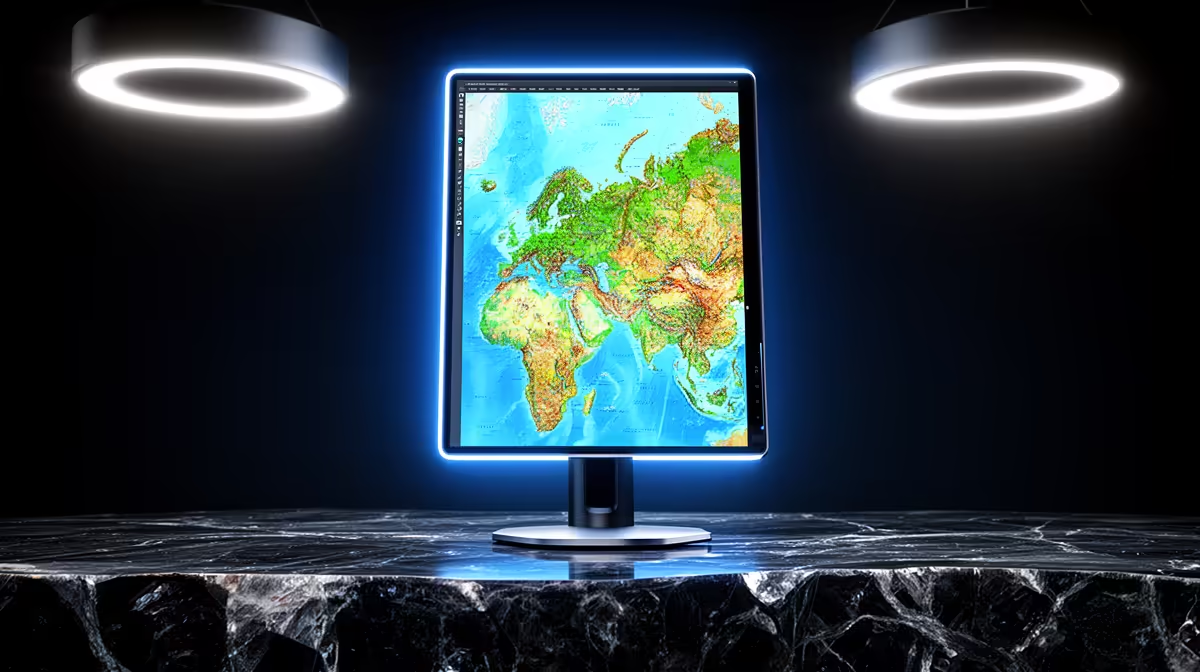
The Dell SE2726H 27in FHD 144Hz at R1,797 suits GIS students and entry-level mapping desks that need a larger monitor for layer panels, attribute tables, and map canvas work without jumping into a premium display.
For QGIS, a vertical display can help when reading long attribute tables, editing forms, or checking legend items, but it is usually better as a support screen than the only screen. The Dell SE2726H gives you a 27in FHD panel with 144Hz for R1,797, so there is more space to keep toolbars visible while still working with a map view.
The Dell SE2426H is the tighter-budget option at R1,532 with a 23.8in FHD screen. It makes sense for a small student desk where the mapping workload is mostly coursework, shapefile checks, route planning, or report screenshots rather than heavy multi-window analysis.
On a res or home study desk, the Dahua LM27 at R1,500 offers a 27in screen with 100Hz, which is useful if you want a larger vertical reference display beside a laptop. The MSI PRO MP275W at R1,850 is another 27in option that suits a cleaner white desk setup when you want spreadsheet notes, PDFs, and map exports visible without crowding the laptop screen.
Ready to choose the right monitor? Use Dell SE2726H 27in FHD 144Hz at R1,797 as the monitor shortlist benchmark, then check whether its listed spec matches the space, workload, and upgrade path.
Pick a stand that keeps the portrait panel level with the map canvas so layer trees remain easy to scan.
Layer work benefits from clear text, the right ports, and VESA support when the display needs exact placement.
Yes, keep the map canvas on the main display and place layer trees, properties, or notes on the vertical screen.
Readable scaling and a consistent portrait layout make long layer lists easier to manage during mapping work.
A monitor arm helps if the QGIS side panel needs close alignment with the main map screen.
They are sensible when the model supports clear layer viewing, portrait placement, and the ports needed for the mapping computer.
650W for RTX 5090 needs a full-build check, not a simple yes. Review GPU guidance, CPU draw, transient load, connectors, PSU quality, and upgrade plans before deciding.
Read more
How to fix FPS drops Windows 11 RX 9070 XT starts with GPU drivers, overlays, power plans, and frame pacing checks. For SA gaming PCs, verify chipset updates, HAGS, refresh rate, thermals, and per-game graphics settings.
Read more
How to fix FPS drops on X870E motherboard starts with BIOS, chipset drivers, PCIe settings, and memory stability. SA gamers can check EXPO, resize BAR, thermals, display refresh, and background apps before replacing components.
Read more
RTX 5060 is popular with SA students because it can fit gaming, coursework, and creative app needs in one setup. Compare total system price, cooling, RAM, storage, and screen quality before picking a desktop or laptop.
Read more
1440p is the sweet spot for SA gamers because it balances sharp visuals, high frame rates, and GPU cost better than 4K. It is a practical monitor target for players who want smoother upgrades without the heavier hardware demands of 4K.
Read more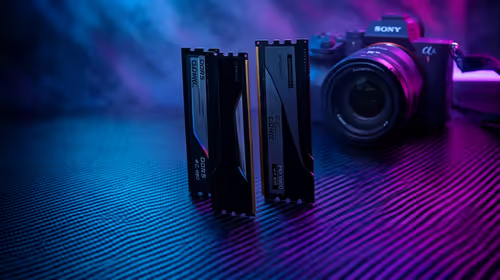
RAM pricing for Midrand gamers can shift with exchange rates, supply, specs, and model tier. Treat the title as a buying prompt, then compare SA warranty, timing, and build priorities.
Read more
Windows 11 update KB5121003 is linked to crashes in several multiplayer games on versions 24H2 and 25H2. Check the build, report the fault and avoid risky file or update changes unless the problem is confirmed on your PC.

Sennheiser's Momentum True Wireless 5 adds user-replaceable batteries, 12-hour playback and a $299.95 launch price. There is no confirmed South African date, so compare longevity with live earbuds from R199 to R2,999.

AVerMedia's GC531 and GC535 are professional HDMI capture devices for continuous streaming, with RGB24 capture up to 2K30 and 4K30. South African creators should compare them with live 4K capture cards from R2,099.

From 1 October 2026, WhatsApp Business Platform service replies in South Africa are expected to cost about $0.0076, or 12 cents, per delivered message.
Windows 11 update KB5121003 is linked to crashes in several multiplayer games on versions 24H2 and 25H2. Check the build, report the fault and avoid risky file or update changes unless the problem is confirmed on your PC.

Comsol's standalone 5G network covers about one million Gauteng homes and starts commercial ISP service in September. Early packages range from R275 to R875 a month, but coverage and fair-use rules still decide the real value.
Sennheiser's Momentum True Wireless 5 adds user-replaceable batteries, 12-hour playback and a $299.95 launch price. There is no confirmed South African date, so compare longevity with live earbuds from R199 to R2,999.
AVerMedia's GC531 and GC535 are professional HDMI capture devices for continuous streaming, with RGB24 capture up to 2K30 and 4K30. South African creators should compare them with live 4K capture cards from R2,099.
Windows 11 update KB5121003 is linked to crashes in several multiplayer games on versions 24H2 and 25H2. Check the build, report the fault and avoid risky file or update changes unless the problem is confirmed on your PC.
Comsol's standalone 5G network covers about one million Gauteng homes and starts commercial ISP service in September. Early packages range from R275 to R875 a month, but coverage and fair-use rules still decide the real value.
Sennheiser's Momentum True Wireless 5 adds user-replaceable batteries, 12-hour playback and a $299.95 launch price. There is no confirmed South African date, so compare longevity with live earbuds from R199 to R2,999.
AVerMedia's GC531 and GC535 are professional HDMI capture devices for continuous streaming, with RGB24 capture up to 2K30 and 4K30. South African creators should compare them with live 4K capture cards from R2,099.