Most SA streamers are working with an upload speed that a single high-bitrate live feed would exhaust entirely, and that is before anyone else in the household opens YouTube. Local storage capture solves this by separating what goes out live from what you actually keep as a recording. You broadcast a compressed stream your connection can handle, and the camera or encoder writes a full-quality file to a drive at the same time. The two feeds do completely different jobs.
Quick Answer
Record to a fast local SSD or V30-rated SD card while streaming at a reduced bitrate that your fibre upload can sustain. The local file preserves full quality for VOD, editing, and uploads. Schedule the transfer for off-peak hours when SA fibre is less congested and speeds are consistently higher.
🌐 Why SA Fibre Constraints Make Local Capture Essential
Fibre in South Africa varies considerably depending on provider and package. Entry-level uncapped plans commonly deliver upload speeds between 10 and 25 Mbps in practice, and even premium packages rarely guarantee headroom for a consistent 50Mbps stream while the rest of the connection stays usable.
A quality 1080p60 stream requires at least 8 to 10 Mbps of sustained upload. At 4K the figure climbs toward 40 to 50 Mbps. If those numbers exceed your available upload headroom, the platform will throttle the bitrate or drop frames, and the live stream looks worse than what the camera is capable of.
Local capture sidesteps this entirely. The file being written to your drive never touches your network connection. You can push the internal recording to 50Mbps or higher while the live stream goes out at 4Mbps, and viewers watching live receive a stable feed while the stored file captures every detail for later use.
💾 Choosing the Right Storage for High-Quality Capture
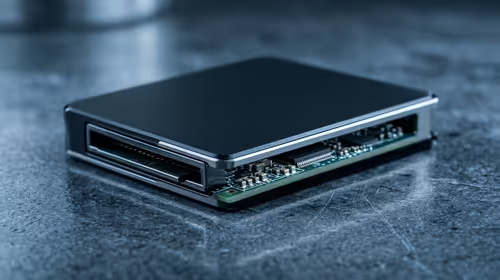
Storage speed is the constraint most people overlook. A drive that cannot sustain the write speed will cause dropped frames or a recording that stops mid-session. An SSD handles sustained write loads reliably; for portable setups, a V30-rated SD card guarantees a minimum 30MB per second sustained write, which covers most 4K recording bitrates comfortably.
Capacity planning matters on long sessions. At a high bitrate, 4K footage runs around 6 to 7GB per ten minutes, so a two-hour session needs roughly 80 to 90GB free. Check available space before going live.
⚡ Simultaneous Streaming and Recording in Practice
Many modern capture devices and cameras support dual output natively: a compressed live signal going to the streaming platform while a high-bitrate file is written locally. The two outputs are processed independently, so the local recording quality is not limited by what the live stream is sending.
On a PC-based setup, OBS handles this through its separate recording and streaming profiles. Set the stream output to the bitrate your upload can sustain and the recording profile to the higher bitrate you want for the local file. Off-peak uploads are worth scheduling: SA residential fibre carries lighter traffic between midnight and 6am, and large files that would take hours during the evening often complete in a fraction of the time then.
Frequently Asked Questions
Can I upload the local recording after the live stream ends?
That is exactly the intended use. The local file is typically higher quality than what the platform received live, so uploading it as a VOD gives viewers a better experience than the live recording the platform auto-saves. Many creators use this workflow routinely, streaming live at a manageable bitrate and uploading the full-quality local file later.
What happens if the storage drive fills up mid-stream?
Recording will stop, and depending on the camera or software, it may stop silently rather than throwing a visible error. Always check free space before starting a session, and leave a buffer of at least 20 percent above your expected file size to account for variable bitrate footage that runs larger than estimated.
Does recording locally slow down the stream encoder?
On a PC with adequate processing power, running a simultaneous record and stream is well within normal capacity. Standalone capture devices handle both outputs in dedicated hardware, so the PC load is not a factor. Only on underpowered systems, recording 4K locally while streaming at the same time might cause frame drops, in which case dropping the local record resolution while keeping the stream quality is a reasonable compromise.
Is LTE a viable option for SA streamers without fast fibre?
LTE can sustain a 720p or 1080p stream when signal is strong, but cell tower congestion, signal variation, and data cap constraints make it unreliable for regular streaming. On LTE, local capture is even more important because the live stream bitrate must be kept low enough for the connection to handle, and the local file is the only place full quality exists.
Ready to capture full-quality footage without fighting your upload speed?
Browse streaming cameras, capture devices, and fast storage options at Evetech to build a local capture workflow that never compromises on quality.