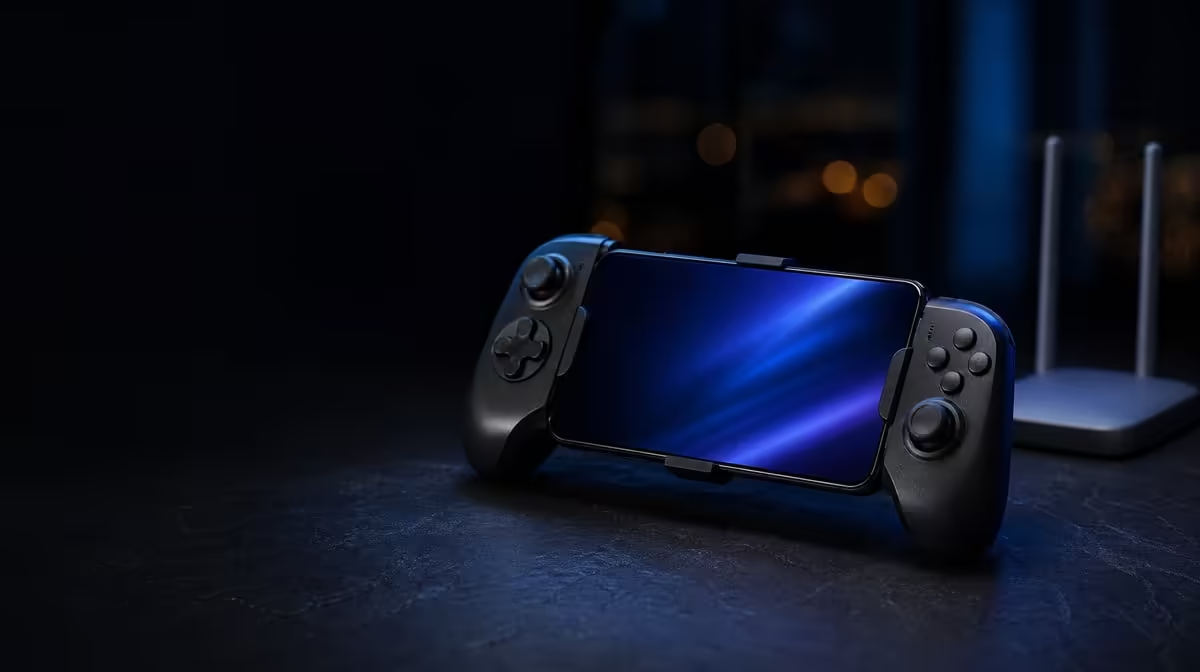
An online match can lag while every button reaches the phone correctly. Understanding SA network stability and mobile controller play starts by separating the Bluetooth input link from the Wi-Fi or cellular route to the game server. The R599 GameSir Pocket Taco handles local controller input over Bluetooth; it cannot control congestion, coverage or server response.
Quick Answer
Test the Pocket Taco in an offline menu or local game section first. If inputs respond there but the online match hesitates, investigate Wi-Fi, mobile data or the server rather than rebuilding Bluetooth immediately. The controller costs R599 at Evetech.
🔵 Prove the local input path first
Charge the Pocket Taco and confirm Android lists it as connected. Open a system menu, controller test area or offline game section and repeat the same button and directional inputs. A stable local result shows that the phone is receiving commands without needing the internet.
If Android loses the controller even outside the online game, remove the saved pairing and connect again. Keep other remembered phones away during the test. The 600mAh battery should also have enough charge so power is not confused with a radio problem.
Compare other connection formats through Evetech's gaming controller category when the setup needs more than Bluetooth.
🌐 Test the network without changing controls
Once local input is clean, keep the controller setup unchanged and compare the game on Wi-Fi and mobile data where both are practical. Look for delayed world movement, rubber-banding or actions that appear late while menus still respond normally. Those patterns point towards the online path.
Observe whether other players and game elements pause together or whether only the controller stops responding. A network interruption often affects the whole online scene, while a lost Bluetooth link appears in local menus as well. Record the time and connection type instead of relying on how the delay felt.
Run comparisons from the same position. Moving from one room to another while switching networks adds distance and building structure to the test. One change at a time produces a result you can use.
Distance from a Wi-Fi access point, building materials, other users and cellular coverage can change performance across South African locations. The same controller may feel fine offline in Durban and encounter game delay on a busy connection elsewhere. That is not a contradiction; two separate systems are being tested.
Do not change Bluetooth pairing, game mappings and network settings together. One controlled change reveals more than a complete reset. Other gaming accessories should also be left out of the test unless they are essential.
🧭 Match the fix to the failing layer
For a Bluetooth failure, charge, reconnect and reduce nearby radio clutter. For a game-specific input failure, inspect control support and try Built-In Keyboard Mode only where keyboard-style signals are accepted. For online delay, test another network or wait for a cleaner server session.
Restarting can be useful, but sequence it after observation. First note whether Android still shows the controller, whether offline input works and whether other online activity is slow. Then restart the failing layer rather than rebooting the entire setup and losing evidence.
If a game offers a network-status display, use it as supporting information without treating one number as the full diagnosis. Consistency across several tests matters more than a single spike.
Smart Power On-Off can manage controller idle behaviour, but it cannot improve network latency. Likewise, the Pocket Taco's 62.2g vertical shape affects portability and comfort, not the route taken by game data.
At R599, the Pocket Taco is a local-input tool inside a larger mobile system. Check current price and availability, then plan data, charging and controller compatibility independently. Evetech's popular accessory page can help complete the physical setup once diagnosis is finished.
The same method works when moving between home fibre and mobile data: prove the controller locally, hold its settings constant, then compare the internet route. That order prevents a good Bluetooth connection from being reset every time an online service has a poor moment.
Frequently Asked Questions
Can network lag disconnect the Pocket Taco?
Network trouble can disrupt the game session, while Bluetooth handles the local controller link. Check Android's connection status to see which layer failed.
How do I distinguish server lag from controller delay?
Test the same inputs in an offline menu. Immediate local response combined with delayed online action points away from Bluetooth.
Does the 600mAh battery improve internet latency?
No. It powers the controller. Battery charge can affect controller operation, but it cannot speed up Wi-Fi, mobile data or a remote server.
Why test both Wi-Fi and cellular data?
Different routes can reveal whether one local connection is the bottleneck. Keep the controller settings unchanged so the comparison stays useful.
When should I rebuild the Bluetooth pairing?
Do so when Android loses the controller, fails to reconnect or shows unstable local input. It is not the first fix for a game that only lags online.
Ready to diagnose the right connection instead of resetting everything?
Check Evetech's current mobile controller range after proving whether Bluetooth, game support or the online route is causing the interruption.