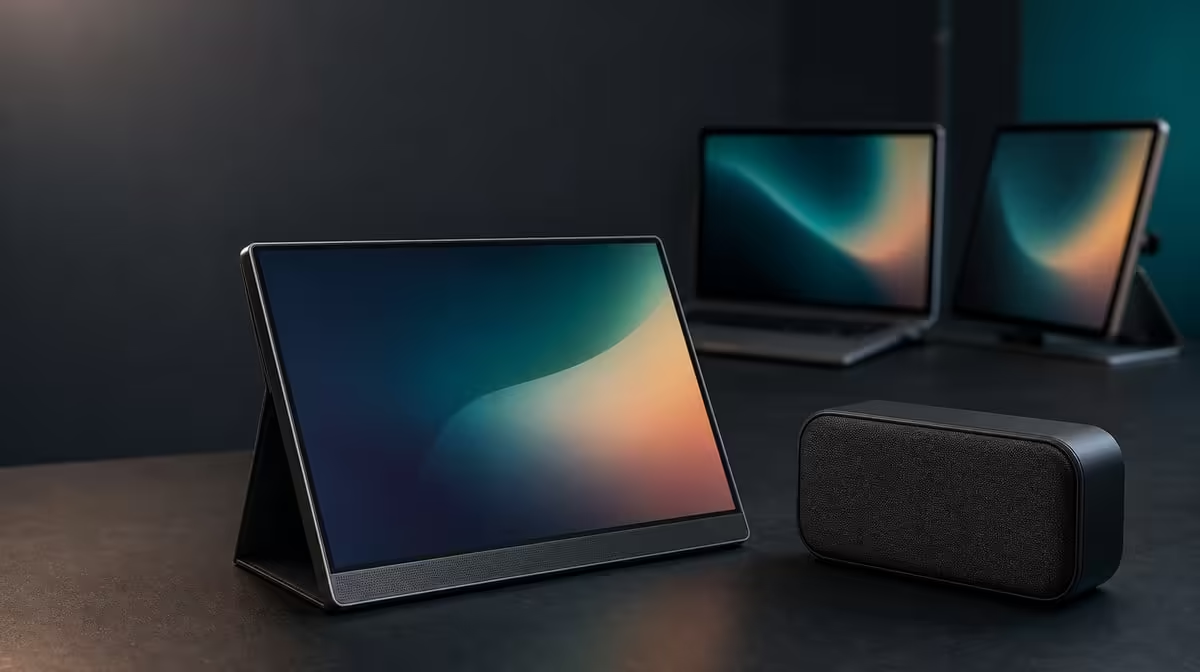
A screen can receive audio without containing speakers. Portable monitor speakers versus external audio therefore starts by confirming the display's hardware, then choosing a sound route through the source rather than assuming a picture connection will create playback.
Quick Answer
Built-in speakers offer simple casual sound, while external audio gives the user more choice over headphones or separate speakers. For the R2,399 UPERFECT UFree V, plan playback through the connected laptop or another compatible external route.
🔇 Keep the product claim exact
The UFree V is confirmed as a 15.6-inch FHD IPS display with USB-C and Mini HDMI. A built-in speaker specification is not part of its stated feature set.
Do not infer speakers from an on-screen volume control, an audio device name or the fact that HDMI and USB-C can carry audio in some setups. Those observations describe signals and software, not confirmed sound hardware inside this monitor.
When browsing Evetech's portable monitor choices, place "confirmed audio hardware" on the comparison sheet if self-contained sound is essential.
🎧 Choose an external route
For private listening, connect compatible headphones through the laptop or another source output. For shared audio, use suitable external speakers connected to the source arrangement.
Select the intended playback device in the operating system and start at a moderate volume. Confirm left and right sound with familiar content before opening a game or meeting application.
External audio adds its own power, cable and desk considerations, but it lets the user choose hardware for the room. Built-in monitor speakers generally favour convenience over that flexibility.
🔌 Understand the display connection
USB-C or HDMI may transport audio when the complete source and cable path supports it. That does not mean the UFree V can reproduce the signal itself.
If selecting the monitor route produces silence, return playback to the laptop or known external device. Keep the video connection unchanged while testing sound so a working 1920 x 1080 image is not disturbed.
The Evetech PC monitor department can help compare models where advertised speakers are a requirement.
🧵 Build a repeatable media setup
Route external audio independently from Mini HDMI or USB-C and the monitor's power arrangement. Leave enough slack for the foldable stand and laptop to move without tugging either connection.
Save the working playback device and application output setting. Test after a restart because software can return to another audio route.
The R2,399 price applies to the display itself. Budget for separate sound only if the existing source audio does not meet the task. Check Evetech's popular monitor listings with that complete audio plan.
Create an audio handover note for each source. Record the selected output device, physical connection, volume starting point and whether the route returns after reconnecting the monitor.
For meetings, test microphone input separately from playback. The laptop may handle both, or another compatible device may be used, but no microphone hardware should be inferred from the display.
For films or games, check lip synchronisation and channel playback through the chosen external path. If the picture is stable while audio fails, preserve the monitor input and troubleshoot only the sound route.
Keep external speaker power and audio cables away from the foldable support. A neat picture setup loses value when another lead pulls the panel or crosses the user's hands.
Review the complete desk after a week. If laptop playback is already sufficient, the missing monitor-speaker claim creates no extra purchase; if not, compare confirmed audio hardware as a separate decision.
Test wake and reconnect behaviour after the UFree V has been detached. The source may retain an unavailable playback route, so the handover note should include the fastest way to return sound to the laptop.
For a shared desk, label which device controls volume. Several controls can appear active while only one changes the audible output.
The audio decision is complete when picture and sound can be restored independently, without treating the monitor's confirmed display specifications as evidence of playback hardware.
Frequently Asked Questions
Are built-in UFree V speakers stated?
No. A speaker feature is not confirmed for this model.
What is the advantage of built-in speakers generally?
They can provide casual sound without separate playback hardware or another desk device.
Why choose external audio?
It allows headphones or speakers to be selected around privacy, room size and listening quality.
Can USB-C or HDMI carry audio?
They can in compatible systems, but carrying a signal does not confirm speakers in the monitor.
How should buyers plan audio for this monitor?
Use the laptop or another compatible external playback route and test it separately from video.
What price applies to the display itself?
The UPERFECT UFree V costs R2,399.
Ready to pair the picture with an honest sound plan?
Explore Evetech's portable monitors, keep the UFree V speaker row blank and prove playback through the source you will actually use.