


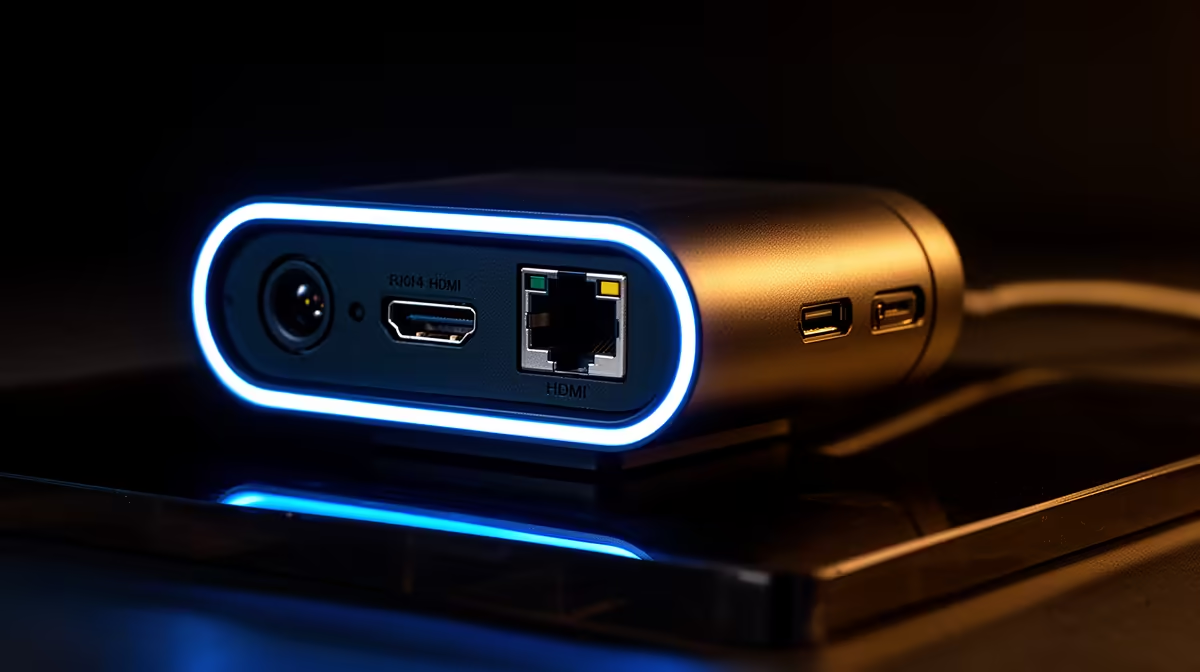
Plug a basic webcam into USB and you have a camera. Plug a professional streaming camera into its full range of outputs and you have infrastructure. The presence of RJ45 and HDMI ports alongside USB on a pro streaming cam is not a specifications flex; it is an acknowledgement that USB alone cannot meet every production demand, and that serious setups often need to move video in ways a single cable type cannot handle.
Quick Answer
RJ45 carries the camera feed over a wired network for remote placements and long cable runs where USB falls short. HDMI sends a clean, uncompressed signal to a capture device for the highest output quality. USB handles direct PC connection with ease. Each port solves a different problem, and the best multi-port cameras let you use whichever suits the job.
🔌 The Ceiling USB Hits in Production
USB is genuinely excellent for most setups. A solo streamer at a desk gets everything they need from a single cable: power, video, and direct plug-and-play recognition in OBS or any conferencing app. The problem appears at the edges of what USB can carry.
USB compresses video to squeeze it down the cable, which is fine at 1080p for a single-camera stream. But when the camera feeds a professional production chain, that compression becomes a ceiling. Fine detail softens, and the compressed signal leaves less headroom for the post-processing a capture-card workflow demands. Cable length is the second constraint: USB integrity starts degrading past a few metres, which limits camera placement options.
📺 What HDMI Adds to the Chain
HDMI carries video out of the camera without the compression USB applies. The signal arriving at your capture device preserves full-detail 1080p60, which means your encoding software receives the cleanest source possible before it applies any of its own compression for the stream.
That matters most for fast-motion content. A presenter with quick gestures benefits from the fine-motion details that compressed USB footage loses. The practical cost is one extra piece of hardware: a capture card to convert the HDMI signal before it reaches streaming software. For a producer who already owns a capture device, HDMI is a clear upgrade. For a solo desk streamer without a capture card, USB remains simpler.
🌐 RJ45 and What a Wired Network Feed Unlocks
The ethernet port on a professional streaming camera opens up distance and stability that neither USB nor HDMI can match. Video travels over the same wired network infrastructure your office or studio already runs, so the camera can be mounted far from the encoding PC and still send a reliable, steady feed back.
For a multi-camera event setup in a Joburg conference centre or a Cape Town production studio, a network-connected camera on the ceiling feeds back over structured cabling without signal degradation. Many cameras with RJ45 support Power over Ethernet, meaning a single cable handles both video and power. For permanent installs this saves real time and money.
RJ45 is overkill for a standard desk stream. A solo creator has no reason to route video over their home network, but for productions involving multiple cameras or fixed architectural installs, it makes the setup far more manageable.
Frequently Asked Questions
Why does a professional streaming camera include HDMI when USB already transmits video?
USB compresses the video stream to fit the available bandwidth, which softens fine detail compared to the full source. HDMI outputs the uncompressed signal directly to a capture device, preserving every pixel of a 1080p60 frame before any encoding happens. For production where source quality feeds into further processing, the uncompressed route is meaningfully better.
What is the RJ45 port used for on a streaming camera?
It lets the camera send its feed over a wired Ethernet network rather than a direct cable to the PC. This suits fixed installs, remote camera placement, and event coverage where running USB or HDMI the full distance is impractical. Many network cameras also draw power over the same cable, cutting each camera position to one cable run.
Can a single camera use HDMI, USB, and RJ45 at the same time?
On some professional cameras, yes. A common arrangement has HDMI feeding a dedicated capture device for the main production feed, USB handling software control, and RJ45 managing the network connection. The exact combination depends on the specific model, so checking the manufacturer specification before building a workflow around it is worthwhile.
Which port gives the sharpest image for a competitive stream?
HDMI produces the best source quality because the signal reaches the capture device without compression, giving the encoder the cleanest possible input. Sharpness at the final stream also depends on encoder settings and upload bandwidth, but starting with an uncompressed HDMI source maximises what the rest of the chain can deliver.
Ready to build a streaming setup that scales with your production? Browse the professional streaming webcam range and find the connectivity options that match how you actually capture and deliver video.










