


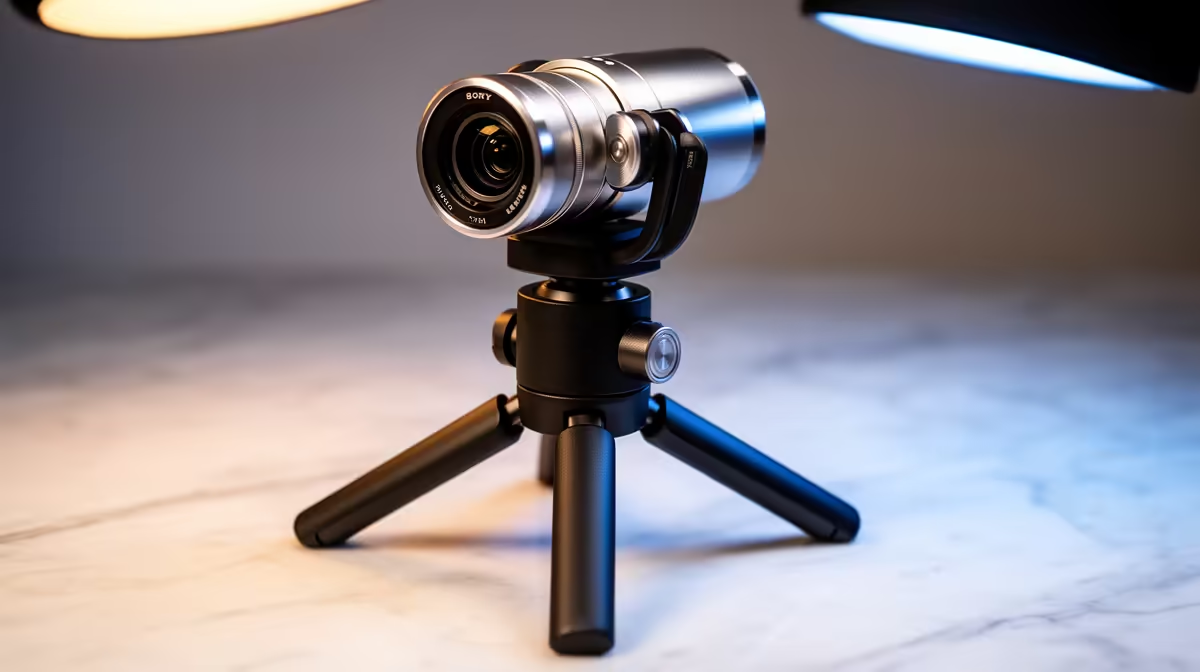
Most webcams sit in a fixed landscape orientation and that is fine until vertical content becomes part of the workflow. TikTok, Instagram Reels, and YouTube Shorts all favour a 9:16 portrait frame, and recording that format with a horizontal camera means either black bars on both sides or a post-production crop that sacrifices resolution. Landscape and portrait webcam mounting solves this at the hardware level, and the features that make it instantaneous come down to the mount design and what the software does with the rotated sensor output.
Quick Answer
Instant orientation switching requires a pivot-capable mount, either a rotating clip or a tripod with a 90-degree tilt, combined with software that detects the rotation and re-orients the output to match. Together they let one camera serve both horizontal streams and vertical short-form content.
🔧 What a Rotating Mount Actually Does
A standard webcam clip holds the camera at a fixed angle relative to the desk or monitor top. A pivot mount adds a rotational joint that lets the entire camera body turn 90 degrees in either direction. The physical sensor does not change. The lens does not change. What changes is the orientation of the frame the sensor produces relative to the scene.
When the camera rotates 90 degrees, a standard 16:9 horizontal frame becomes a 9:16 vertical one. If the software handles the rotation correctly, the output feed sent to the streaming application matches the physical orientation of the camera. If the software does not auto-detect, the stream receives a sideways image until the rotation is corrected manually in the broadcast application.
Better pivot mounts include a locking mechanism so the camera holds its orientation without creeping. The quality of that locking mechanism is worth examining because a camera that gradually drifts mid-session introduces alignment problems that interrupt recorded content.
📺 Software Auto-Rotate and What It Actually Does to the Image
Software auto-rotation reads the camera's orientation, either from a physical sensor in the camera body or from a manual setting in the companion application, and re-orients the output frame accordingly. The camera sees the world sideways. The software corrects that before handing the feed to OBS or the recording application.
There is a resolution trade-off involved. A 1920x1080 sensor rotated to portrait produces a 1080x1920 output. The full pixel count is there, just in a different arrangement. For platforms that display at 1080x1920, this is ideal. The challenge is that many 4K webcams still output at a fixed 3840x2160 landscape, and software rotation of that frame produces a 2160x3840 portrait that most streaming platforms resample anyway.
High-resolution sensors handle this more gracefully. A 4K sensor rotated to portrait and cropped to the 9:16 vertical field of view still outputs more resolution than a 1080p source, which keeps portrait content sharp at the quality tier vertical platforms display.
🎯 What Portrait Mode Means for Content Strategy
Creating separate landscape and portrait versions of the same session used to require a second camera or a complex post-production crop. A pivot webcam collapses that into a single piece of gear. The creator films a horizontal stream for YouTube or Twitch, then pivots to portrait for a Reels or TikTok clip, with the same camera, the same light, and the same position.
For South African creators building a multi-platform presence, this removes a hardware barrier that previously required either a dedicated vertical setup or accepting the quality loss of cropping landscape footage into portrait.
Frequently Asked Questions
What hardware specifically enables a webcam to switch between landscape and portrait?
A pivot mount with a 90-degree rotation joint allows the camera body to physically change orientation while remaining attached to the desk or monitor. Some cameras include this as part of the clip design. Others require a separate tripod or mounting arm with tilt capability. The key feature is a joint that locks the camera at 90 degrees without drift.
Does rotating a 16:9 sensor to portrait crop the image?
When a 16:9 sensor is reoriented to 9:16, the width of the original frame becomes the height of the new one. The frame is not cropped in the sense of losing pixels, but it is working with the sensor's shorter dimension as the new horizontal width. High-resolution sensors retain more usable detail after the reorientation than lower-resolution ones.
Is physical rotation better than applying a software rotation to a landscape feed?
Physical rotation uses the sensor's full resolution in the correct orientation. Software rotation of a fixed-mount camera processes the landscape feed post-capture, which can introduce quality loss depending on the tool. For portrait content at the highest quality, physical rotation of the mount is the more efficient approach.
Will a portrait webcam feed work directly on TikTok and Instagram Reels?
A correctly configured 9:16 portrait feed matches the native aspect ratio of those platforms. This eliminates the black bars that appear when landscape footage is posted to vertical platforms and removes the quality loss of cropping a landscape frame in post. The portrait feed goes straight to the platform in the format it was designed to display.
Ready to cover landscape streams and vertical clips with a single camera? Browse the webcam range and look for models with rotating mounts or compatible pivot accessories built for South African creators working across multiple platforms.










