Quick Answer
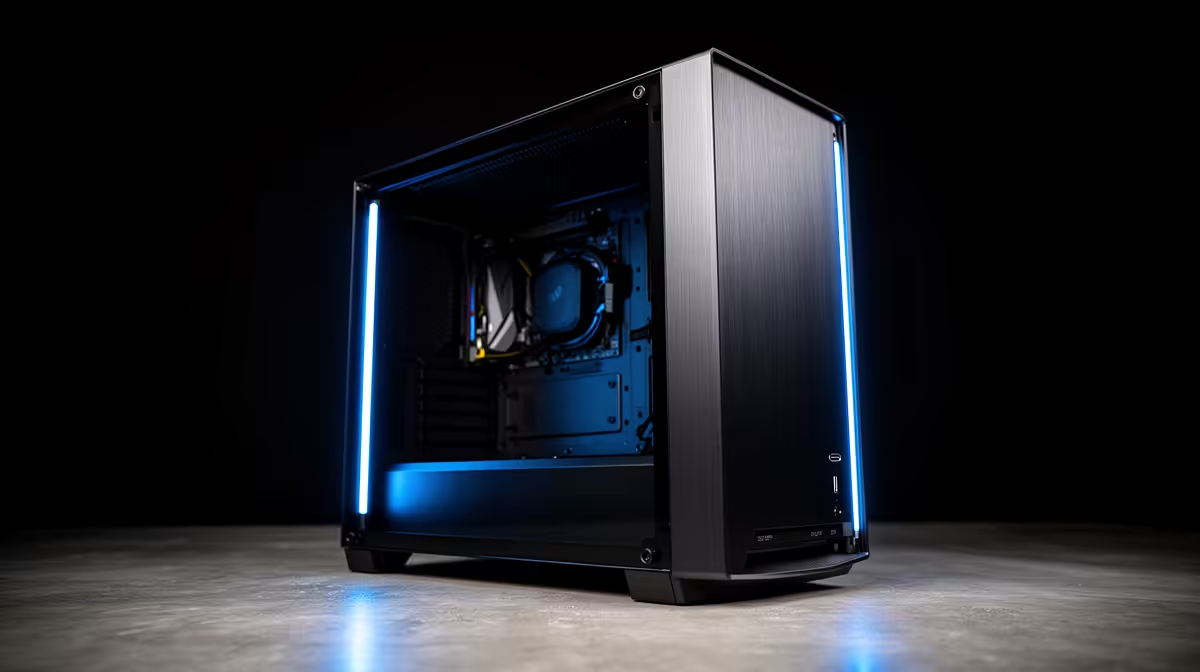
Tool-free side panels use thumb screws or a push-latch mechanism so you can open and close the case without a screwdriver. A front USB Type-C port delivers up to 10 Gbps data transfer and fast-charging capability directly from the front panel, which is far more useful than older USB-A ports for modern smartphones and peripherals.
How Tool-Free Side Panels Actually Work 🔩
Most modern cases use one of two release systems. The thumb-screw design replaces traditional Phillips screws with knurled fasteners you can spin by hand. The push-and-slide latch is more elegant: a button or tab releases a magnetic catch and the panel swings open or slides backward. Both systems are reliable for regular access during upgrades, cable management tidying, or dust filter cleaning. Mid-range cases priced around R1,500 to R2,200 commonly use tempered glass panels on a thumb-screw rail, while premium cases above R3,000 often feature the push-latch on the glass side and a vented steel panel on the opposite side. The steel panel typically stays tool-free too, important when you are routing cables and need both sides open simultaneously.
Front USB Type-C: What Your Motherboard Needs 🔌
A front-panel USB Type-C port requires either a USB 3.2 Gen 2 Type-C header or a Thunderbolt header on your motherboard. Most current Intel Z890 and AMD X870 boards include at least one internal USB 3.2 Gen 2x2 header, delivering 20 Gbps to a front panel Type-C port. If your board only has a USB 3.2 Gen 1 internal header, the front Type-C port drops to 5 Gbps, which still charges modern phones quickly but limits external SSD speeds. Before buying a case with a front Type-C port, check your motherboard's specifications for the exact header type. An RTX 5070 Ti build on a high-end board gains real workflow benefit from a 20 Gbps front port when transferring 4K video footage from a phone or external drive.
Practical Benefits for South African Builders 🛠️
Frequent power cycling during high-load gaming and the resulting expansion and contraction of components means SA builders often open their cases more regularly to check thermal paste, re-seat fans, or clean filters. Tool-free panels cut that job from a two-minute screwdriver hunt to a ten-second panel swap. Front USB-C is equally relevant here because South African users increasingly carry USB-C-only devices: recent Samsung Galaxy and Apple iPhone models, modern portable SSDs, and many wireless gaming headsets all use Type-C for charging and data. Having a short cable from the front panel rather than reaching around to the rear of the PC is a genuine daily convenience.
Check the Header Before You Buy ⚡
Before ordering a case with a front USB-C port, open your motherboard manual and find the internal USB header section. Look for a 20-pin USB 3.2 Gen 2x2 or 40-pin Thunderbolt header. If neither is present you will get a dead front port, and internal USB-C expansion cards cost an extra R400 to R700 to fix it.
FAQ
Will tool-free panels crack over time with repeated opening?
Tempered glass panels can chip at edges if knocked sharply, but the tool-free mechanism itself adds no extra stress. Panels with rubber bumpers at contact points last longer. Avoid sliding glass on rails without the bumpers seated correctly.
Can I connect a front USB-C port to a USB-A header with an adapter?
Yes, adapters exist but they limit you to USB 2.0 speeds and no fast-charging. It works for basic use but defeats the purpose of having a front Type-C port. Rather choose a case whose port matches a header your board actually has.
Do tool-free side panels affect noise levels compared to screw-mounted panels?
Well-designed tool-free panels seal as tightly as screw-mounted ones. Poorly made latches can leave small gaps that let in noise and reduce dust filtration. Check reviews for panel fitment quality before buying.
Want a case that makes building easier every time?
Evetech stocks a wide range of tool-free cases with front USB-C panels to suit every build size and budget.