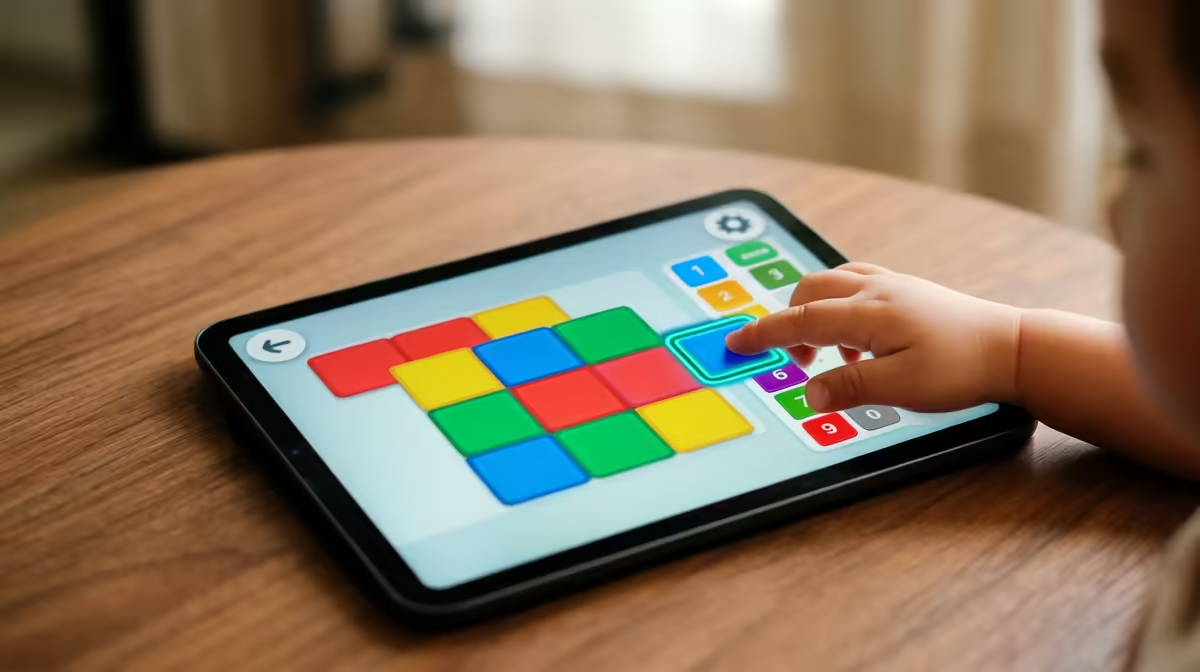
Hand a child a wall of typed code and most of them shut down before the first semicolon. Hand them coloured blocks that snap together like digital LEGO and something clicks. That is the whole idea behind block coding: build programs by dragging instruction blocks instead of typing text, with Scratch the platform that made the approach famous in classrooms worldwide. It teaches the thinking behind programming while quietly removing the part that frustrates beginners most.
Quick Answer
Block coding lets learners snap together visual instruction blocks rather than type code, and Scratch is the most widely used block language for young coders. Because the blocks only connect in valid ways, it removes syntax errors entirely, so children focus on logic and sequencing. It is aimed broadly at ages 5 to 16.
How Block Coding Works
In a block language, every command is a coloured block, and blocks fit together like puzzle pieces. A child drags a "move 10 steps" block under a "when green flag clicked" block and the program runs. There is no punctuation to forget and no spelling to get wrong, because mismatched blocks simply will not connect.
That single design choice is powerful. In text-based programming, a missing bracket or stray comma stops everything and discourages a beginner. Block coding makes those errors impossible by construction, so a young learner spends their energy on what the program should do rather than fighting the syntax of how to write it.
Why Scratch Became the Standard
Scratch, developed as a free educational tool, is aimed primarily at children roughly aged 5 to 16, and it has become the default first language for a generation of young coders. It is browser-based and free, which matters enormously for schools and home learners alike.
Crucially, Scratch is not a toy that only blinks lights. Behind the friendly blocks sit real programming concepts: loops that repeat actions, conditionals that make decisions, variables that store values, and sequencing that orders steps. A child building a game in Scratch is learning the same logical ideas a professional uses, just expressed visually. To run it smoothly, any modest computer works, and the back-to-school laptop range covers machines suited to a young learner's first coding projects.
What Kids Actually Build
The reason block coding holds children's attention is that it makes things they care about. In Scratch they animate characters, build playable games, compose music, and create artwork that reacts to clicks and key presses. Seeing a sprite move because of a block they placed turns abstract logic into immediate, visible feedback.
That feedback loop is where computational thinking takes root: break a problem into steps, sequence the steps, test, and fix. Those habits transfer directly to text-based languages later. To kit out a young coder's space with the basics, much of what helps appears among the popular accessories.
Frequently Asked Questions
What age is block coding suitable for?
Scratch is designed broadly for ages 5 to 16, with younger children using simpler projects and older ones building genuinely complex games. The block format scales well, so the same tool grows with a child over several years.
Does block coding count as real programming?
Yes. Block coding teaches the core concepts that underpin all programming, including loops, conditionals, variables, and sequencing. The ideas are identical to text-based coding; only the way you express them differs, which is why it transfers so well later.
Is Scratch free to use?
Scratch is free and runs in a web browser, which is a large part of why schools and home learners adopted it so widely. There is no software to buy, so any modest computer with a browser can get a child started.
Should kids learn block coding before text coding?
For most beginners, yes. Block coding builds the logical foundation without the discouragement of syntax errors, so when a learner moves to a text language like Python they already understand the concepts and only need to learn the typing rules.
What hardware does a child need to start?
Very little. Scratch runs in a browser on a basic laptop or desktop, so almost any current machine handles it comfortably. The focus is the learning, not the hardware, so an entry-level computer is perfectly adequate to begin.
Give a young coder the right start with block coding and a machine that keeps up with their projects. Browse learning-ready laptops and accessories in the range at Evetech.