Quick Answer
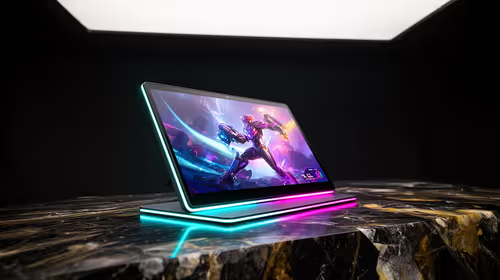
Cheap gaming laptop options become expensive when they force a second purchase for storage, cooling, ports, warranty or performance headroom. In this use case, the safer SA buy is a balanced shortlist such as MSI Thin 15, ASUS TUF A15 and Lenovo LOQ RTX 4060 models with 16GB RAM, 512GB or 1TB SSD, RTX 4050 or RTX 4060 graphics and a 144Hz screen. Budget about R12,000 to R28,000 before adding accessories or upgrades.
Where The Extra Cost Appears
The first price is not always the final price. Cheap gaming laptop choices often need a stronger PSU, extra SSD, better cooling, a missing cable, a USB hub or a monitor upgrade before they feel complete. For campus and travel, check backpack weight, plug access and local warranty support before choosing the highest spec. If the cheaper option saves R1,000 but causes a R2,000 accessory purchase, the better value is usually the mid-range part from the start.
SA Budget And Shortlist
Use R12,000 to R28,000 as a cautious category band, not a promise of live stock pricing. Shortlist MSI Thin 15, ASUS TUF A15 and Lenovo LOQ RTX 4060 models or similar Evetech options, then compare warranty, included cables, cooling design and upgrade room. A R12,000 laptop is a starting gaming tier; R18,000 to R28,000 is where RTX 4060 graphics, better cooling and 1TB storage become easier to find. For university assignments, the buying note is clear: choose 16GB RAM and 512GB SSD minimum, with 32GB for coding or media work.
Practical Setup Notes
Check the GPU wattage, fan noise and SSD size. A laptop with RTX 4060 graphics but only 512GB storage may need an upgrade sooner than expected. Keep the full setup in mind: screen target, room size, noise, warranty and upgrade path. RTX 4050 laptops suit 60-90 fps at 1080p, while RTX 4060 models have stronger 100 fps headroom. That makes the final choice easier to defend than simply buying the cheapest listing or the highest advertised number.
FAQ
What is a sensible starting budget for this choice in South Africa?
Use R12,000 to R28,000 as the working band for a practical gaming laptop shortlist. The exact basket can move with stock and configuration, so compare the final Evetech build or part list before paying.
Which spec should I check first?
Check 16GB RAM, 512GB or 1TB SSD, RTX 4050 or RTX 4060 graphics and a 144Hz screen before cosmetic features or peak marketing numbers. For university assignments, choose 16GB RAM and 512GB SSD minimum, with 32GB for coding or media work, then compare the shortlist against the screen, desk, software and current parts.
Should I buy the cheapest option and upgrade later?
Only do that if the cheap option already meets the main performance target and leaves clear upgrade room. If it lacks storage, ports, cooling or warranty confidence, the mid-range option is usually cheaper over two or three years.
Buyer Check
Before checkout, write down the current screen resolution, desk or case limit, PSU or charger rating, and the one performance target that matters most. For university assignments, choose 16GB RAM and 512GB SSD minimum, with 32GB for coding or media work.