A game can finish downloading and still spend time preparing graphics work before it opens. Steam processing Vulkan shaders is a message worth observing before you decide the GPU has failed. On Linux, distinguish a slow first preparation from the same delay recurring on every launch. A calm comparison of progress, elapsed time and recent changes is more useful than immediately deleting every cache or ordering replacement hardware.
Quick Answer
Vulkan shader preparation is different from downloading the game. Valve's Fossilize records and replays persistent Vulkan objects to build pipeline caches without running the full application. Start with R0 hardware changes: observe the task, compare repeat launches and note driver or game updates. An open request for clearer progress is not a confirmed repair for a stalled launch.
⏱️ Observe the preparation before interrupting it
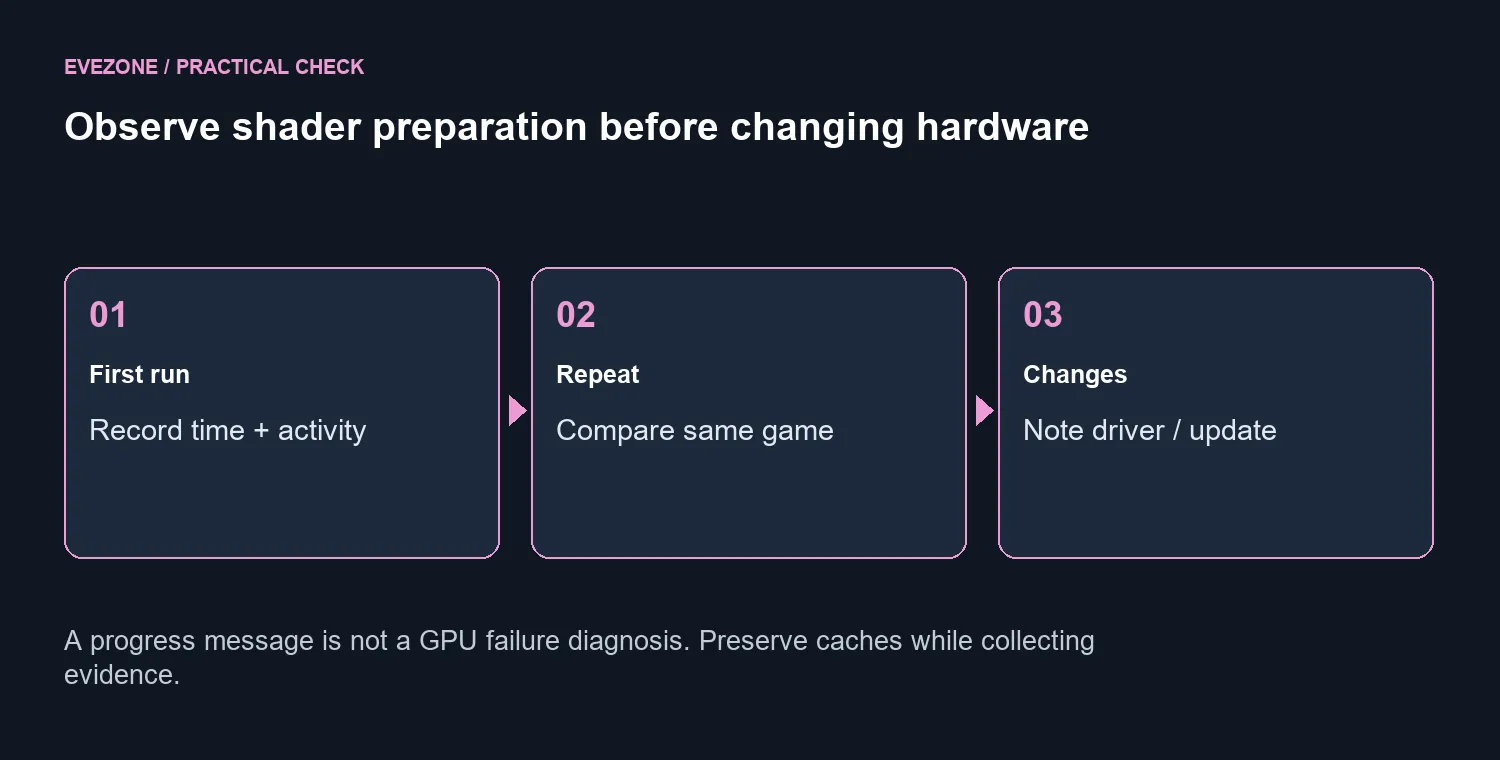
Write down which game is preparing, how long the task has been running and whether the displayed progress changes. A static percentage by itself cannot diagnose a broken card. Compare the next launch of the same game under similar conditions, rather than comparing unrelated titles with different workloads. That gives you a clearer description of whether the preparation is a first-run cost or a repeated obstacle.
Keep the game download and graphics preparation separate in your notes. Completion of one does not establish completion of the other. If you seek support, include the Linux environment, graphics driver and recent changes alongside the message. A screenshot of a percentage is useful context, but the elapsed time and repeat behaviour explain more of the problem.
🧩 Understand what the cache work is for
Fossilize can record persistent Vulkan objects and replay them across devices to build pipeline caches. That is preparation for graphics work, not a normal game-file download. You do not need to build developer tools just because the Steam client displays this message; the project documentation explains the mechanism rather than providing a universal consumer repair procedure.
Deleting preparation data can leave more work to be done later. Preserve the current state while you compare launches and note whether the game or driver changed. Do not assume that removing every cache is a harmless speed-up. If you follow a troubleshooting procedure, make sure it addresses your actual symptom and preserves any diagnostics needed for support.
💬 Separate a progress request from a fixed defect
A public Steam Linux issue asks for clearer taskbar progress while Vulkan shaders are processing. It is a user feature request, not proof that Valve has confirmed a defect or released a repair. Treat it as evidence that visibility matters to users, while keeping your own launch observations as the basis for troubleshooting.
A hardware purchase needs different evidence. The Palit RTX 3050 StormX 6GB was R4,399 in stock on 1 October 2026, but that price does not establish that your present GPU causes a launch delay. Explore NVIDIA systems or SSDs when measured game or storage performance gives you a reason to compare them.
Make one documented change at a time when following applicable support guidance, and compare the same game afterwards. Replacing several components or clearing unrelated data together makes it harder to tell which action affected the result. The aim is a repeatable launch diagnosis before a rand hardware decision.
Frequently Asked Questions
Is this the same as downloading the game?
No. The message concerns preparing graphics work. A completed download does not establish that shader preparation has finished.
What does Fossilize do?
It records persistent Vulkan objects and can replay them to build pipeline caches. That supports preparation without running the full application.
Does a static percentage prove a broken GPU?
No. Record elapsed time and whether there is activity. A single slow launch is not enough evidence to diagnose a failed graphics card.
Should I delete every shader cache immediately?
No. Removing preparation data can create more work. Preserve the current state while testing repeat launches and recent software changes.
Is the progress feature request a repair instruction?
No. It is a user request for clearer taskbar progress. It does not confirm that an update fixed a stalled launch.
When is an upgrade worth considering?
After identifying a real performance limit in your games or workload. A launch message alone cannot establish that a new graphics card is needed.
Ready to investigate a Linux launch?
Distinguish Linux graphics preparation from hardware failure and avoid a premature GPU purchase.