



Gaming PC No Sound? A Complete Guide to Fixing Audio Issues
Check the cable and default playback device, run the Windows audio troubleshooter, update drivers and enable HD Audio in BIOS.
Articles related to Pc Sound Fix.
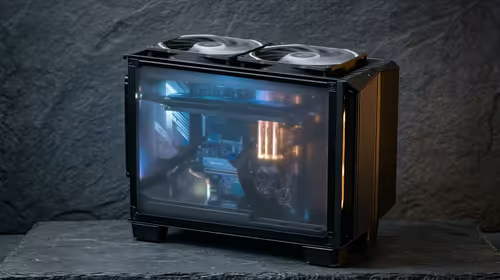
Check the cable and default playback device, run the Windows audio troubleshooter, update drivers and enable HD Audio in BIOS.

The easiest console stream uses the console's own Twitch or YouTube sharing, with no PC at all. For overlays and better control, add a capture card and OBS on a PC. Turn off HDR if the picture looks washed out. A streaming starter kit can begin near R199.

Fix OBS audio drift by matching sample rates, adding a sync offset to the delayed source and clearing dropped frames. Capture cards and webcams add video delay, so delay the microphone track to match. A busy CPU makes drift worse.

A 24-inch monitor is about 53 cm wide and a 43-inch about 95 cm, so desk size usually decides. Choose 43 inches only for 4K workspace and sit well back. Otherwise 24 inches keeps esports fast and your neck relaxed.

Yes, an OLED TV works as a PC monitor over HDMI, but burn-in and sheer size need thought. Static taskbars and icons are the risk, and a 42-inch panel is huge for a res room desk. Gaming monitors, spanning roughly R1,699 to R30,899, suit close-range use better.

A good mid tower earns its place through airflow, part clearance and cable room, not through looks or a glass side panel. Check GPU length, cooler height and fan mounts first. Mid tower cases here run from R499 to R7,299.

Press Win+R, type netplwiz and untick Users must enter a user name and password. If that box is missing, switch off Require Windows Hello sign-in in Settings, Accounts, Sign-in options first. Only do this on a PC no one else can reach.

Lower the power limit a little in MSI Afterburner, or set a custom voltage-frequency curve, to cool and quiet a GPU. Change one step at a time and test each change. Undervolting helps most in warm SA rooms, where a few watts saved keeps fans quiet.

Bad 1% lows mean short frame rate dips you can feel even when the average looks fine. Common causes are a CPU limit, slow or single-channel RAM, VRAM overflow, background tasks and shader compiling. Measure first, then change one thing at a time.

Pick the sound signature first: bass-heavy, balanced or bright. Then check fit, because a poor seal loses bass, and the codec your phone supports. An equaliser in the earbud app lets you adjust tuning. Earbuds from about R199 upwards can be tuned to taste.

Check how your TV outputs audio first: a headphone jack, Bluetooth or optical output decides what works. Wireless earphones can lag behind the picture unless they support low latency, and a transmitter can fix TVs without Bluetooth. Wired earphones never lag.
Small ears need the right tip size and a compact shell, not smaller drivers. Look for earbuds with extra-small tips, a low-profile body and wing options. Foam tips can fill a narrow canal better than silicone, and a light shell stays put more easily.

Foam ear tips expand inside the canal, so they usually seal better than silicone and block more outside noise. That seal can deepen bass and steady the fit. Foam wears out faster, though, and sweat or Highveld dust shortens its life, so plan to replace it.