That Alienware laptop of yours... it's a beast, right? But even the most powerful rigs in South Africa eventually feel the pinch from new game releases. Before you start eyeing a completely new machine, let's talk upgrades. A smart Alienware laptop upgrade in South Africa can breathe new life into your gaming experience, saving you thousands of Rands. But what can you actually upgrade, and is it worth it? Let's dive in.
What Can You Realistically Upgrade on an Alienware Laptop?
Here's the hard truth about modern gaming laptops: the most critical components—the CPU (processor) and GPU (graphics card)—are almost always soldered directly to the motherboard. This means they are not user-replaceable. So, if you were hoping to swap your RTX 3060 for a 4070, that's unfortunately not on the cards.
This isn't just an Alienware thing; it's the standard for creating the powerful, compact designs we see across the board, from the latest Intel gaming laptops to their AMD counterparts.
However, it's not all bad news! There are two key areas where an Alienware laptop upgrade can make a massive, noticeable difference. 🔧
The Big Two: RAM and SSD Upgrades Explained
Focusing your efforts on memory (RAM) and storage (SSD) is the most effective way to enhance your laptop's performance. These upgrades are relatively simple and offer the best bang for your buck.
Boosting Your RAM: For Multitasking and Smoother Gameplay 🚀
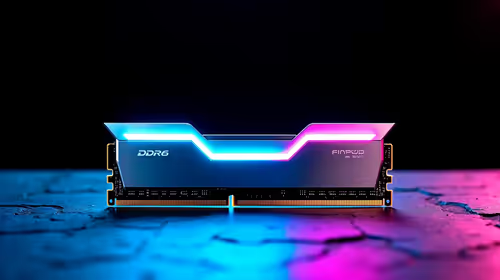
Think of RAM as your laptop's short-term memory. The more you have, the more tasks it can handle simultaneously without slowing down. If you're running Discord, a browser with 20 tabs, and Helldivers 2, a RAM upgrade can seriously reduce stuttering and improve overall smoothness.
Most Alienware models come with 16GB, which is great, but upgrading to 32GB can be a significant leap for future-proofing and heavy multitasking. This is a common upgrade path for users of high-performance machines, including many of the cutting-edge AMD Ryzen gaming laptops on the market.
Supercharging Your Storage: The NVMe SSD Advantage ⚡
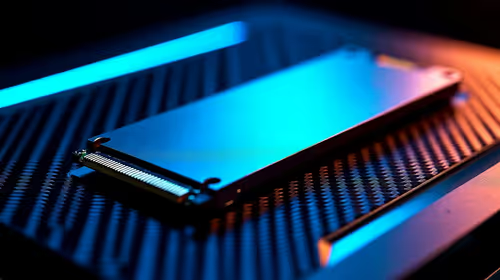
Is your laptop still using a slow hard drive (HDD) or an older SATA SSD? Upgrading to a modern NVMe M.2 SSD is one of the most impactful changes you can make. The difference in speed is staggering.
Benefits of an NVMe SSD upgrade:
- Lightning-Fast Boot Times: Your laptop will be ready to go in seconds.
- Slashed Game Loading Screens: Spend less time waiting and more time playing.
- Snappier System Response: Everything from opening apps to transferring files feels instantaneous.
Many Alienware laptops have a spare M.2 slot, allowing you to add a second drive for more game storage without replacing your main drive. This simple Alienware laptop upgrade can feel like getting a whole new machine, a popular choice for owners of powerful Intel Core i7 gaming laptops.
Check Compatibility First! ✨
Before you buy any RAM or an SSD, confirm what your specific Alienware model supports. Check the official Dell support page for your service tag or use a tool like the Crucial System Scanner. This ensures you buy parts that are guaranteed to work, saving you time and a potential headache.
When an Upgrade Isn't Enough
A RAM or SSD upgrade is fantastic for improving loading times and multitasking. But what if your framerates in the latest AAA titles are still dropping, even at lower settings?
This is a classic sign of a CPU or GPU bottleneck. If your core components are a few generations old, no amount of extra RAM will make them run modern games better. This is the point where the conversation shifts from upgrading to replacing. The technology in today's powerful GeForce RTX gaming laptops offers features like DLSS 3 Frame Generation, which can literally double your FPS—something an upgrade to an older machine simply can't provide.
Considering the cost and performance gains, investing in a new rig often makes more financial sense, with great options available whether you're looking at gaming laptops under R20k or more premium gaming laptops above R20k.
The Verdict: Is an Alienware Laptop Upgrade Worth It in South Africa?
So, should you pursue an Alienware laptop upgrade in South Africa?
Yes, if: Your CPU and GPU are still relatively modern (less than 3-4 years old) and your main bottlenecks are slow loading times or multitasking performance. A new SSD and a RAM boost are cost-effective and will make your machine feel brand new.
Probably not, if: Your core components are struggling to run the games you want to play. In this case, your money is far better invested in a new machine. The performance leap you'll get from a new generation of hardware is something a simple component swap can't match. You'll find some of the best gaming laptop deals right here in SA that deliver incredible value.
Ready for a Real Performance Leap? An Alienware laptop upgrade is a smart move, but sometimes a new machine is the ultimate power play. For maximum performance, choice, and value in South Africa, a next-gen laptop is hard to beat. Explore our massive range of laptop specials and find the perfect rig to conquer your world.