Is your PC starting to feel a bit… sluggish? That frame drop in the middle of a tense firefight isn't just bad luck; it's a cry for help from your hardware. Planning a gaming PC upgrade in South Africa can seem intimidating, with worries about compatibility and costs. But it doesn't have to be. This guide, complete with a step-by-step video, will walk you through the entire process, making it simpler than you ever imagined. 🚀
Planning Your South African Gaming PC Upgrade
Before you even think about unscrewing a side panel, a solid plan is your best friend. A successful gaming PC upgrade isn't just about buying the most expensive part; it's about making the smartest choice for your specific needs and budget.
First, identify your bottleneck. Is your CPU struggling with strategy games? Is your GPU choking on the latest AAA titles? Use your PC's Task Manager (Ctrl+Shift+Esc) while gaming to see which component hits 100% usage first. That's your prime upgrade candidate.
Next, set a realistic budget. Knowing how much you can spend in ZAR helps narrow down your options and prevents you from overspending. Remember to check for compatibility—your motherboard's socket type (e.g., AM5 or LGA 1700) will dictate your CPU choices, and your power supply must have enough wattage for a new graphics card.
The Step-by-Step Video Guide
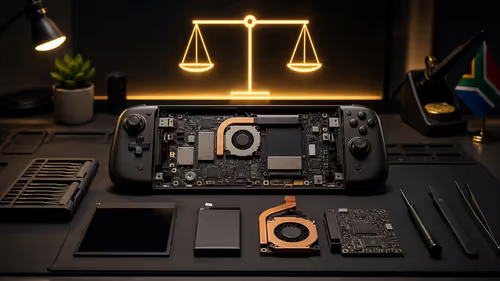
Words are great, but sometimes you just need to see it done. This video breaks down a common gaming PC upgrade into easy-to-follow steps. We cover everything from safely opening your case and removing old components to installing your new hardware and booting up for the first time.
(Imagine a video embed here that walks through the physical upgrade process)
The video covers:
- Safety First: Anti-static precautions.
- CPU Swap: Removing the cooler and installing a new processor.
- RAM Upgrade: Snapping in new memory modules.
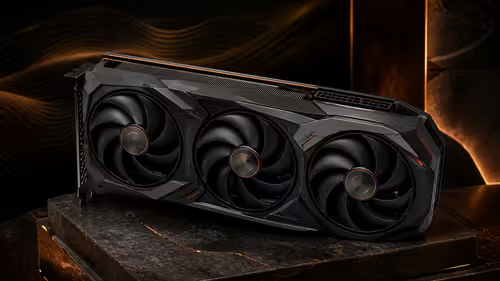
- GPU Installation: Securing your new graphics card.
- Cable Management: Quick tips for a tidy, air-flow-friendly case.
Choosing the Right Components
With your plan in place, it’s time for the fun part: picking your new gear. This is where your gaming PC upgrade in South Africa truly takes shape.
The Heart of the Machine: CPU & Motherboard
Your Central Processing Unit (CPU) is the brain of your rig. A modern CPU can dramatically improve performance, not just in games but across your entire system. When you're browsing for a new processor, you'll need to ensure it matches your motherboard's socket. If you're making a significant leap, like moving from an older Intel generation to the latest Ryzen series, you might need a new motherboard too. This is often the most impactful part of a gaming PC upgrade. Take your time when choosing a new CPU processor to ensure it aligns with your performance goals.
Don't Forget the BIOS! 🔧
Before installing a new CPU on an existing motherboard, always check the manufacturer's website to see if a BIOS update is required. Installing a new CPU without the necessary BIOS support can result in a PC that won't boot. It’s a simple step that can save you a massive headache.
The Ultimate Shortcut: Barebone Kits ✨
Feeling overwhelmed by picking individual parts? There's a brilliant solution. Barebone kits bundle the core essentials—motherboard, CPU, and sometimes RAM—into a pre-selected, guaranteed-to-be-compatible package. It takes the guesswork out of the equation. All you need to do is add your storage, graphics card, and power supply.
This is an excellent route for a major system overhaul. You can find fantastic options, whether you're Team Red with powerful AMD barebone kits or sticking with Team Blue's latest high-performance Intel barebone kits. It’s a fast track to a modern platform without the compatibility headaches.
Ready to Unleash Your PC's True Potential? A successful gaming PC upgrade is one of the most satisfying projects you can tackle. Armed with this guide, you have the knowledge. Now, get the gear. Explore our massive range of PC components and build the rig you deserve.