

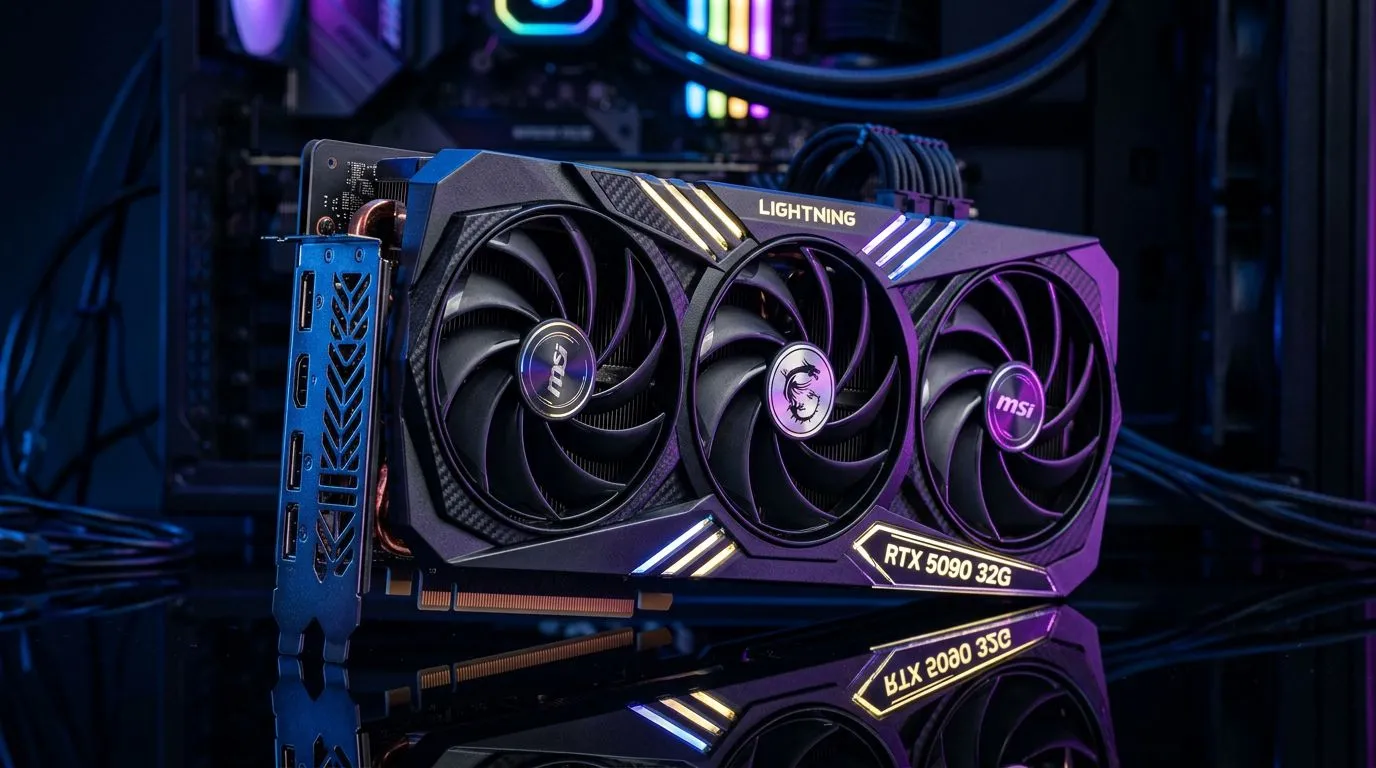
MSI RTX 5090 32G Lightning Z Power Supply Wattage Requirements: What SA gamers need to know (before they click “Buy”) ⚡
If you’re planning a high-end MSI card build, “will my PSU cope?” is the question that can save you serious headaches. In South Africa, power reliability, heat, and real-world efficiency matter just as much as raw performance. One wrong wattage assumption can mean unstable frames, random restarts… or worse.
This guide breaks down how to judge the MSI RTX 5090 32G Lightning Z Power Supply Wattage Requirements with a practical checklist you can use today. 🔧
MSI RTX 5090 32G Lightning Z Power Supply Wattage Requirements: The real-world wattage method (not guessing) 🔍
Before you choose a power supply, remember two things:
- “GPU TDP” is not the same as total system draw.
- “Wattage on the box” is not the same as sustained power under load.
Instead of guessing, use a simple three-step method:
Step 1: Start with your CPU and GPU class, then add headroom
High-end NVIDIA graphics cards typically require a PSU that is comfortably above the GPU’s peak draw, especially with modern CPUs and multiple fans. Your PSU also needs stable 12V delivery.
Because we’re dealing with a very specific model (MSI RTX 5090 32G Lightning Z), don’t rely on memory. Always confirm the official MSI power guidance for that exact card, then map it to your build’s CPU, drives, and cooling.
Step 2: Count your power consumers properly
Make a quick list:
- CPU power draw (especially if you run PBO or unlocked boost)
- Number of SSDs / HDDs
- Fans and RGB controllers
- Any extra PCIe devices (capture cards, HBA cards, etc.)
- Pump (if you run AIO water cooling)
Step 3: Prioritise quality and efficiency
Even if two PSUs are “850W”, the better one often holds voltage steadier under stress. That’s why buyers in SA should focus on reputable PSU models, not just wattage.
What to cross-check for the Lightning Z specifically
For the MSI RTX 5090 32G Lightning Z, verify:
- Recommended PSU wattage guidance from MSI for that model
- Connector requirements (PCIe 8-pin vs 12VHPWR style, if applicable)
- Any minimum PSU spec notes (like power delivery type)
If you want to browse the wider MSI GPU selection to compare options, start here:
MSI RTX 5090 32G Lightning Z Power Supply Wattage Requirements: Picking the right PSU in an Upgrade Path build 🚀
If you’re following an upgrade path, you probably have a few “known” parts already. Use them.
A simple wattage calculation you can do in 5 minutes
- Note your current CPU model and whether it’s stock or tuned.
- Add your typical GPU power guidance (from MSI’s documentation for the exact model).
- Add a safety margin for transient spikes (new GPUs can draw more briefly than their average).
- Ensure your PSU has enough compatible PCIe power connectors.
Then aim for headroom. In South African conditions, headroom helps with stability, especially when ambient temperatures are higher.
Don’t forget the connector reality
Even if your PSU has the wattage, you can still get stuck if you don’t have the right GPU power leads. Always check your PSU’s available PCIe power cables, not just total watts.
If you’re also considering AMD options for your upgrade path, you can browse categories here:
Or if you want to compare across both ecosystems:
And for NVIDIA-only browsing:
MSI RTX 5090 32G Lightning Z Power Supply Wattage Requirements: Pro tips to avoid PSU surprises ✨
Here are practical habits that prevent the common upgrade mistakes.
Productivity Pro Tip 🔧
On Windows, use a tool like HWiNFO to log GPU power draw during your main game sessions, then compare those readings to your PSU’s load behaviour. It’s a fast way to confirm real draw instead of relying only on TDP numbers, especially when you’re stress-testing after a new GPU install.
Test for stability after installing the card
After you swap the GPU:
- Boot the system and check temps in your usual monitoring tool
- Run a known GPU-heavy workload for 10 to 20 minutes
- Watch for power-related symptoms: reboots, driver resets, or sudden shutdowns
If you’re on the edge, don’t “buy the minimum”
Minimum wattage often works… until it doesn’t. When you’re spending big on a Lightning Z build, the extra PSU headroom is usually cheaper than troubleshooting downtime.
What to do if you’re uncertain
If you can’t find the exact MSI power guidance for the Lightning Z model, it’s better to pause than to guess. Use your build parts list, check connector compatibility, and choose a PSU that comfortably covers the recommended spec.
MSI RTX 5090 32G Lightning Z Power Supply Wattage Requirements: Ready to match your build to the right PSU? ⚡
The takeaway is simple: use official model guidance for the MSI RTX 5090 32G Lightning Z Power Supply Wattage Requirements, then verify your CPU and connector setup. With the right PSU headroom and stable delivery, your upgrade should feel smooth… not fragile.
Ready to Find Your Perfect Match? The Mac vs Windows debate is complex, but for maximum power, choice, and value in South Africa, Windows is hard to beat. Explore our massive range of laptop specials and find the perfect machine to conquer your world.











