

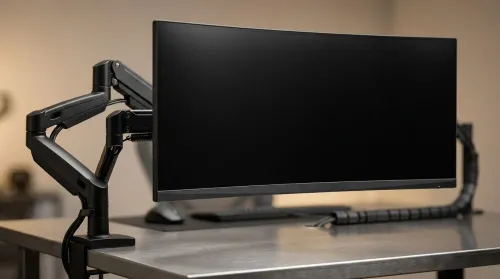
ZAR Budget for Upgrading to an Ultrawide 34-Inch Monitor
Build a smart ZAR budget for upgrading to an ultrawide 34-inch display plus a heavy-duty arm—covering monitor, arm, mounting, cables, and setup costs 💸🖥️
Read moreConsidering used PC components in South Africa? Don't let fear hold you back! Our expert guide shows you how to find incredible deals on reliable second-hand hardware. Learn what to check, where to buy, and how to test parts to build your dream rig on a budget. 💻 Get ready to save big and build smart! 💪

Building a gaming rig on a budget in SA is a real challenge. The temptation to scour online marketplaces for used PC components in South Africa is strong, promising high-end performance for a fraction of the price. But is that "bargain" GPU a hidden gem or a future paperweight? 😥 This guide will help you navigate the second-hand market safely, so you can score a deal without getting burned. Let's dive in.
Why do so many gamers hunt for used hardware? The answer is simple: value. You can potentially build a powerful machine for significantly less cash, stretching your budget to include better parts than you could afford new. Finding specific older parts to match an existing build is another big reason.
However, the world of second-hand tech is the wild west. There are no warranties, no returns, and plenty of risks. A component that fails after a week could leave you out of pocket with no recourse. That's why knowing what to look for is absolutely critical when considering used PC components in South Africa.
Before you hand over any cash, you need to become a detective. A few careful checks can save you a world of hurt and wasted money. Don't be shy about asking the seller to prove the component is in working order.
Certain parts carry more risk than others. Here’s how to check the most common hardware you'll find for sale.
buying a used SSD or HDD, always ask the seller for a screenshot of a CrystalDiskInfo report. This free tool shows the drive's "Health Status," power-on hours, and total data written. A "Good" status is essential, but high power-on hours on an HDD or high terabytes written (TBW) on an SSD could signal it's near the end of its life. For critical data, nothing beats the reliability of new [Solid State Drives](https: www.evetech.co.za PC-Components buy-solid-state-drives-83.aspx).
Some parts are just too risky to buy second-hand. The potential savings don't outweigh the catastrophic damage they could cause to your other components if they fail.
Even a computer case can have hidden issues like stripped screw threads or broken front panel connectors, so inspect it carefully.
Navigating the market for used PC components in South Africa can be rewarding, but it's a minefield. For a truly stress-free experience, consider a different approach. You get a warranty, guaranteed compatibility, and the latest technology without the risk.
Often, the best value lies not in single used parts, but in curated bundles. Our Intel and AMD based bundle packs combine a brand-new CPU, motherboard, and RAM, taking all the guesswork out of your core upgrade. It's the perfect middle ground between a full custom build and the uncertainty of used parts.
Ready for a Risk-Free Upgrade? While hunting for used parts can be fun, nothing beats the security and performance of new components. Evetech offers the widest range of PC hardware in South Africa, all backed by solid warranties. Explore our massive range of PC components and build your dream rig with confidence.
Yes, it can be very safe if you buy from reputable sellers and know what to check. Always test components where possible and ask for proof of purchase or any remaining warranty.
Look for established retailers with a pre-owned section, trusted online marketplaces with buyer protection, or local community forums with strong user feedback systems.
Inspect the CPU for bent pins (on AMD) or damaged contact pads (on Intel). Check the heat spreader for deep scratches and ensure it hasn't been improperly delidded.
Absolutely! A used GPU can offer incredible value. Stress-test it with benchmarking software like FurMark or 3DMark to check for stability and overheating issues before buying.
Key risks include bent CPU socket pins, dead RAM slots, non-functional ports (USB, SATA), or a faulty BIOS. A thorough visual inspection and testing are crucial.
The best way to test used RAM is by running a diagnostic tool like MemTest86 for several hours. This will check for errors and ensure the memory is stable under load.
It varies. Some reputable sellers offer a limited warranty (e.g., 30-90 days), while private sales are typically sold 'as-is.' Always clarify the warranty status before purchasing.
Build a smart ZAR budget for upgrading to an ultrawide 34-inch display plus a heavy-duty arm—covering monitor, arm, mounting, cables, and setup costs 💸🖥️
Read more
Gas spring monitor arms on a gaming desk budget in South Africa: fit options, mounting tips, and ZAR-friendly picks that boost comfort and setup ergonomics 🎮🛠️.
Read more
Choosing a 49-inch ultrawide curved monitor stand? Compare gas spring monitor arm vs fixed stand for stability, desk space, and comfort. ✅🖥️ Get the right setup fast.
Read more
Every spec on PCIe 5.0 explained in plain English. What matters for gaming and creator work in 2026, what's marketing fluff, and how each number translates to real-world performance.

A head-to-head look at WiFi 7: real-world performance, ZAR pricing and which option delivers better value for SA builders. The clear answer — no fluff.

Everything you need to set up and tune PCIe 5.0 properly: the prep work, the settings that actually matter, and the mistakes to skip. Written for SA builders in 2026.

Everything you need to set up and tune X870E Motherboard properly: the prep work, the settings that actually matter, and the mistakes to skip. Written for SA builders in 2026.

Wondering what a 512GB SSD capacity really holds? This guide breaks down how many games, photos, and documents fit on 512GB, with real-world ranges 📦💾

Every spec on vrm explained in plain English. What matters for gaming and creator work in 2026, what's marketing fluff, and how each number translates to real-world performance.

Every spec on motherboard explained in plain English. What matters for gaming and creator work in 2026, what's marketing fluff, and how each number translates to real-world performance.

Premium vs Midrange Motherboards in South Africa: real-world performance, SA pricing, power draw and which one delivers better value for your build for SA buyers. The clear answer — without the fluff.
Wondering what a 512GB SSD capacity really holds? This guide breaks down how many games, photos, and documents fit on 512GB, with real-world ranges 📦💾
Every spec on PCIe 5.0 explained in plain English. What matters for gaming and creator work in 2026, what's marketing fluff, and how each number translates to real-world performance.
A head-to-head look at WiFi 7: real-world performance, ZAR pricing and which option delivers better value for SA builders. The clear answer — no fluff.

Every spec on USB4 explained in plain English. What matters for gaming and creator work in 2026, what's marketing fluff, and how each number translates to real-world performance.