Juggling a YouTube channel, a Twitch stream, and a TikTok account in South Africa feels like a full-time job... because it is. The pressure to create amazing content, fast, is immense. But what if you had a secret weapon? By 2026, the most successful creators won't just be talented; they'll be masters of efficiency. This guide covers the best AI tools for content creators, turning your creative grind into a streamlined powerhouse. 🚀
Why AI Tools are Essential for Modern Creators
Let's be clear: AI isn't here to take your job. It's here to do the boring parts for you. Think of it as a tireless intern that can brainstorm ideas, edit videos, and generate assets in seconds. This frees you up to focus on the big picture—your brand, your community, and your next big idea. The right AI tools for content creators can slash production time, helping you post more consistently without burning out.
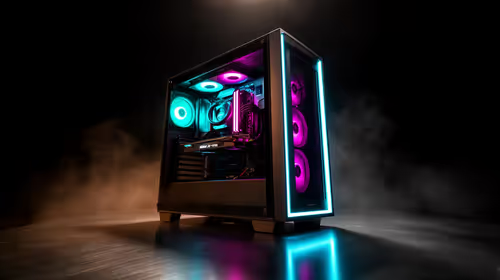
To really leverage these tools, especially for video and graphics, you need a machine that won't buckle under pressure. A solid foundation, like one of these best gaming PC deals, provides the raw power needed for local AI processing and smooth multitasking.
Top AI Tools for Video and Streaming
For YouTubers and streamers, the editing process is often the biggest time sink. AI is changing that completely. Tools like Opus Clip can take a long VOD and automatically find the best, most viral-worthy clips, complete with captions. Imagine turning a two-hour stream into ten high-quality TikToks with a single click. ✨
This kind of video processing is demanding. It relies heavily on your computer's graphics card to encode and render effects quickly. Having a capable GPU from the latest generation of NVIDIA and ATI graphics cards can cut your rendering times in half. And to make sure your colour grading is perfect, you’ll need a screen that shows true-to-life detail, which is where high-quality PC monitors become non-negotiable.
AI for Thumbnails and Titles
Struggling with clickbait that actually works? AI tools can analyse top-performing videos in your niche and suggest titles or even generate entire thumbnail concepts. This data-driven approach removes the guesswork, helping your content get noticed in a crowded subscription feed.
Optimise Your AI Workflow 🔧
Dedicate your most powerful hardware to AI tasks. In Windows, you can go to Graphics Settings > Add an app > and set it to "High Performance". This tells your PC to use your dedicated graphics card for that specific AI tool, speeding up processing for things like video editing or image generation.
AI for Visual Artists and Designers
Graphic designers and digital artists are also seeing a massive shift. AI image generators like Midjourney can produce stunning concept art, textures, or social media graphics from a simple text prompt. Need a background for your stream overlay or a unique asset for a client project? Describe it, and AI builds it. This tech is an incredible brainstorming partner.
Running these models locally requires a GPU with plenty of VRAM. While top-tier cards are ideal, even budget-friendly options are becoming incredibly capable. Cards like the ones in our Intel ARC graphics cards range offer fantastic performance for their price point. Even older, reliable workhorses from the NVIDIA GeForce GTX series can get you started in the world of AI art.
The Hardware That Powers Your AI Workflow
Whether you're editing on the go or creating from a home studio, your hardware is the engine for your creativity. Many of the best AI content creation tools are cloud-based, but for maximum speed and control, processing locally is key. This means investing in a machine with a powerful CPU, ample RAM, and a modern GPU.
A robust desktop is fantastic, but what about when you're travelling or need to work from a coffee shop? Modern laptop specials for sale in South Africa pack serious desktop-level power into a portable form factor. You don't even have to break the bank; there are amazing laptops for under R25,000 that can handle most creative tasks with ease. And for downtime or gathering inspiration, nothing beats the convenience of powerful handheld gaming consoles.
Ultimately, the future of content creation is a partnership between human creativity and artificial intelligence. By embracing the right AI tools for content creators and backing them up with the right hardware, you're not just keeping up... you're getting ahead.
Ready to Power Your Creativity? Your next big idea is waiting. But running the best AI tools for content creators requires serious power. Explore our massive range of high-performance PCs and find the perfect machine to bring your vision to life.