


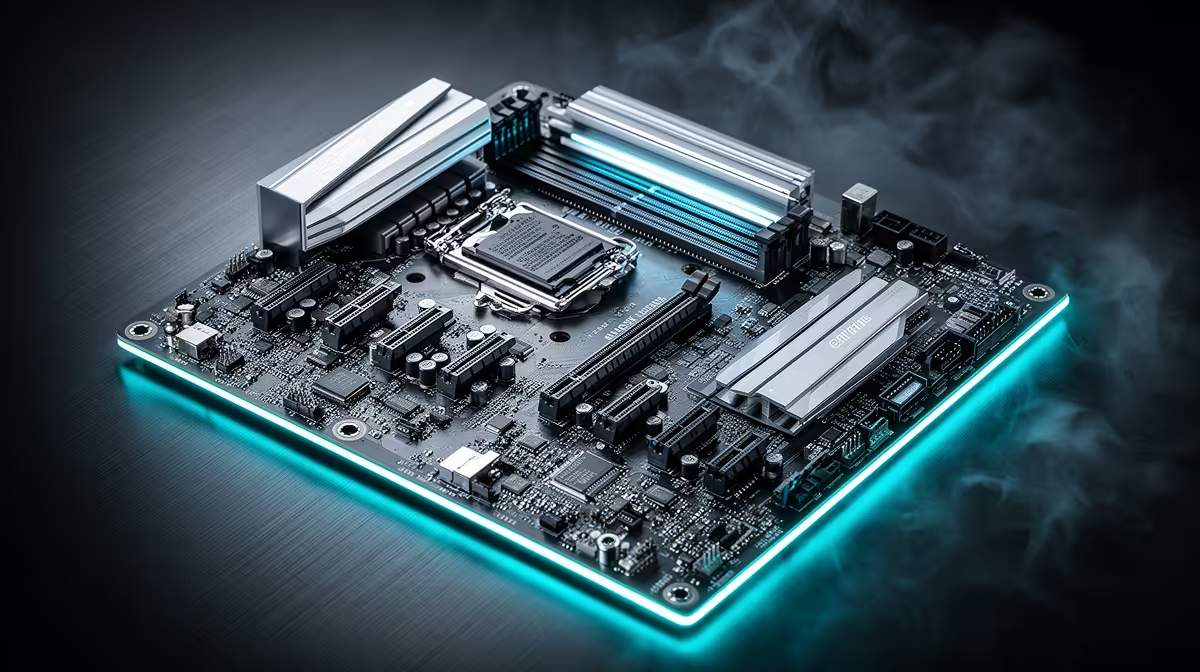
Every value build eventually comes down to one question: where do you spend the money you have, and where do you deliberately hold back. A b860m motherboard is one of the few components where holding back barely costs you anything, which makes it a smart place to start planning a Rand-conscious Intel gaming PC.
Quick Answer
In a value Intel gaming build, the motherboard should supply the core platform features (PCIe 5.0, fast storage, solid networking) without eating into the budget you need for the graphics card. The ASUS B860M MAX Gaming AX does exactly that at R4,499, leaving more of your total budget for the component that actually drives frame rates.
💰 The motherboard's real role in a value build
It is tempting to treat the motherboard as just a connector board between CPU and GPU, but it quietly sets the ceiling for your storage speed, network performance and future upgrade path. Spend too little here and you may find yourself limited to a single M.2 slot or Gigabit-only networking two years down the line. Spend too much and you have taken money away from the GPU, which is where gaming performance is actually won.
Why the graphics card should get priority
In almost every gaming PC budget, the GPU delivers the largest single jump in frame rates per Rand spent. A sensible strategy is to lock in a motherboard that covers the essentials competently, then push remaining budget toward the graphics card rather than motherboard features you will rarely notice day to day.
🧩 What R4,499 actually gets you here
Slot in an Intel Core chip on the LGA 1851 socket and you already have a full PCIe 5.0 x16 graphics connection, memory headroom stretching to 8666MT/s once overclocked, and three separate NVMe positions rather than the usual one or two. That third M.2 position in particular is worth pausing on: a dedicated OS drive, a games drive and a media or backup drive can all run natively without a separate storage controller or a compromise on drive count down the line.
On the networking and I/O side, a 2.5Gb LAN port sits well above the Gigabit ports still common on entry-level boards, and a 20Gbps USB-C connector doubles as a DisplayPort output, useful for running a monitor straight off the board during troubleshooting or before your graphics card arrives.
🛠️ Build features that save time and protect your investment
ASUS Q-Design brings tool-free installation for the M.2 drives and other components, which shortens build time and reduces the chance of a stripped screw or misaligned connector during assembly. The 5X Protection III suite adds power surge and static discharge safeguards, relevant since a value build often means fewer redundant safety margins elsewhere in the system. BIOS FlashBack lets you update the board's firmware without a CPU installed, which matters if you buy the board ahead of a newer processor release.
Where this shows up in day-to-day use
None of these features change your frame rate directly, but they reduce the odds of a frustrating build day or a board failure down the line, both of which cost more time and money than the feature itself would have.
🎯 Pairing the build and protecting the budget
Check the exact spec sheet and current price before finalising a parts list, then pair it with a mid-range Intel Core processor that suits the B860 chipset, DDR5 memory at a sensible speed rather than the absolute fastest kit available, and a graphics card that matches your target resolution. The Micro-ATX form factor also opens up more affordable case options, since smaller cases generally cost less than full ATX towers while still fitting a full-size GPU.
By choosing a board that covers the essentials without excess, you free up budget for the two components that most directly affect gaming performance: the GPU and, to a lesser extent, faster memory. If a sibling model within the wider B860 chipset family suits your case or port needs better, it is worth a look, and paging through every Intel chipset Evetech stocks helps confirm you are not overpaying for features your build will not use.
Frequently Asked Questions
Should I spend more on the motherboard or the graphics card in a budget build?
The graphics card generally deserves priority, since it has the biggest direct impact on frame rates for a given amount of Rand spent.
Is a Micro-ATX board a compromise in a value build?
No. Micro-ATX boards like this one keep the full PCIe x16 graphics slot and core chipset features, while often costing less than a comparable ATX board.
How many M.2 slots does a value gaming build actually need?
Two is workable, but three, as this board offers, gives useful separation between OS, games and general storage without extra cost.
Does 2.5Gb Ethernet matter in a budget-focused build?
It is a helpful extra rather than essential, offering more headroom for large downloads and file transfers than Gigabit at very little added cost.
What CPU generation works with this motherboard?
The B860 chipset uses the Intel LGA 1851 socket, matching current Intel Core desktop processors designed for that platform.
Is BIOS FlashBack important for a first-time builder?
It can be, particularly if you purchase the board before a compatible CPU, since it allows a firmware update without a processor installed.
Ready to spend your Intel budget wisely? The ASUS B860M MAX Gaming AX lives under the Intel B860 motherboard lineup, geared to anchor a Rand-conscious Intel gaming build without cutting corners.











