


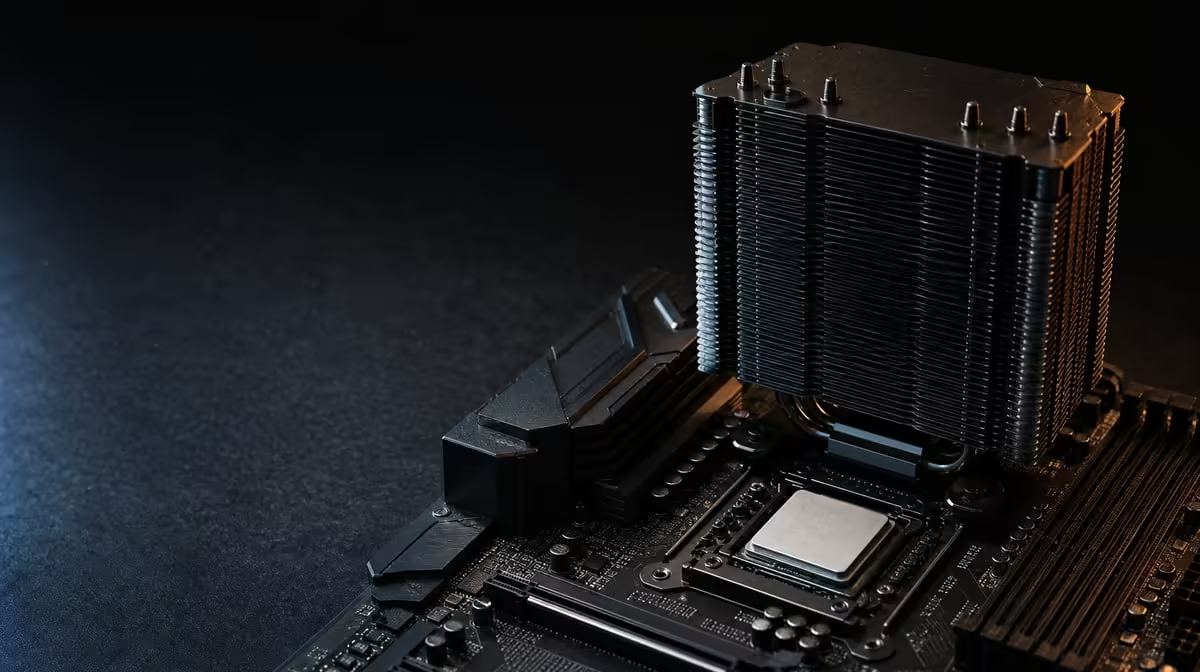
A power rating starts the cooler shortlist, but the chassis, mounting and noise target decide which option can live successfully in the PC. Choose a cooler for a 105W gaming processor by treating heat capacity and physical installation as one problem. The R7,199 Ryzen 7 5800X3D uses AM4 and includes no cooler, making that selection part of the build.
Quick Answer
For a 105W processor, choose a cooler with confirmed AM4 mounting, suitable thermal capability and dimensions that fit the case. Check memory clearance, radiator positions, airflow and the sound level you can accept. The R7,199 Ryzen 7 5800X3D has no bundled cooler, so the chosen solution and any mounting hardware are separate costs.
🧮 Use 105W as one planning input
The 105W figure establishes that the CPU needs purposeful cooling. Cooler choice and operating temperature also depend on workload duration, room temperature, fan control and chassis ventilation.
Look for capability appropriate to sustained gaming and any other demanding work the PC will perform. Do not select from wattage alone: two cases can produce different results with the same cooler because their intake and exhaust paths differ.
Evetech's CPU cooler range gives builders formats to compare after the actual installation limits are collected.
📐 Check every physical boundary
AM4 support confirms the attachment platform. It does not confirm that an air tower clears tall memory or that the side panel can close. Compare cooler height with the chassis limit, and inspect access around the socket, graphics card and motherboard covers.
For liquid cooling, verify that the case supports the radiator length and position with its fans installed. Account for total thickness, hose route, pump connection and interference with motherboard or memory components. A nominal radiator mount can still be impractical once the full assembly is considered.
The AMD processor category helps keep the exact 5800X3D and its 105W requirement attached to the cooler decision.
🌬️ Design airflow and acoustics together
Cool air needs a route into the case and heated air needs a route out. Check filter condition, fan direction and cable obstruction. A larger cooler cannot overcome a blocked intake indefinitely, and a radiator still depends on air movement.
Noise should be judged under a similar load, not from fan size or cooling format alone. Air coolers use one or more fans; liquid units add a pump and radiator fans. Fan curves, case resonance and desk distance all change the experience.
Maintenance is another ownership difference. Either format needs dust management and fan checks, while liquid cooling also adds pump operation and hose routing. Pick the system the owner can install and monitor confidently.
🔩 Install and verify the thermal path
Clean the contact surfaces, apply thermal material appropriately and follow the mounting sequence. Tighten evenly and connect the fan or pump to the proper header. On first boot, confirm that those devices operate before applying a heavy load.
Inside the 5800X3D are 100MB cache and eight Zen 3 cores able to handle 16 threads. Its base clock is 3.5GHz, and boost can reach 4.5GHz. Cooling supports normal processor control but does not guarantee the maximum clock in every workload.
Use a repeatable test and record ambient conditions, fan settings and temperatures. The wider processor selection can provide context for other CPUs, while the installed cooler must be judged in this specific case.
Keep the graphics card in mind during cooler fitting. A broad heatsink, radiator hose or front-mounted radiator can change access or space around the card. Confirm that the GPU remains fully seated, its cables are not under pressure and air can reach both major heat sources.
The motherboard and BIOS must also support the processor before thermal testing means anything. Verify the exact board model, install the required firmware and begin from stable settings. An unrecognised CPU or unstable memory configuration should not be diagnosed by changing the cooler.
When comparing two cooling candidates, use the same processor workload, fan-control approach and room conditions. One result from an open test bench cannot describe behaviour inside a restricted chassis. Consider temperature, sound and whether performance remains consistent over time.
Finally, price ownership rather than only purchase. Include any extra case fans or mounting hardware needed for the selected route, and choose a design the owner can clean and inspect. The best solution is the one that fits, cools and remains practical after the novelty of installation has passed.
Frequently Asked Questions
What does a 105W rating contribute to cooler selection?
It is a concrete indication that capable cooling is required. Case airflow, workload, room temperature and noise goals still shape the final choice.
Why is socket compatibility only one physical check?
An AM4 bracket can attach while the cooler still conflicts with memory, the panel, radiator positions or nearby components. Measure the complete assembly.
How should noise enter the cooling decision?
Compare sound under similar sustained loads and at the normal listening position. Fan curves, pump noise and case resonance can matter more than format labels.
Can a strong CPU cooler work poorly in a restricted case?
Yes. Limited intake or exhaust airflow can trap heat and weaken a capable design. The chassis must support the cooler's air path.
What does the 5800X3D package require buyers to add?
It requires a separate CPU cooler with suitable AM4 mounting and capability. The processor also needs discrete graphics for display output.
How should cooling be checked after assembly?
Confirm fan or pump operation, then compare temperatures and stability in repeatable idle and load tests. Investigate unusual results before tuning.
Ready to match a 105W CPU with cooling that fits in every sense? Compare Evetech's cooler options against your AM4 mount, case measurements, airflow and the R7,199 processor budget.











