


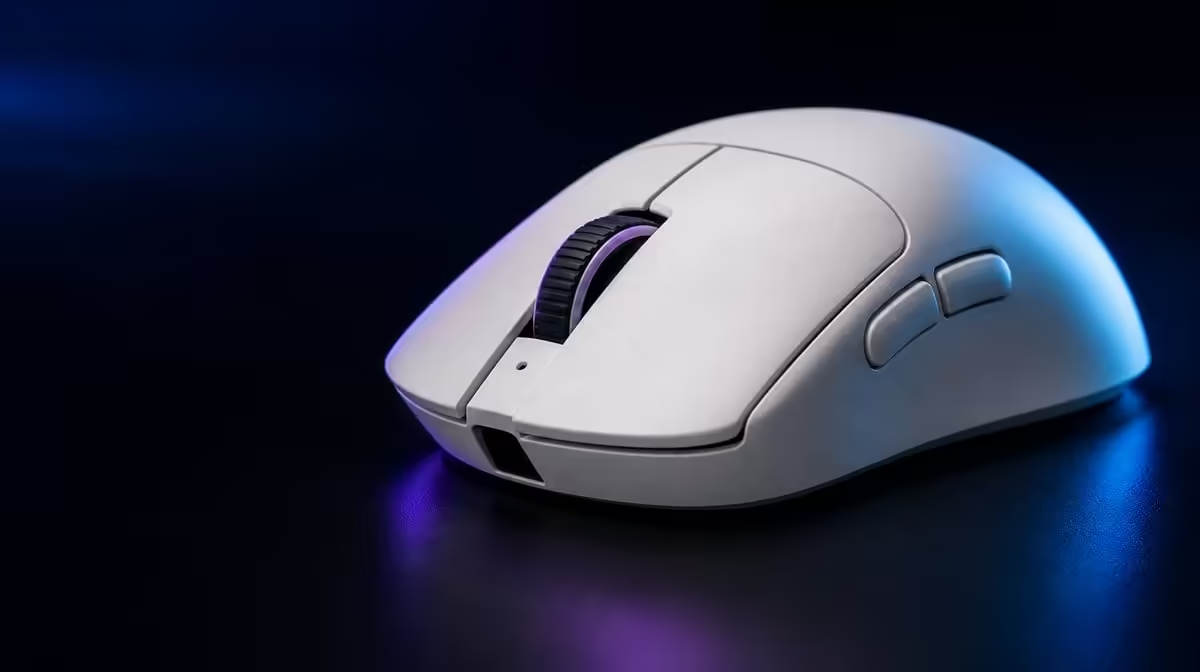
Accuracy is the ability to repeat the intended movement, not the ability to select the largest sensitivity number. Getting better accuracy from a high-DPI gaming mouse begins with the player's grip, usable pad area, clean surface and effective in-game sensitivity. The Hero 44K sensor provides range, while the setup determines control.
Quick Answer
Choose a DPI that lets one comfortable hand movement cover the required turn, then adjust in-game sensitivity through repeatable aiming drills. The R1,499 G305 X SUPERLIGHT reaches 44,000 DPI and tracks up to 678 IPS, but accuracy comes from a stable connection, predictable surface and a setting the player can reproduce.
🔹 Separate range from the chosen value
Maximum DPI describes how high the sensor setting can go. It does not identify the best value for an FPS, MOBA or strategy game. A player who overshoots small targets should not increase DPI simply because the sensor supports it.
Begin from a known comfortable setting. Mark a consistent start point on the pad and repeat the same turn or target transition. Record overshoot, undershoot and whether the grip becomes tense.
Evetech's Logitech mouse selection can help compare related control options after the preferred movement range is understood.
Change one sensitivity layer
DPI and in-game sensitivity combine into the effective movement. Adjust one, retest and preserve the other. Changing both together may produce a better feeling while hiding which value made the difference.
Use the same field of view, resolution and game profile during the test. A display or game change can alter the relationship enough to invalidate the earlier result.
🔹 Use 678 IPS as tracking headroom
The 678 IPS figure concerns high-speed physical tracking capability, not the speed the cursor should travel. It matters when a rapid hand sweep needs to remain faithfully recorded.
Test fast turns without slamming the mouse or changing grip. If tracking appears inconsistent, inspect the pad, sensor opening, connection and game frame behaviour before deciding that sensitivity is wrong.
Keep the surface repeatable
Clean loose debris from the pad and sensor area. Test from the same section of the surface and make sure its edge does not interrupt the movement. A glossy or damaged patch can create a different result from a clean central area.
Compare shapes and sensor packages through Evetech's wider gaming mouse range, using the same movement test for each candidate.
🔹 Pair report rate with system stability
Up to 8kHz reporting can increase possible updates, but the PC, game and USB route need to behave consistently. Start from a stable rate, measure the aim drill and then increase it without altering DPI.
Look for smoother repeatability rather than assuming the maximum is automatically more accurate. If frame timing or input consistency worsens, return to the known-good rate.
Build two drills
Use one drill for slow micro-corrections and another for rapid target transitions. A sensitivity that excels at one but fails the other may need a small adjustment or more practice.
🔹 Confirm comfort over a full session
Accuracy can degrade when the hand tires. Repeat the test after a long gaming period and note whether the player grips harder, lifts the mouse awkwardly or runs out of usable pad.
The G305 X SUPERLIGHT provides six programmable buttons, but accuracy should remain undisturbed by their assignments. Remove any binding that causes involuntary pressure during aim.
Use Evetech's popular accessory page for another market comparison around the R1,499 choice, then confirm the live listing before purchase.
Save the winning combination
Record DPI, in-game sensitivity, report rate, connection and surface. This gives every later adjustment a baseline and lets another game profile begin from evidence instead of memory.
Measure lift-off and repositioning habits
Some players reach the pad edge and lift the mouse frequently, while others complete turns without repositioning. Observe this habit during the rapid drill. A DPI setting that forces constant lifting may be too low for the available space, while one that removes all movement can make small corrections difficult.
Keep the test focused on the user's real pad rather than an ideal surface with unlimited room. Shape, balance and grip influence how easily the mouse is lifted and returned.
Use accuracy evidence from a full match
Count the types of errors rather than only the final score. Overshooting a close target, missing a long micro-correction and losing tracking during a fast turn suggest different adjustments.
Review a few representative moments after play. If the same error appears late in sessions, hand fatigue or grip tension may matter more than sensor range. Change the smallest relevant value, then repeat the same game conditions.
Coordinate desktop and game profiles
A very different desktop cursor speed can make menus and ordinary work feel uncontrolled even when the game profile succeeds. Test inventory screens, launchers and desktop movement as part of ownership.
Separate profiles are useful only when the player can identify which one is active and switch without mistakes. Keep the settings recorded and avoid a large number of nearly identical variants.
Compare another player carefully
A friend's preferred DPI can be useful context but not a target. Different pad space, grip, display and in-game sensitivity change the effective movement. Copy the drill, not the number.
If two players test the same G305 X SUPERLIGHT, reset to each person's own baseline and record results separately. Accuracy belongs to the relationship between user and setup rather than a universal Hero 44K setting.
Repeat the comparison on the same clean surface and connection. This protects the result from becoming a hidden test of different equipment.
Frequently Asked Questions
Is 44,000 DPI more accurate?
It is the maximum sensor range, not a guarantee that the highest setting improves aim.
What does 678 IPS describe?
It describes high-speed tracking capability during physical movement, not the player's ideal cursor speed.
Should DPI and game sensitivity change together?
Change one at a time so the effect remains clear and the earlier baseline can be restored.
Why test late in a session?
Fatigue can change grip and movement, revealing a setting that only worked during a short fresh trial.
Can button mappings affect aim?
Yes. A binding that alters grip pressure or causes accidental presses should be moved or removed.
Ready to turn sensor range into repeatable aim? Explore Evetech's gaming mouse choices and test each one with fixed surface, sensitivity and movement drills rather than maximum DPI alone.









