


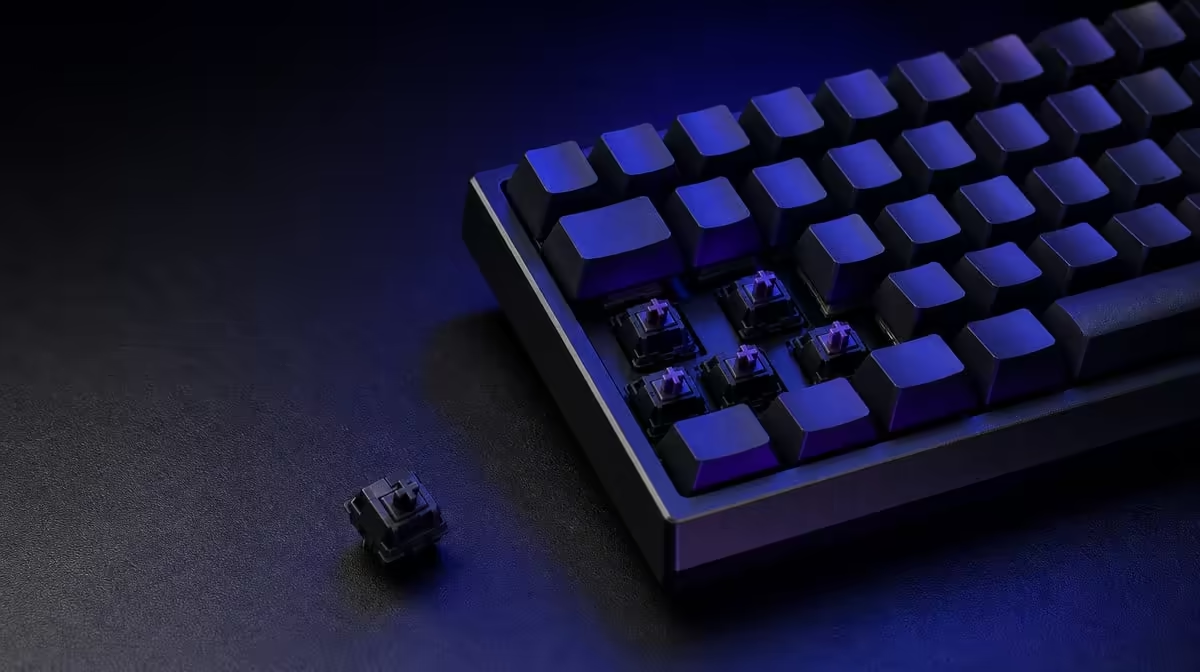
Switch sockets become useful when each change answers a clear question. Getting more from hot-swappable keyboard switches means comparing small compatible groups, repairing one failed key carefully and keeping every removed part labelled and reversible.
Quick Answer
Begin with a two- or three-key experiment using compatible switches under similar actions. Inspect pins, remove and insert straight, test after each group and store originals by position; use hot-swap for measured feel changes or repair rather than constant handling.
🧪 Design a fair first experiment
Choose one question: less fatigue, clearer feedback, reduced sound or a replacement for a suspect key. Do not change the whole keyboard before learning what the first sample does.
Place alternatives on keys with similar roles, such as neighbouring letters or comparable game controls. Keep the same keycap profile and software map.
Use at least two switches of each candidate when possible. One defective sample should not define the mechanism, while too many simultaneous changes make the map difficult to interpret.
Choose keys pressed by the same fingers. Comparing a thumb-operated space bar with an index-finger letter mixes hand strength and stabiliser behaviour into the result.
Use a typing passage and a repeatable training drill over several days. Record accuracy, accidental presses, return feel, sound and fatigue.
Run the trial at the same desk and keyboard angle. Posture changes can create an apparent comfort improvement unrelated to the switch.
Ask a nearby listener or microphone user about sound. The person wearing a headset may underestimate what the room hears.
A loose sampler can narrow switch categories, but the keyboard plate, case and cap create the final result. Mounted testing settles the decision.
Compare hot-swap layouts in Evetech's Logitech gaming-keyboard range.
🧰 Change switches without wasting sockets
Confirm the supported switch format and read the board instructions. Disconnect it, work on a clean flat surface and use suitable keycap and switch pullers.
Lift each housing in line with the socket. Inspect replacement pins under good light and stop if straight insertion meets unexpected resistance.
Support the case on a stable, non-scratching surface. Flexing the board on a lap can make straight removal harder and place force away from the switch.
Check the socket for movement or debris before inserting another part. Visible damage is a reason to seek appropriate support.
Change a small group, reconnect and test presses, holds and releases. If a key fails, disconnect again before inspection.
Repeated swaps add wear. Once the experiment identifies a stable preference, leave the working configuration in place.
Set a maximum number of test rounds before starting. A defined comparison prevents weeks of unnecessary socket handling driven by novelty.
Browse Evetech's gaming-keyboard category only after writing the required socket format.
🗂️ Turn parts into a service kit
Label original switches by key position and keep known-good parts separate from experiments. Protect pins in a rigid organiser.
Save the layout photograph, compatible format, software profile and purchase record with the kit. A later fault then begins from known information.
Add the date and outcome of each experiment. "Tactile sample on Q/W; reduced errors, too tiring after work" is more useful than a bag labelled "maybe".
One failed compatible switch can be replaced without converting the entire board to a new feel. Compare the suspect with an original before blaming the socket.
Test the affected key with custom profiles disabled. Chatter or missed input can come from software or connection behaviour, and hardware changes should follow evidence.
Check warranty guidance when a socket moves or visible damage appears. Rough repair can worsen a serviceable problem.
Do not open the case or attempt solder work merely because the board is hot-swappable. The supported switch action does not make every internal repair a beginner task.
🎮 Turn a mixed switch map into useful control
If the experiment supports different mechanisms by role, keep the map small. Movement keys might use one feel while typing keys remain original, but every difference should have a reason.
Avoid changing modifiers randomly. A Shift or Control key used across applications needs predictable force and return.
Document the map in plain language and photograph cap positions. Software profiles cannot identify the physical switch beneath each key.
Test multi-key combinations after mixing. A group can feel comfortable individually while creating inconsistent release timing during actual bindings.
Run both gaming and typing acceptance tests. A board shared between roles should not improve one hour of play at the cost of an entire workday.
Keep spare originals sufficient to restore the baseline. A reversible configuration protects the working keyboard when a later preference changes.
Review the map after a month and remove distinctions that no longer serve a purpose. Customisation is successful when it becomes predictable, not when it remains visibly complex.
Keep the final switch map with the service kit. A future repair then preserves the intended feel instead of replacing a key with a random spare.
Use Evetech's accessories best sellers for broader setup context and review current availability.
Frequently Asked Questions
What is the most useful first hot-swap experiment?
Compare a small group of compatible switches on similar keys to answer one defined feel or fatigue question.
Why should switch pins be inspected every time?
A bent pin can fold beneath the housing, prevent registration or add stress during insertion.
How can users compare switches more fairly?
Keep keycaps, positions, software and test actions similar, then use the sample across several sessions.
When is replacing one switch better than a full set?
It is sensible when one compatible switch chatters or fails while the rest of the keyboard remains suitable.
Why should removed switches be labelled?
Labels preserve the original map and separate known-good parts from untested experiments.
Can hot-swap support make rough handling safe?
No. Sockets and pins still need straight alignment, suitable tools and gentle force.
What should follow every switch installation?
Test repeated presses, holds, releases and relevant key combinations before changing more parts.
Ready to make hot-swap changes count? Compare Evetech gaming keyboards by socket support, then run one labelled experiment instead of replacing everything at once.











