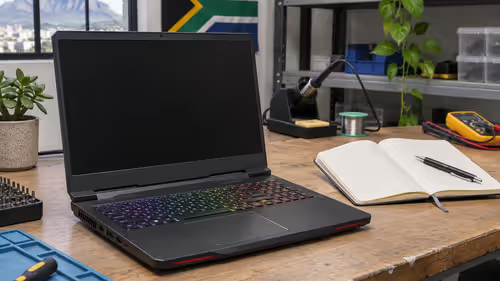
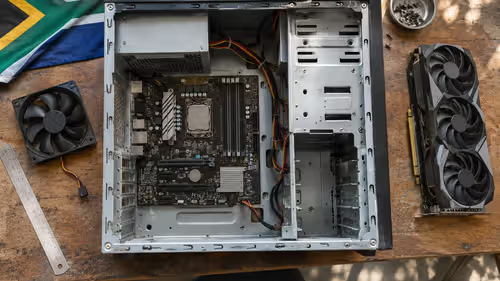
To see home assistant cpu temp on your dashboard, add the System Monitor integration, then switch on its processor temperature sensor. It works on a Raspberry Pi and on a mini PC alike, and within a minute you have a number you can graph or alert on.
Quick Answer
Open Settings, then Devices and Services, add System Monitor, and enable the processor temperature entity. A mini PC under light Home Assistant use sits around 40 to 60 degrees Celsius. Set an automation to warn you at about 75 so an overheating box never fails quietly in a hot cupboard.
🧩 Step by step setup
- In Home Assistant, go to Settings, then Devices and Services.
- Select Add Integration and search for System Monitor.
- Complete the prompt, then open the new device page.
- Find the Processor temperature entity and enable it if it shows as disabled.
- Add it to a dashboard card or a history graph.
The value is reported in degrees Celsius. If you do not see the entity, reload the integration or restart Home Assistant once, because some sensors only appear after a restart.
🖥️ Which hardware reports a temperature
The sensor reads from the host operating system, so it depends on what you run underneath. A Raspberry Pi running Home Assistant OS normally exposes its CPU temperature. A mini PC running the same OS usually does too, although a few budget boards have sensors the kernel cannot read. Virtual machines often hide the sensor completely, in which case you will see "unavailable" no matter how often you reload.
If you are choosing hardware for a home server, browse mini PCs and look for a model with a metal body or a vented case, since those shed heat much better than sealed plastic.
🔔 Turn the reading into an alert
A number on a dashboard only helps when you look at it. Create an automation with a numeric state trigger on the temperature entity, set it above 75, hold it for five minutes to ignore short spikes, and send a notification to the Home Assistant app on your phone. Add a second automation that clears the alert when the value falls below 65.
A few other useful checks:
- Plot the sensor over a week to spot a daily peak in the afternoon.
- Compare it with room temperature, if you already have a room sensor.
- Watch it after adding a heavy add-on, because a camera or voice add-on can change the picture.
🏠 Heat at home in South Africa
Home servers tend to live in the worst spots: a cupboard beside the router, a garage shelf, or the back of a TV unit. In a Gauteng summer those places pass 30 degrees easily, and the box adds its own heat. Give it airflow, avoid stacking it on a warm fibre router or an Openserve ONT, and consider a small fan or a better CPU cooler if you build your own. A heatsink case for a Pi costs roughly R100 to R400.
📈 Reading the graph over time
Once the sensor is running, the history graph tells you more than the live number. A flat line around 45 degrees with small bumps when a backup or an add-on update runs is a healthy box. A line that climbs through the afternoon and falls at night is room heat, and moving the device to a cooler spot is the cure. A line that jumps from 50 to 80 the moment a specific add-on starts shows you which add-on to move to another machine or limit.
Keep the default ten-day history, or push long-term statistics into a dashboard card so you can compare winter against summer. That comparison alone often explains why a box that was fine in June complains in February.
Frequently Asked Questions
Where do I enable the CPU temperature sensor?
Add the System Monitor integration under Settings, Devices and Services, then enable the processor temperature entity. It then appears like any other sensor.
Does it work on a Raspberry Pi and a mini PC?
Yes on both, as long as the operating system exposes the temperature sensor. Home Assistant OS usually does, and the value is in degrees Celsius.
How can I be alerted when the host overheats?
Create an automation that triggers when the temperature goes above a number you pick, such as 75, and sends a notification to your phone.
Why does my CPU temperature sensor show unavailable?
The integration may need a restart, or the hardware may not expose a sensor to the container. Check the logs and reload after a restart.
What temperature is normal for a Home Assistant box?
Roughly 40 to 60 degrees is normal for a mini PC under light use. Small boards in sealed cases run hotter and benefit from a heatsink or fan.
Does location matter for a home server in SA?
Yes. A box in a hot cupboard or garage runs hotter in a Gauteng summer, so give it airflow and keep it off warm router equipment.
Ready to build a home server that stays cool?
Explore the mini PC and CPU cooler categories on Evetech to find compact hardware with room to breathe.