


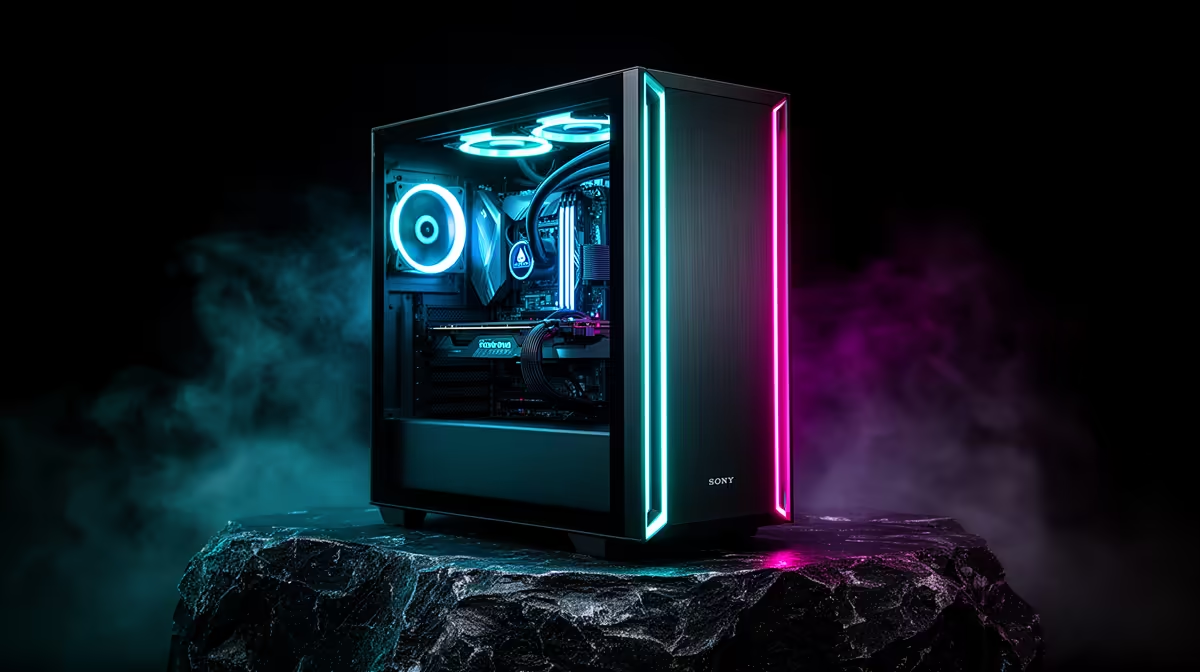
Cable clutter and cramped GPU clearance ruin more builds than any single component choice, and most of that comes down to picking the wrong chassis before the first screw goes in. Getting a genuinely tidy result starts with choosing the right atx mid-tower case, since everything from cable routing to fan placement depends on the space that case actually gives you to work with.
Quick Answer
A clean gaming PC build needs a case with real cable-routing depth, enough GPU clearance for a modern graphics card, and pre-installed fans so airflow is handled from the start. The EINAREX Pulse P100 covers all three at R1,499, with 24mm of routing space behind the tray, 330mm of GPU clearance, and three RGB fans already fitted.
Planning Cable Routing Before You Build
The single biggest factor in a clean-looking build is how much depth sits behind the motherboard tray for cables to hide in. A tight case forces cables to bulge the side panel or block airflow, no matter how carefully you route them. The Pulse P100 gives 24mm of space back there, enough room to bundle a 24-pin motherboard cable, GPU power leads, and fan wiring without fighting the panel shut. Start by routing the largest cables first, the 24-pin and any EPS CPU power leads, then work down to thinner fan and RGB cables once the main runs are tucked away.
Using Cable Ties and Velcro Straps
Even with generous routing space, loose cables still look messy through a glass panel. Velcro straps bundle cables into tidy runs that can be adjusted later if you add or remove components, which matters more than it sounds since most builds get at least one upgrade over their lifetime.
Working With Pre-Installed Fans Instead of Against Them
Three RGB fans arrive pre-fitted on the Pulse P100, which removes an entire step from the build process and guarantees a baseline airflow path is already set up. Rather than removing them to add your own, plan your remaining components around that existing intake and exhaust layout. This also keeps the build cleaner, since factory-installed fans come with their cables already routed sensibly by design rather than added as an afterthought.
Giving the GPU Room to Breathe
Modern graphics cards have grown considerably larger than they were a few years ago, and a case with tight clearance forces awkward cable bends around the card or, worse, physical contact with the side panel. At 330mm of clearance, the Pulse P100 accommodates the vast majority of current GPUs without needing to remove drive cages or reposition the front fans. Measure your specific card's length before finalising a build, since 330mm covers most but not every high-end model on the market.
CPU Cooler Height and the Glass Panel
A sliding tempered glass side panel looks clean but also means every component inside is visible, which raises the stakes on tidy cable work compared to a solid steel panel. The case supports CPU coolers up to 175mm tall, enough for most tower air coolers, so check your cooler's height spec against that figure before assuming it will clear the panel. A cooler sitting right at that limit can still look untidy if its cabling is not tucked away first, so finish routing before mounting the heatsink itself. Full details, including exact mounting positions, are on the Pulse P100's product listing.
Deciding Whether to Add More Fans Later
Three RGB fans cover a sensible baseline, but some builds still want a fourth unit once a hot GPU is installed. If you plan to add extra fans beyond the pre-installed set, whether for a stronger exhaust or ahead of a future radiator swap, Evetech's case fan range lists compatible 120mm options with clear CFM and noise figures listed side by side. Confirm a spare header exists before buying, since running out of motherboard connections partway through a build is one of the more avoidable interruptions. For other case sizes and layouts within the same product family, Einarex's full case lineup is worth comparing before you commit to a single chassis, particularly if this exact configuration does not suit your GPU or cooler choice.
Frequently Asked Questions
What makes a case good for a clean build?
Enough cable-routing depth behind the motherboard tray, sufficient GPU clearance, and sensible fan placement are the three biggest factors.
How much cable space does the EINAREX Pulse P100 offer?
It provides 24mm of routing space behind the motherboard tray, enough for bundled main cables and fan wiring.
Do the pre-installed fans need to be removed for a clean build?
No, they can be left in place and used as the base airflow layout, since they arrive with sensible cable routing already done.
What GPU length fits inside this case?
Up to 330mm, which covers most current graphics cards on the market.
What is the maximum CPU cooler height supported?
Up to 175mm, which fits the majority of tower air coolers sold today.
Ready to build a tidy gaming PC? Pick up the EINAREX Pulse P100 on Evetech's online store at only R1,499. Give your build the clean finish it deserves.







