Building a rig in South Africa means making every ZAR count. When you are staring at motherboard spec sheets, the technical jargon gets overwhelming fast. How do you choose between more M.2 slots, faster USB, and better WiFi without blowing your budget? Let us break down what actually matters for your daily setup so you can game smarter. 🔧
Making the Right Trade-Offs on a ZAR Budget
It is incredibly easy to overspend on motherboard features you will never actually use. When you explore the best gaming PC deals, you will notice that premium motherboards significantly drive up the total price. The real trick to budget PC building is aligning your motherboard specifications with your actual daily routine.
With load shedding and power surges being a local reality, spending less on unnecessary motherboard features means you can allocate more of your budget toward a high-quality power supply or a reliable UPS.
When to Prioritise Extra M.2 Slots
Modern games are absolutely massive. AAA titles can easily eat up well over 100GB of space. If you play large open-world games, you will chew through a standard 1TB drive very quickly.
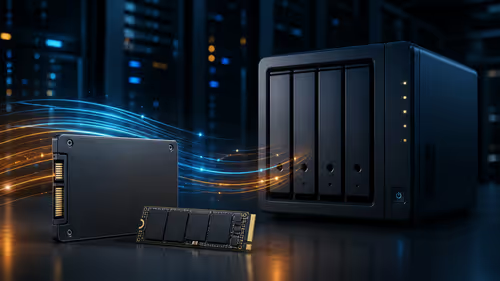
Having two or three M.2 slots on your motherboard lets you drop in extra high-speed NVMe storage later... without the hassle of cloning and replacing your primary boot drive. For pure gamers, investing in storage expansion offers far more long-term value than bleeding-edge connectivity.
The Truth About Faster USB Ports
Do you really need USB 3.2 Gen 2x2 or Thunderbolt 4? Probably not. Unless you are a professional content creator transferring massive 4K video files to external SSDs every single day, standard USB ports are perfectly fine.
Your gaming mouse, mechanical keyboard, and headset do not require ultra-fast bandwidth to function perfectly. If portability and extreme connectivity are your main concerns, you might even consider browsing laptops for sale in South Africa instead of building a bulky desktop system. ⚡
Better WiFi vs Wired Ethernet
South African fibre networks are getting much faster... but routing a LAN cable across your house is not always practical. If you cannot run an Ethernet cable straight to your PC, investing in a board with built-in WiFi 6 is crucial for keeping your ping low and stable during competitive matches.
However, if your router sits right next to your desk, save your hard-earned money and skip the premium wireless features entirely. You can use those savings to grab some powerful upgrades from our latest tech specials instead. 🚀
Budget Builder Pro Tip ✨
Do not overpay for built-in motherboard WiFi if you are on a strict budget. You can always buy an affordable PCIe WiFi card later. Prioritise M.2 slots first... upgrading storage is the most common hardware upgrade you will make within the first two years of owning your PC.
Ready to Find Your Perfect Match? The Mac vs Windows debate is complex, but for maximum power, choice, and value in South Africa, Windows is hard to beat. Explore our massive range of laptop specials and find the perfect machine to conquer your world.