


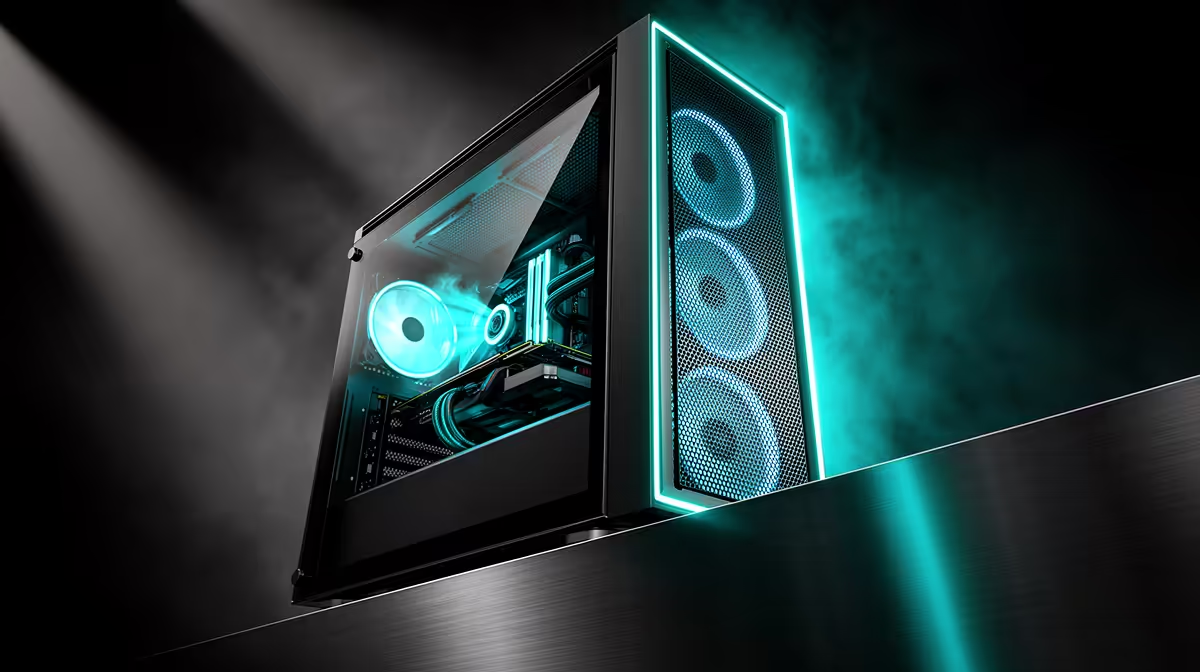
Hot temperature readings get pinned on the CPU or GPU more often than the case surrounding them, yet a surprising share of thermal complaints trace back to airflow, not faulty silicon. Before assuming a component itself is at fault, checking how air actually moves through your atx mid-tower case is the quicker and cheaper diagnostic step to take first.
Quick Answer
Weak or lopsided airflow inside the case is a frequent cause of high CPU and GPU readings, and a case built for up to six fan positions, such as the Antec NX410 at R1,199, provides enough mounting room to correct the problem without buying new hardware.
What Usually Causes High Readings 🔍
Before blaming the CPU or GPU directly, check whether intake and exhaust fans are actually matched. A case running plenty of exhaust but little intake pulls warm air back in through unfiltered gaps instead of drawing fresh air through the front, and that raises temperatures across every part inside, not just the one throwing the alarming number.
Front Fan Mounts Left Empty or Underpowered
An empty front fan position, or one running at a low fixed speed by default, starves the whole case of the fresh air that the exhaust side is meant to be pulling through. This is one of the simplest problems to fix, since it needs no new parts, only a check of what is already mounted and how fast it is spinning.
Rebalancing Intake Against Exhaust 🌡️
Running three front intake positions against a single rear and a single top exhaust fan, rather than an uneven split, is usually the single biggest airflow correction available on a six-mount case. The pre-installed ARGB fans that ship with the NX410 give a starting point, and completing the layout from the case fans range finishes the job.
Fan Curves Matter Almost as Much as Fan Count
A fan pinned to its lowest default speed underperforms even inside a properly balanced layout. Confirming that fan curves actually respond to load, rather than sitting on a flat low setting regardless of temperature, closes a gap that a hardware fix alone would miss.
Dust as the Slow-Burn Cause
A front intake filter clogged with months of dust restricts airflow in much the same way a missing fan does, just more gradually and less obviously. Anyone running a build for half a year or more without checking that filter should rule this out before assuming a cooler has degraded.
Cooling Upgrades That Do Not Need a New Case 🧊
If rebalancing airflow alone does not bring temperatures down far enough, the same case accepts both a 168mm air cooler and a larger liquid radiator up front or on top, so stepping up cooling capacity does not mean buying a new case as well. This matters when the real bottleneck turns out to be cooler capacity rather than case airflow.
Builders arriving from a cramped case with only two or three fan mounts frequently find that a six-mount layout resolves complaints about heat on its own, well before any cooler upgrade becomes necessary.
Confirming Clearance Before You Upgrade 🧰
Before fitting a larger cooler or radiator, check it against this case's 168mm cooler height limit and 165mm PSU length allowance, since even a well-planned airflow fix falls apart if the replacement part cannot physically go in. The Antec NX410 listing states both figures directly, and Antec's other case sizes carry comparable specifications if you are troubleshooting a different model entirely.
Frequently Asked Questions
Is airflow really a common cause of high temperatures?
Yes. An unbalanced fan setup, particularly too little intake relative to exhaust, ranks among the cheapest and most common problems to correct compared with replacing hardware.
How do I check whether my intake and exhaust fans are balanced?
Count the front intake fans against the combined rear and top exhaust fans. Matching numbers, or slightly more on the intake side, keeps the case under mild positive pressure.
Could a fan curve setting be the actual issue?
Yes. A fan pinned to a flat low speed regardless of load will underperform even in a well-balanced case, so checking the motherboard's fan curve settings is worth doing early.
Do I need a new case to fix high temperatures?
Not always. If the current case has enough fan mounts, rebalancing intake against exhaust often solves the problem before a case upgrade is even considered.
When does the cooler itself become the limiting factor instead?
If a properly balanced fan layout still leaves temperatures high under sustained load, the CPU cooler or radiator, rather than case airflow, is more likely the bottleneck.
Can dust buildup cause the same symptoms as a missing fan?
Yes. A clogged front filter restricts airflow gradually over months, producing readings similar to a missing or badly placed fan.
Is switching to a different case worth it just for better temperatures?
Only if the current case genuinely lacks fan mounts. A six-mount case like the Antec NX410 usually solves the issue through better balance rather than a full rebuild.
Ready to solve your overheating CPU and GPU? Scroll to the NX410 tower on Evetech's online store at only R1,199. Rework your airflow path with it and bring temperatures back down.











