


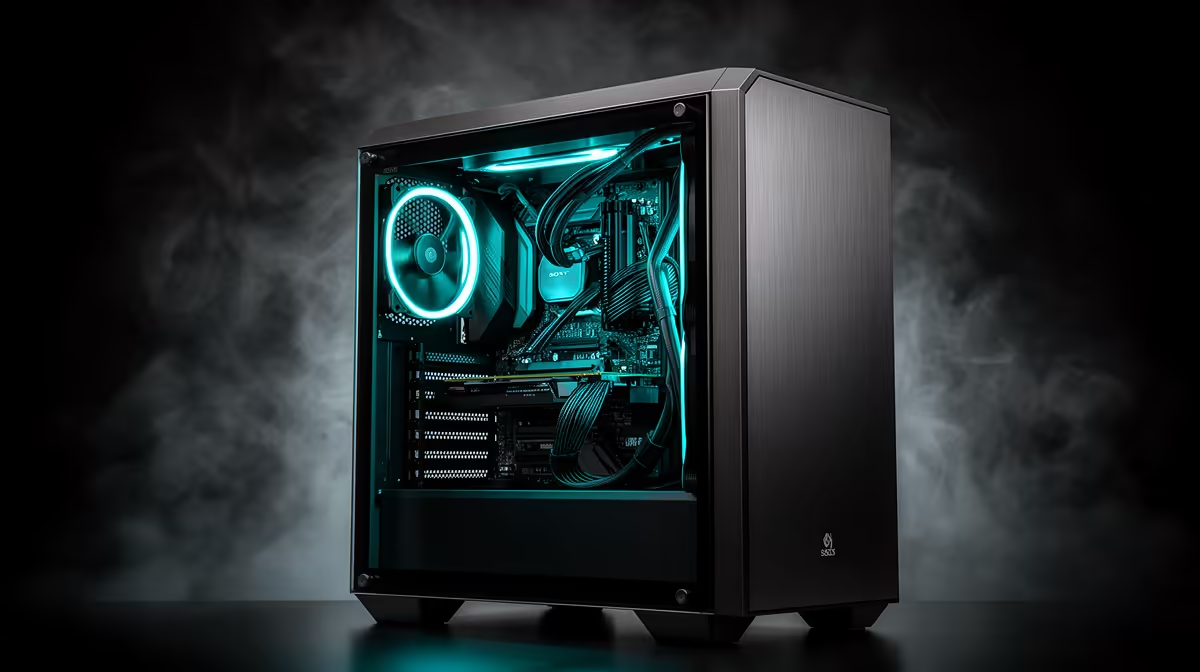
A messy build looks fine until the side panel goes on and turns out to be see-through. That is the trap of a glass-panelled case: every zip tie shortcut and loose cable becomes part of the display whether you planned it or not. Managing cables properly in an atx mid-tower case with a window is less about hiding wires and more about routing them so the finished build actually looks intentional.
Quick Answer
Good cable management behind glass comes down to using the space you have efficiently rather than fighting it. The Antec NX410 gives you 165mm of PSU clearance to route cables through, at R1,199, which is enough room for most standard cable bundles without forcing awkward bends against the glass.
🗺️ Plan the route before you plug anything in
Cable management goes wrong most often when cables get connected in whatever order is convenient, then tidied after the fact. Working out roughly where the PSU cables, front panel headers and fan cables will run before final connection saves a lot of rework once components are already mounted.
Use the PSU shroud as your main channel
Most of the bulk, including PSU cables and drive connections, should route behind the motherboard tray rather than across the visible side of the build. With 165mm of depth on the PSU side, the NX410 leaves enough space to route cables flat rather than bunched, which keeps the profile low enough that the side panel closes without pinching anything.
🌀 Managing six fans worth of cabling
A case that supports up to six fans, like the NX410, means six sets of power and ARGB cables to route if you fill every mount. Left unplanned, this is where most glass-panel builds start looking cluttered.
Group fans by zone, not by install order
Rather than running each fan cable individually back to the motherboard or hub, group cables from fans in the same zone, such as the front three, along a single path. This cuts down on crossing cables that are the most visible offenders behind glass.
Use the LED control button to simplify wiring
Since the front I/O includes a dedicated LED control button, you may not need a separate ARGB controller and its extra cabling for basic lighting control, which is one less set of wires to route neatly.
🌊 Radiator tubing adds another layer to plan around
If you are using the case's support for a 360mm front radiator or a 240mm top radiator instead of standalone fans, tubing routing needs the same upfront planning as cabling. Radiator tubing is far less forgiving of sharp bends than a cable, so the pump orientation and tube length need to be settled before the radiator is bolted into place, not adjusted afterward.
Keep pump cables separate from fan cables
A radiator pump typically has its own cable running back to the motherboard or a fan hub, separate from the fans mounted to the radiator itself. Routing the pump cable along a different path to the radiator fan cables, rather than bundling everything together, keeps the area around the radiator mount looking deliberate rather than tangled.
🔀 What to route in front of the tray versus behind it
Only cables that genuinely need to be visible from the front, such as a short GPU power extension or an intentional lighting cable, should sit in front of the tray. Everything else, including USB 3.0 and USB 2.0 front panel headers and HD audio cabling, routes more cleanly behind the tray and through the nearest grommet or cutout.
Working around cooler and clearance limits
With 168mm of cooler height available, tower air coolers leave a reasonable gap above the motherboard for routing CPU power cables without them draping across the socket area. Keep this cable short and pulled tight to avoid it becoming the one obvious mess in an otherwise tidy build.
If you are planning a build around a glass-panel case, the Antec NX410 in white is worth reviewing for its PSU and cooler clearance figures before you finalise cable lengths. The Antec case range also shows how routing space compares across similar models if you want more depth behind the tray, and the case fans selection is worth a look if you want fans with shorter factory cable lengths to keep routing tidy from the start.
Frequently Asked Questions
Does 165mm of PSU clearance leave enough room for cable routing?
Yes, it comfortably fits standard ATX modular PSU cables routed flat behind the motherboard tray without forcing tight bends.
Should all six fan cables run to the motherboard directly?
Not necessarily. Grouping fans by zone and running one tidy path per zone looks cleaner than six individual cable runs.
How do I keep cables from being visible behind glass?
Route anything that does not need to be seen behind the motherboard tray, and only leave genuinely intentional cables, like short GPU extensions, in view.
Does the LED control button reduce cable clutter?
Yes, it can remove the need for a separate ARGB hub and its cabling for basic lighting control on pre-installed fans.
Can 168mm of cooler clearance affect CPU cable routing?
It leaves enough space above the motherboard for CPU power cables to run without draping across the socket, provided the cable is kept reasonably short.
Ready to hide your cables behind glass? Drop into the NX410 unit from the Evetech site at R1,199 this week. Route cables neatly behind its tempered glass side panel.











