


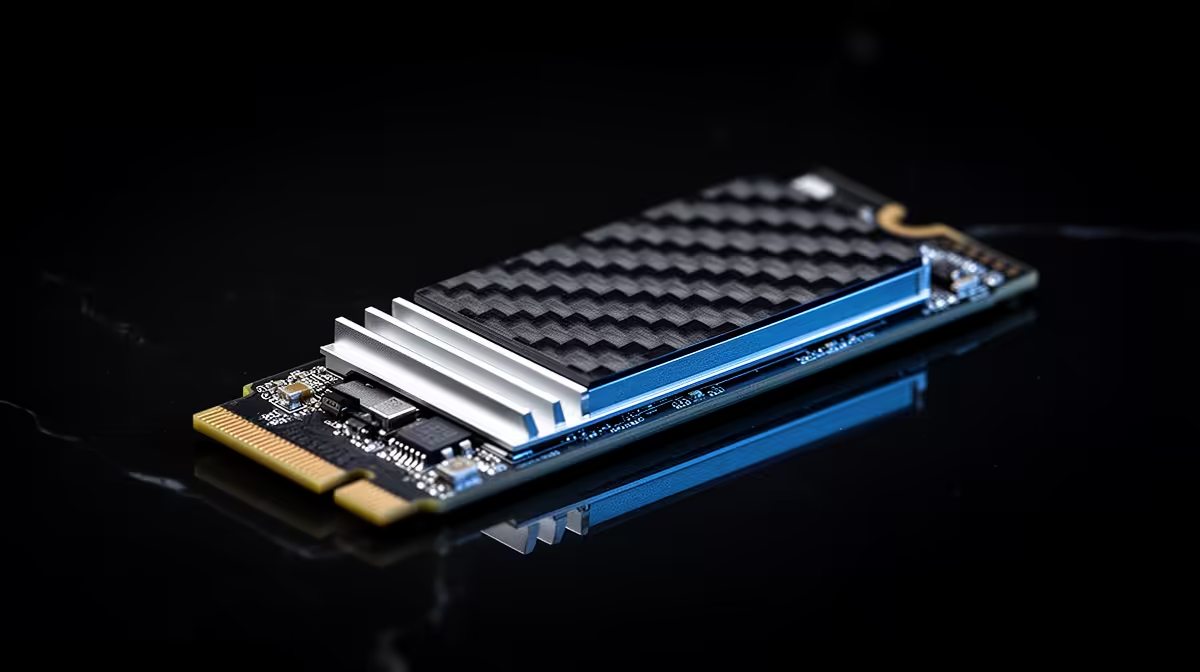
Adding a second NVMe drive should be a simple win, more storage, faster access, no downsides. It only turns into a bottleneck when two drives end up sharing the same bandwidth path without you realising it. A b650e motherboard with dedicated lanes for each M.2 slot avoids that trap entirely.
Quick Answer
The ASUS B650E MAX Gaming WiFi carries three PCIe 5.0 M.2 slots with dedicated lane routing, for R3,499, which stops one drive throttling another under simultaneous load. At this price, that lane separation is a meaningful upgrade over boards that quietly share bandwidth between M.2 slots.
🚧 How Bandwidth Sharing Actually Causes Bottlenecks
Some boards route two or more M.2 slots through a shared link, either back to the chipset or across a switch, so if you access two drives heavily at the same time, both slow down rather than either running at its rated speed. This is invisible on a spec sheet that just lists "three M.2 slots" without describing how each one is wired.
Why This Matters More With Gen5 Drives
PCIe 5.0 SSDs have roughly double the theoretical bandwidth of PCIe 4.0 drives, so any shared link becomes a bottleneck sooner, especially during simultaneous tasks like copying a large game install while recording footage to a second drive.
🧵 Dedicated Lanes on This Board
The three storage slots here are built to give each one its own path rather than forcing multiple drives to compete for a shared bandwidth ceiling. That design choice matters most for builders who plan to actively run more than one fast drive at once, rather than simply having a spare slot sitting empty.
Practical Scenarios Where This Pays Off
Streaming to one drive while a game loads from another, running a database or large creative project alongside your OS drive, or simply copying files between two NVMe drives without either one crawling, are all situations where dedicated lanes show their value.
🔍 Checking Your Own Drive Layout
Before assuming full-speed operation across all three slots on any board, check the manual or the BIOS storage page to confirm which M.2 slots run CPU-direct and which route elsewhere. Pairing your most performance-sensitive drive with the least-shared slot is the simplest way to avoid disappointment.
What to Do If You Already Own Older Drives
A PCIe 3.0 or 4.0 drive still works fine in any of the three slots, and since it cannot reach Gen5 speeds anyway, it is a sensible candidate for whichever slot has the least dedicated bandwidth, saving the best-routed slot for your fastest drive.
🧊 Thermal Considerations With Multiple Fast Drives
Running two or three NVMe drives under sustained load also generates more heat than a single drive would on its own, particularly in a tighter case with limited airflow around the motherboard tray. Even with dedicated bandwidth, a drive that overheats will still throttle regardless of how the lanes are wired.
Simple Steps to Manage This
Keeping at least light airflow moving across the motherboard area, avoiding stacking cables directly over the M.2 region, and checking drive temperatures periodically through a monitoring utility are practical ways to keep all three drives performing at their rated speed during heavy simultaneous use. A cheap top-down case fan aimed loosely at the motherboard tray often does more for sustained NVMe temperatures than any heatsink upgrade, particularly in cases without dedicated front-to-back airflow across that section of the board.
For the full listing and current price, see the product page for this board. Builders comparing storage layouts across similar boards can browse the broader B650 motherboard shelf, and those considering other AMD chipset options should look at the general AMD motherboard listing.
Frequently Asked Questions
Do all three M.2 slots run at full speed at the same time?
It depends on the board's lane routing, but this one is designed to give each slot dedicated bandwidth rather than forcing a shared link between them.
How can I tell which M.2 slot is fastest on my board?
Check the motherboard manual or the manufacturer's block diagram, which typically labels each slot with its connection type and whether it is CPU-direct or chipset-linked.
Does running two drives at once always cause a slowdown?
Only if those specific drives share the same bandwidth path, which is exactly what dedicated per-slot lanes are designed to avoid.
Is it worth buying three Gen5 drives to fill all the slots?
Not necessarily, mixing a fast boot drive with slower PCIe 3.0 or 4.0 drives for secondary storage is a reasonable and cost-effective approach.
Can storage bottlenecks affect gaming performance directly?
Yes, if your OS and game files sit on a heavily shared or overloaded drive, load times and asset streaming can suffer even if your GPU and CPU are performing normally.
Ready to add more drives without slowing anything down? The ASUS B650E MAX Gaming WiFi sits within Evetech's AMD B650E motherboard selection, geared to lay out M.2 slots so extra drives do not share bottlenecked lanes.











