


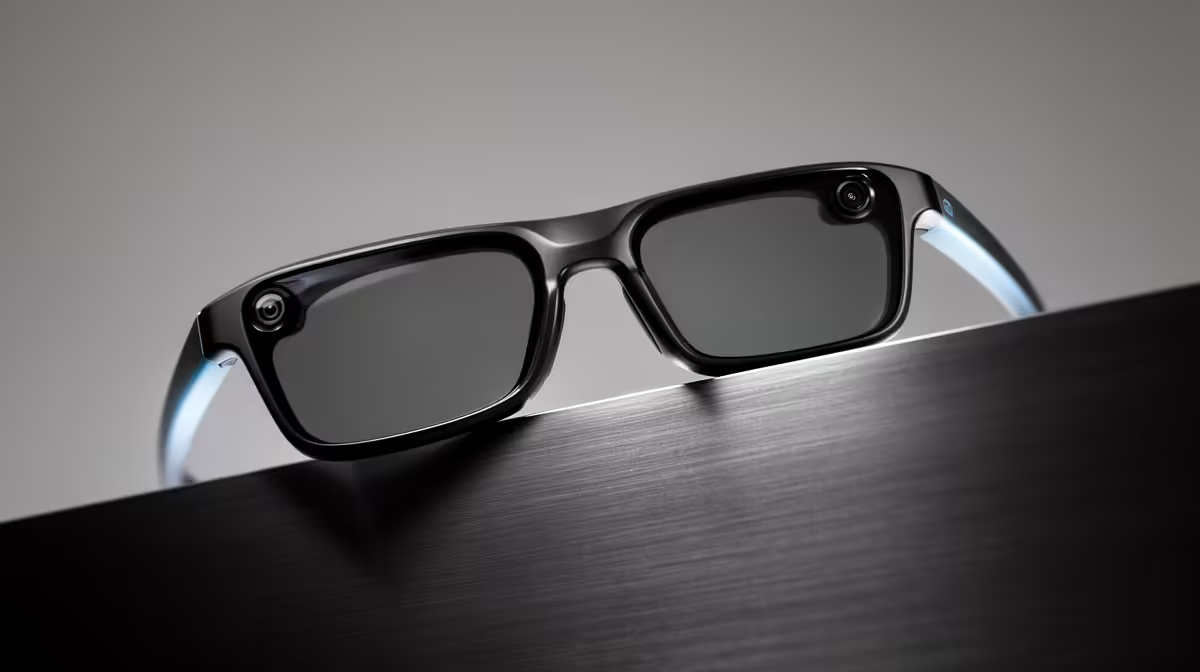
Two small words turn a pair of Ray-Ban Meta glasses from stylish frames into a hands-free assistant you can talk to mid-task. Say "Hey Meta" and the glasses wake, listen, and answer out loud, no phone in your hand and no screen to tap. The real trick most owners miss is that the conversation does not end after one question, which is what makes the assistant genuinely useful rather than a novelty.
Quick Answer
Speak the wake phrase "Hey Meta" and the assistant activates, ready to answer through the open-ear speakers. Follow-up questions in the same conversation need no wake phrase, so you can ask several things in a row naturally. Meta AI works in South Africa, though some on-glasses features have shown region-restriction messages on certain firmware versions.
How "Hey Meta" works
The wake phrase is the front door. Speak "Hey Meta" and the assistant activates, ready for whatever you ask next. If you would rather not talk to wake it, you can also tap and hold the touchpad on the side of the frame to trigger the same thing, which is handy in a quiet room or a meeting where speaking the wake phrase would be awkward.
Once awake, you simply ask in plain language. The glasses process the request and reply through the speakers built into the arms, which sit just above your ears and stay audible to you without blocking out the world around you. There is no screen and no menu; the entire interaction is voice in, voice out, which is exactly the point of a wearable assistant you use while your hands are busy.
The follow-up trick that changes everything
Here is the feature worth learning properly. After you wake the assistant with "Hey Meta" and ask your first question, you can keep the conversation going without repeating the wake phrase. The assistant stays listening for a short window, so a follow-up question flows straight on from the first answer.
That matters more than it sounds. It means you can ask "Hey Meta, what time is sunset today?" and then immediately follow with "and what about tomorrow?" without the clumsy stop-start of re-waking the assistant every single time. For any multi-step task, asking a string of related questions, refining a request, or drilling into a topic, this conversational flow is what makes the glasses feel like talking to an assistant rather than barking isolated commands at a device.
What you can actually ask
The assistant handles a broad spread of everyday requests through voice. A practical sample:
- General questions and quick information, like a fact, a definition or the weather.
- Reminders and simple suggestions for things you need to remember.
- Hands-free calls and messages through connected apps, so you can dictate and send without your phone.
- Camera-aware questions, where you ask about what you are looking at, such as identifying something in front of you or getting a caption for a view.
- Translation of text or speech you encounter while out and about.
The communication side connects to the apps you already use, letting you place calls and send messages by voice. To set those connections up and tune what the assistant can access, you work through the companion app, and the AR and smart glasses category at Evetech lets you review the current models and confirm which features each one carries.
What South African owners should know
Meta AI is available in South Africa, so the core "Hey Meta" voice assistant works here. That said, smart-glasses features roll out unevenly, and some on-glasses capabilities have shown region-restriction messages on certain firmware versions. If a specific feature reports that it is not available in your region, it is usually a rollout gap rather than a fault with your glasses, and keeping the firmware updated through the companion app is the best way to pick up features as they expand. Treat the headline voice assistant as reliable and the more advanced extras as something that may arrive over time. For the cables and small accessories that round out daily use, the accessories best sellers show what owners restock most.
Frequently Asked Questions
Do I have to say "Hey Meta" before every question?
No, and that is the key feature. The wake phrase starts the session, but follow-up questions in the same conversation require no repeated trigger, so you move through several queries in a row naturally before the assistant stops listening.
Can I wake the assistant without speaking?
Yes. Tap and hold the touchpad on the side of the frame to activate the assistant instead of saying the wake phrase. This is useful in quiet or public settings where speaking out loud would be awkward.
Does Meta AI work in South Africa?
The core voice assistant works in South Africa. Some specific on-glasses features have shown region-restriction messages on certain firmware, which is a rollout gap rather than a defect, so keep your firmware current to gain features as they expand.
What kinds of things can I ask the assistant?
General questions, reminders, suggestions, hands-free calls and messages through connected apps, translation, and camera-aware questions about what you are looking at. It covers most quick, everyday hands-free tasks.
How do I hear the answers?
Through open-ear speakers built into the arms of the glasses, positioned just above your ears. They let you hear the assistant clearly while still hearing the world around you, rather than sealing your ears like earbuds.
Curious what a hands-free voice assistant on your face actually feels like? Compare the current options in the AR and smart glasses range at Evetech and start talking to your glasses.











