


Hearing the game while seeing nothing makes a faster router look tempting. A Moonlight black screen can begin earlier in the chain, where the host is meant to capture a usable display. Find out whether the problem follows the host, the game or one client before paying to change the network around them.
Quick Answer
Keep the host screen awake, log in and try streaming its desktop before starting the affected game. Compare another client if one is available. Those tests cost R0. Evetech's catalogue showed a Cudy 2.5Gbps PCIe network adapter at R299 on 16 September, but even an inexpensive wired upgrade cannot repair a host that is not capturing a picture.
🖥️ Confirm the host has a picture to send
Look at the gaming PC itself. Is the expected display awake, and can you see the desktop or game there? Moonlight's black-screen checklist starts with the connected, powered monitor and suggests a different game or a desktop stream to isolate a game-specific failure.
Some of that documentation discusses the older GeForce Experience host. With Sunshine, use the checks that fit your setup and its own troubleshooting guidance. Do not hunt for an old GameStream switch in unrelated software simply because a historic checklist mentions it.
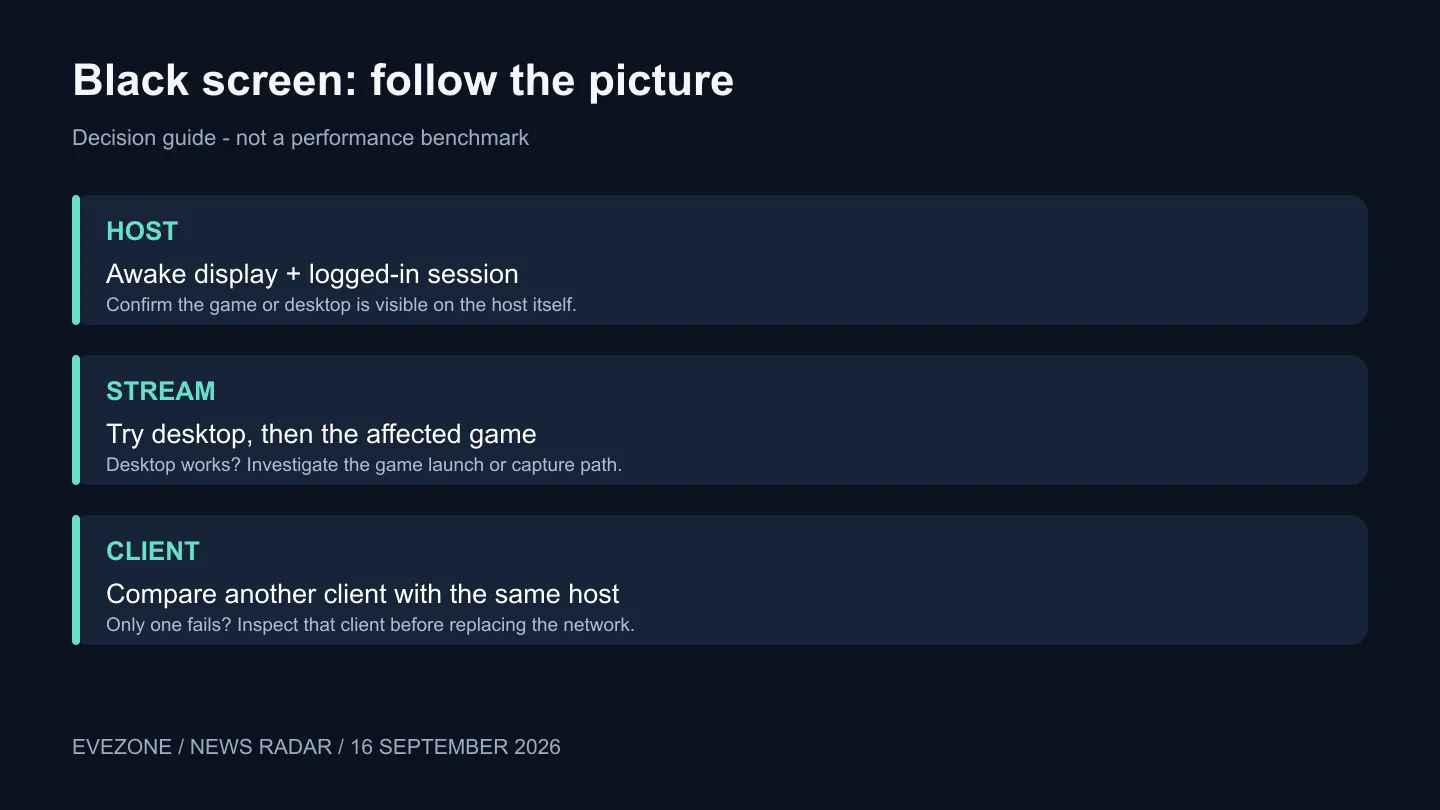
If desktop streaming works but one game stays black, preserve that result. You have narrowed the investigation. Launch the game from the streamed desktop and compare, rather than simultaneously changing the router, codec and display arrangement. The aim is to keep one working reference while testing the next step.
📡 Separate capture from the connection
Try another client on the same local network, using the same host and task. If only one client fails, inspect that device's settings and software before replacing host hardware. If every client fails, return to the shared host and capture path. These comparisons do not identify every fault, but they prevent several unrelated upgrades from becoming the first response.
The wireless router category becomes relevant when you have evidence of a connection limitation. A blank picture by itself is not that evidence. Distinguish a session that never connects from a connected session that carries sound but no usable video.
For a wired comparison, inspect the ports already present before shopping for network adapters. The captured R299 Cudy card is a particular PCIe option, not a universal fit for laptops or compact systems. Compatibility and an available slot matter even when the accessory costs relatively little.
🧩 Use the host's own error message
Sunshine's guidance separates platform-specific capture and permission failures. Save the relevant error and your host operating system before applying a remedy. A Linux capture-permission fix is not a general Windows black-screen fix, and changing an unrelated setting makes the next comparison harder to interpret.
Keep a short record of the versions, display state, desktop test and second-client result. Stop once a controlled change restores the picture, then check that the original game still works after reconnecting. If the failure returns, those notes let you reproduce it without rebuilding the entire configuration from memory.
Frequently Asked Questions
Should I immediately buy a headless display adapter?
First test with a real connected monitor awake. If that establishes a headless-display issue, research a supported solution for your exact host and required display mode.
Does working audio prove the router is perfect?
No. It proves only that part of the session works. Use host and client comparisons to narrow the missing-video problem instead of drawing a complete network conclusion.
What information helps a support request?
Include the Sunshine and Moonlight versions, host and client devices, relevant error message and whether the desktop or another client works. A repeatable comparison is more useful than a list of random changes.
Follow the picture before buying network gear. Test capture and clients first, then explore Evetech's networking options if a wired connection or a documented network limit calls for an upgrade.









