


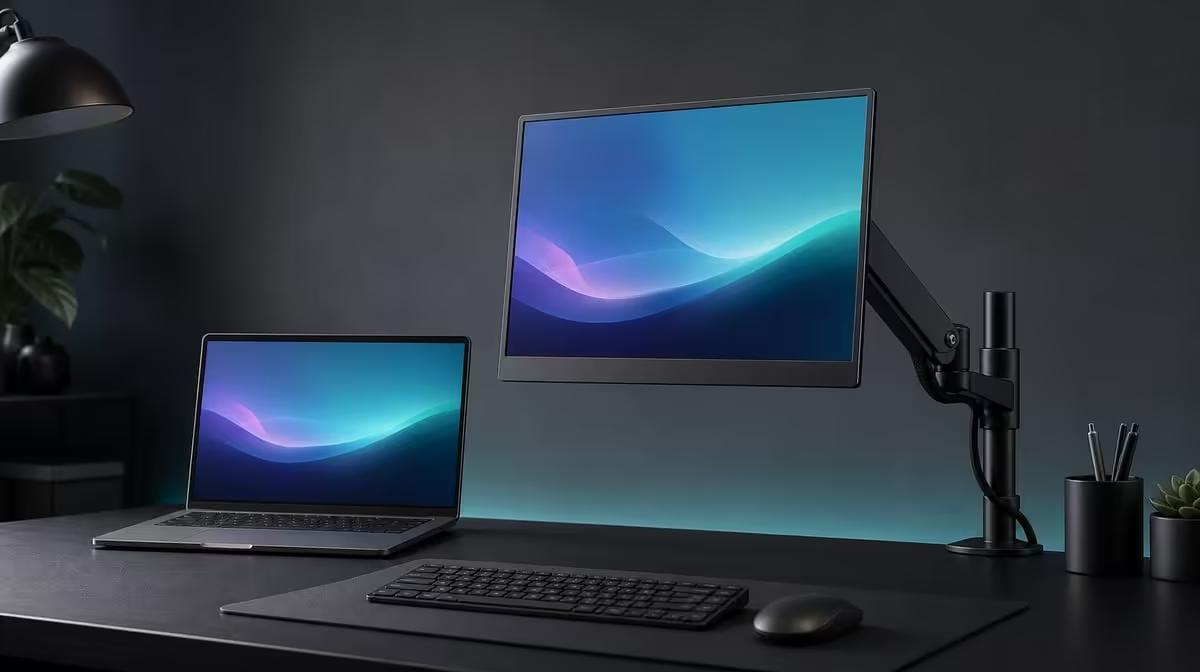
A portable display does not have to live at desk level. A careful VESA mount for a portable monitor can raise the 17.3-inch panel, reclaim surface space, and create a stable viewing angle, provided the pattern, arm capacity, fasteners, and cable movement are all matched before installation.
Quick Answer
Mount the R5,999 UPERFECT UColor J5 only after confirming its exact VESA pattern, the arm's load support, suitable fasteners, and enough slack for HDMI, USB-C, and power routing. Support the 17.3-inch 4K panel while attaching it, then adjust height and angle gradually without letting the cables pull on their ports.
📏 Plan the final screen position
Decide where the display should sit before choosing an arm. Mark the intended panel centre, viewing distance, and relationship to the primary monitor. A useful mount solves a positioning problem rather than moving the same poor angle off the desk.
Consider the 17.3-inch screen's full movement path. The arm should not hit a wall, shelf, laptop lid, or another display when rotated. Leave space to reach the monitor controls and inputs. A larger portable panel can make a comfortable secondary workspace when its footprint is moved vertically.
If portability remains important, decide how often the J5 will be removed. A mount that is convenient for a permanent home office may be less suitable for daily packing. Evetech's portable monitor category can help compare screens intended for mixed desk and travel use.
🔩 Verify every mechanical match
VESA support is the starting point, not the complete fit. Confirm the J5's exact hole pattern, the arm's compatible pattern and load rating, and the correct fastener type and length. Do not assume screws from another screen are safe.
Fasteners that are too short may not hold properly; those that are too long can press where they should not. Follow the mount and display requirements available for the actual equipment. If any measurement is uncertain, pause the installation rather than forcing a screw.
Prepare a soft, stable surface and support the panel while attaching the plate. Keep pressure away from the visible IPS area. Tighten evenly so the plate seats correctly instead of pulling one corner down first.
🔌 Route cables through the full arm motion
The UColor J5 accepts HDMI and USB-C, while the chosen connection may also require a separate power plan. Connect the intended leads and move the arm gently through every position before securing cable ties or clips.
Leave a service loop near the monitor. A lead pulled tight at one angle can strain the socket when the panel is raised or rotated. Too much loose cable can catch in a joint, so guide it along the arm without restricting movement.
Test the selected input and native 3840 x 2160 output before completing cable management. A blank screen is easier to diagnose while every connection remains accessible. Evetech's PC monitor range provides context for fixed displays and mounting plans if the portable format is not essential.
🪑 Adjust for comfort and repeatability
Raise the display so text can be read without bending the neck. Choose a distance where the whole 17.3-inch image remains visible, then set operating-system scaling for comfortable 4K text. The mount supplies position; it does not replace readable software settings.
Adjust tilt and angle to reduce reflections before increasing brightness. The panel is rated at 400cd/m2, but physical glare control can make a lower setting more comfortable. Align adjacent screens so frequent eye movement does not require repeated head movement.
Check arm stability while typing or using the desk. If the screen slowly drops or moves, reassess the arm adjustment and mechanical match rather than overtightening unknown fasteners. Keep all changes within the equipment's intended operation.
Evetech's best-selling monitors offer a further current comparison when confirming the R5,999 J5 against other desk options. After the mount is stable, save the resolution, scaling, brightness, and input choices used in the fixed setup.
Run one final safety pass: inspect the plate, fasteners, arm joints, cable loops, input connection, and movement limits. A clean desk is the visible benefit; secure support and strain-free wiring are the work that makes it dependable.
Mark the arm's normal work position and its safe movement limits after installation. This makes it easier to return the screen to a comfortable height and prevents an enthusiastic adjustment from pulling a lead tight. Recheck the loops whenever a cable is replaced.
If the J5 will travel, rehearse removal on the soft surface used during installation. Disconnect leads before moving the panel, support its weight, and keep the correct fasteners with the mount. The return process should be as deliberate as the first installation.
Review the setup after a week of desk use. Look for gradual arm drop, loose cable clips, a new reflection, or a viewing distance that encourages leaning. Correct the mechanical or positioning issue directly rather than compensating with more brightness or awkward scaling.
After a week of use, inspect the screen angle, fasteners, cable bends, and arm position again. A clean first installation can shift once the display is moved through its normal range. The best final position is the one that stays comfortable without pulling on a connector or crowding the laptop.
Frequently Asked Questions
Does VESA support identify the exact arm to buy?
No. Match the precise pattern, load rating, fasteners, and intended movement before purchasing or installing an arm.
Why should the screen be supported during attachment?
Supporting the panel prevents its weight from hanging on a partly fastened plate and helps avoid pressure on the display surface.
Can an arm improve posture automatically?
It creates adjustment options. The user still needs to set suitable height, distance, angle, and 4K scaling.
What cable check matters most?
Move the arm through its complete intended range and confirm that no video or power lead pulls, pinches, or catches.
Ready to lift a portable display into a cleaner desk position? Explore Evetech's monitor options, confirm current VESA details, and choose a screen-and-arm plan that supports both comfort and cable safety.











