


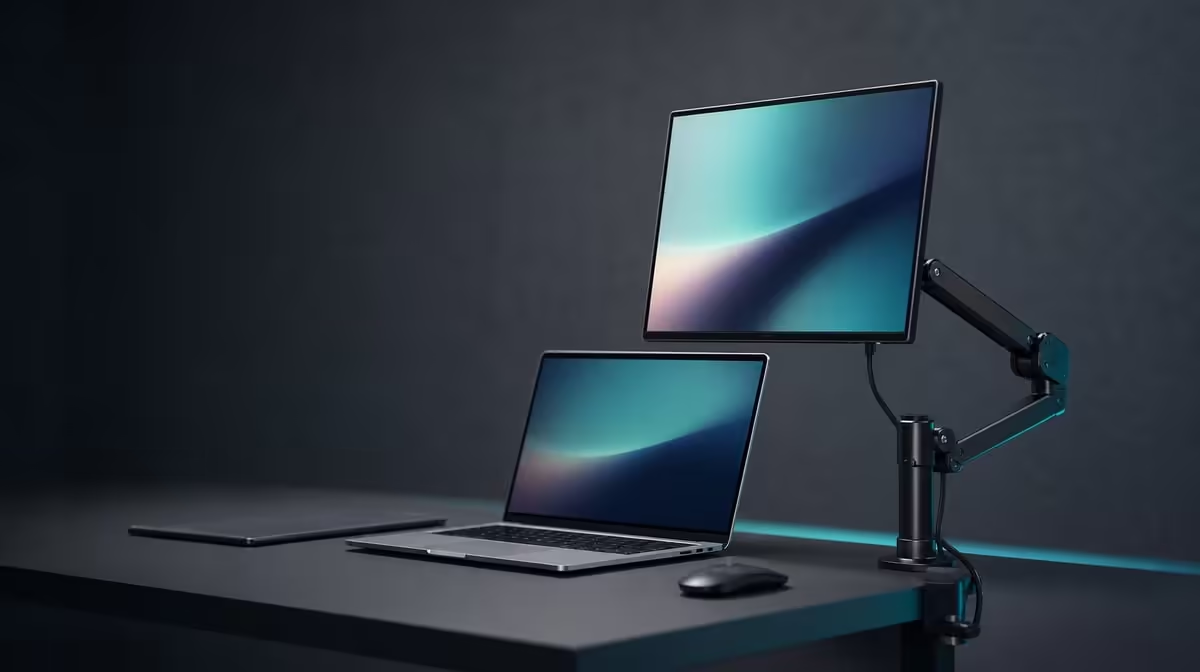
Mounting a small screen can clear useful desk space, but the attachment must be proven rather than inferred from the word VESA. VESA mounting a portable monitor requires an exact hardware match, controlled screw depth, supported cables and a final position that the arm can hold safely.
Quick Answer
The R2,399 UPERFECT UFree V supports VESA mounting. Verify its pattern and screw dimensions against the chosen arm, confirm the arm's load range, install with the panel supported and route USB-C or Mini HDMI so no connector carries tension.
🧾 Verify every mounting interface
Start with the monitor's model-specific documentation and the mount maker's instructions. "VESA support" confirms a mounting route, not the hole spacing, screw thread, screw length or spacer arrangement needed for this installation.
Measure or verify the exact pattern before ordering an arm. Confirm that the mount plate can physically reach the holes without covering a port or pressing against the panel housing. Never drill, enlarge or improvise an attachment point.
Check the arm's stated load range as well as its maximum. A portable display may behave differently on an arm designed to balance a much heavier screen. The mount must hold and adjust the UFree V within the maker's supported range.
Keep the included foldable stand available while compatibility is being established. The R2,399 monitor can remain a desktop screen instead of becoming a risky mounting experiment.
Evetech's portable monitor collection helps compare models where desktop or mounted flexibility belongs on the requirements list.
🔩 Install without stressing the panel
Disconnect power and video, place the 15.6-inch display face-down only on a clean, soft, flat surface, and keep pressure away from the image area. Support the panel while aligning the plate so the screw holes carry no sideways force.
Use only the verified thread, diameter and length. A screw that is too long can damage the monitor; one that is too short may not secure the plate. Washers and spacers should follow the confirmed mount arrangement rather than being added by guesswork.
Tighten fasteners gradually in a balanced pattern. Stop if the plate rocks, the housing bends or resistance feels abnormal. The goal is secure contact, not maximum hand force.
Attach the arm to a desk or wall according to its own instructions. Confirm the supporting surface can carry the system. A clamp needs a sound desk edge and enough clearance; a wall installation needs the correct structure and hardware.
🧵 Plan USB-C, Mini HDMI and power
Before raising the panel, decide which source route will be used. A display-capable USB-C host and suitable cable may simplify the path; Mini HDMI supplies an alternative video input while power must still be arranged appropriately.
Move the arm through its intended positions with cables disconnected first. Identify every pivot and leave a relaxed loop that reaches the longest position without pulling. Keep leads outside pinch points, clamp jaws and sharp desk edges.
Connect the cable only after the movement path is understood. Use light cable organisation that guides rather than tightly binds. A short, rigid route can put damaging leverage on a small port when the arm turns.
Open a document and move the display slowly between working positions. Watch for signal interruption, connector movement and cable contact with the mount. If any lead becomes taut, power down and revise the route.
The broader Evetech monitor range can frame whether a portable VESA setup or a fixed desktop display better matches a permanent workstation.
✅ Prove the clean-desk result
Set the UFree V to its native 1920 x 1080 resolution and place it at a comfortable distance. The arm should hold the chosen height and angle without drifting. No particular adjustment span is promised by the monitor; that capability comes from the verified mount.
Check the desk surface gained by removing the folding stand. Make sure the new arm, clamp and cable loops have not simply moved clutter into a walkway or keyboard area.
Run a thirty-minute work session, then inspect every verified screw, the plate alignment and the cable slack. Do not repeatedly retighten a sound attachment, but investigate any movement or housing pressure immediately.
Create a maintenance note with the mount model, confirmed pattern, screw details, cable route and installation date. Recheck after transporting the arm, changing the desk or repositioning the screen extensively.
The mounting project is complete when the R2,399 display stays supported across normal movement and can return to a known position without cable strain. VESA is valuable here as an option, not as permission to assume missing dimensions.
Review Evetech's monitor best sellers if the completed mount still fails the desk's stability or adjustment needs.
Photograph the verified plate, cable loops and final arm position. The record helps reveal a later change in alignment and gives another user a safe reference.
After a week, inspect the supporting surface as well as the screen. A clamp, wall point or arm joint can move even while the portable panel appears unchanged. Any looseness should be handled through the mount maker's instructions, not by tightening unverified monitor screws.
Frequently Asked Questions
What must match before buying an arm?
Verify the exact VESA pattern, supported load range, plate clearance and attachment method for both monitor and mount.
Why are screw dimensions important?
Incorrect thread or length can fail to hold the plate or damage the monitor housing.
How does mounting improve a small desk?
It can remove the desktop stand and place the screen at a repeatable raised position.
What cable planning is required?
Allow USB-C or Mini HDMI and power leads to follow the full arm movement without pulling or entering pinch points.
Can the foldable stand still be used?
It remains the included desktop option when the monitor is not attached to a compatible mount.
Which VESA details must buyers check?
No. The exact pattern and screw dimensions must be verified before installation.
How much is the VESA-ready UFree V?
The UPERFECT UFree V costs R2,399.
Ready to clear the desk with verified mounting hardware? Explore Evetech's portable displays, confirm the UFree V attachment details and test the full arm movement before connecting its video lead.











