Wireless peripherals promise a tidy desk, then quietly ask for a USB port each. Add a keyboard dongle, a mouse dongle and a headset dongle to a PC that already hosts a webcam, a flash drive and a phone cable, and the back panel fills up quickly. Before you order, it is worth counting the USB ports for wireless receivers you will actually need, and planning what happens if you come up short.
Quick Answer
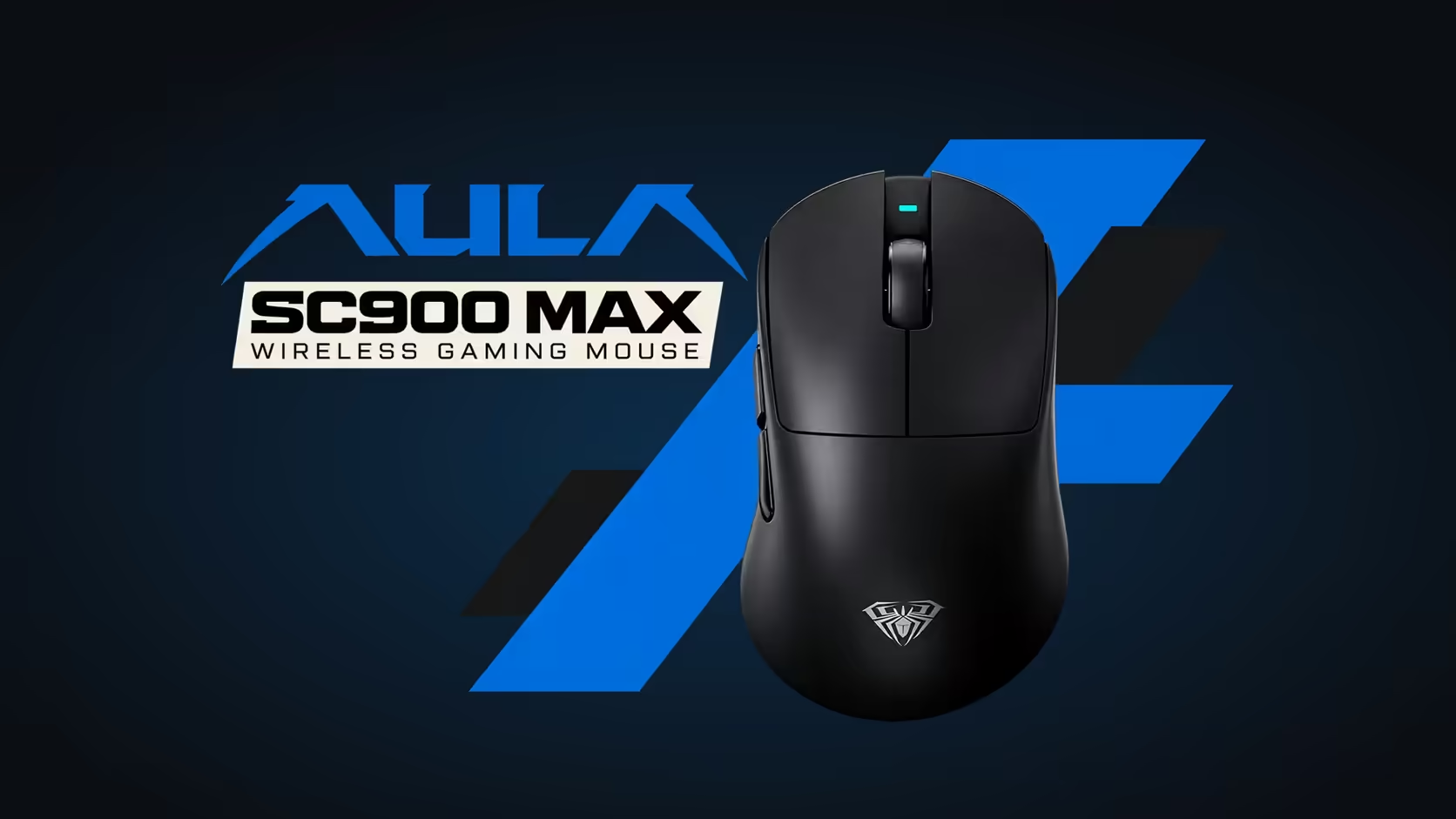
Plan three free ports. The AULA HERO 75 HE keyboard, SC900 MAX mouse and A500 headset, which Evetech sells for R899, R749 and R639, each ship with their own 2.4GHz receiver. Bluetooth can free one slot, at 125Hz for the keyboard or mouse, which is fine for everyday work. The AULA AC306 set is the exception: its keyboard and mouse share a single receiver.
🔢 The port count, device by device
Here is what each AULA product adds to the port count.
HERO 75 HE keyboard. Tri-mode: a USB-C cable, a 2.4GHz dongle or Bluetooth for up to three devices. On the dongle it polls at 8000Hz, so for gaming that dongle wants a slot.
SC900 MAX mouse. Also tri-mode, with a switch underneath choosing 2.4GHz, off or Bluetooth, plus a USB-C cable. It reaches up to 8000Hz on the dongle once set in software, from a 1000Hz default, and needs its own slot for that.
A500 headset. Bluetooth 5.4 with about 10m of range, a 2.4GHz USB dongle, or the supplied audio cable into its 3.5mm jack. Of the three, it is the one that can skip a USB slot without giving up anything you would miss in a game, because the analogue cable handles listening.
AC306 set. One 2.4GHz receiver runs both the keyboard and the mouse, and it stores in a slot inside the mouse. That is one port for two devices.
So a HERO 75 HE, SC900 MAX and A500 desk uses three ports on receivers, and an AC306 desk uses one.
🧮 Short on ports: what to move off a receiver
When slots run out, the question is which device loses least by leaving its dongle behind.
Move the keyboard to Bluetooth for work
Typing, email and browsing do not need 8000Hz. Pair the HERO 75 HE over Bluetooth and it runs at 125Hz, which feels normal for anything that is not a fast game. Its three pairing slots also let it jump between a desktop, a laptop and a tablet. Switch back to the dongle when you sit down to play.
Put the headset on its cable
The A500's 3.5mm cable gives you sound without any USB at all. You lose wireless freedom at the desk, but you keep the headset's ANC and its flip-up mute, and the port goes to something that needs it.
Plug the mouse in
The SC900 MAX runs on its USB-C cable at up to 8000Hz too. A cable uses a port just like a dongle does, so this only helps if the cable goes into a port you already had free, such as one on the monitor.
🔌 Hubs, front panels and receiver placement
A USB hub is the obvious fix, and for a keyboard or headset dongle it generally works well. Two general points apply to any 2.4GHz mouse, not just AULA's:
- Distance and line of sight help. A dongle on the back of a tower under the desk sits behind metal and wood. Moving the mouse dongle to a front port, a monitor port or a short extension close to the mat usually gives a steadier link.
- Busy hubs can be crowded. If you notice stutter with every receiver on one hub, move the mouse dongle to its own port and leave the hub for the keyboard and headset.
Neither point is a fault of any particular product. It is simply how short-range radio behaves around a desk full of electronics.
💻 Two ports on a laptop
Thin laptops are where the count really bites. A sensible split:
- Mouse on its 2.4GHz dongle, because aim benefits most from the fast link.
- Headset on its dongle, or on the 3.5mm cable if the laptop has a jack.
- Keyboard over Bluetooth, using one of its three pairing slots.
That leaves a port for charging or storage. If you mostly work rather than play, the AC306 set sidesteps the problem entirely, putting keyboard and mouse on one shared receiver.
For more ideas on pairing gear, Evetech's peripheral best sellers list shows what other buyers are running, and a large mat from the gaming mouse pads range gives the mouse dongle a clear line to the desk. Warranty at Evetech runs 2 years on the HERO 75 HE and 1 year each on the SC900 MAX, A500 and AC306.
Frequently Asked Questions
Can one dongle run more than one AULA device?
Just the AC306 set. The other three devices here come with a dongle apiece.
Which device should give up its dongle when ports run out?
The keyboard during work, since Bluetooth at 125Hz is fine for typing. For play, keep the keyboard and mouse on their dongles.
Can the headset skip USB entirely?
No. It can run over Bluetooth 5.4 or through its 3.5mm audio cable.
Will a USB hub slow the keyboard or mouse?
Not in general, though a crowded hub can hurt a mouse link. Give the mouse dongle its own port if you notice stutter.
Where does the AC306 receiver live when I travel?
In a slot inside the mouse, so it goes into the bag with the set.
Ready to plan a cordless desk that fits your ports?
Check Evetech's wireless keyboards, mice and headsets, then count your free slots before you connect everything.