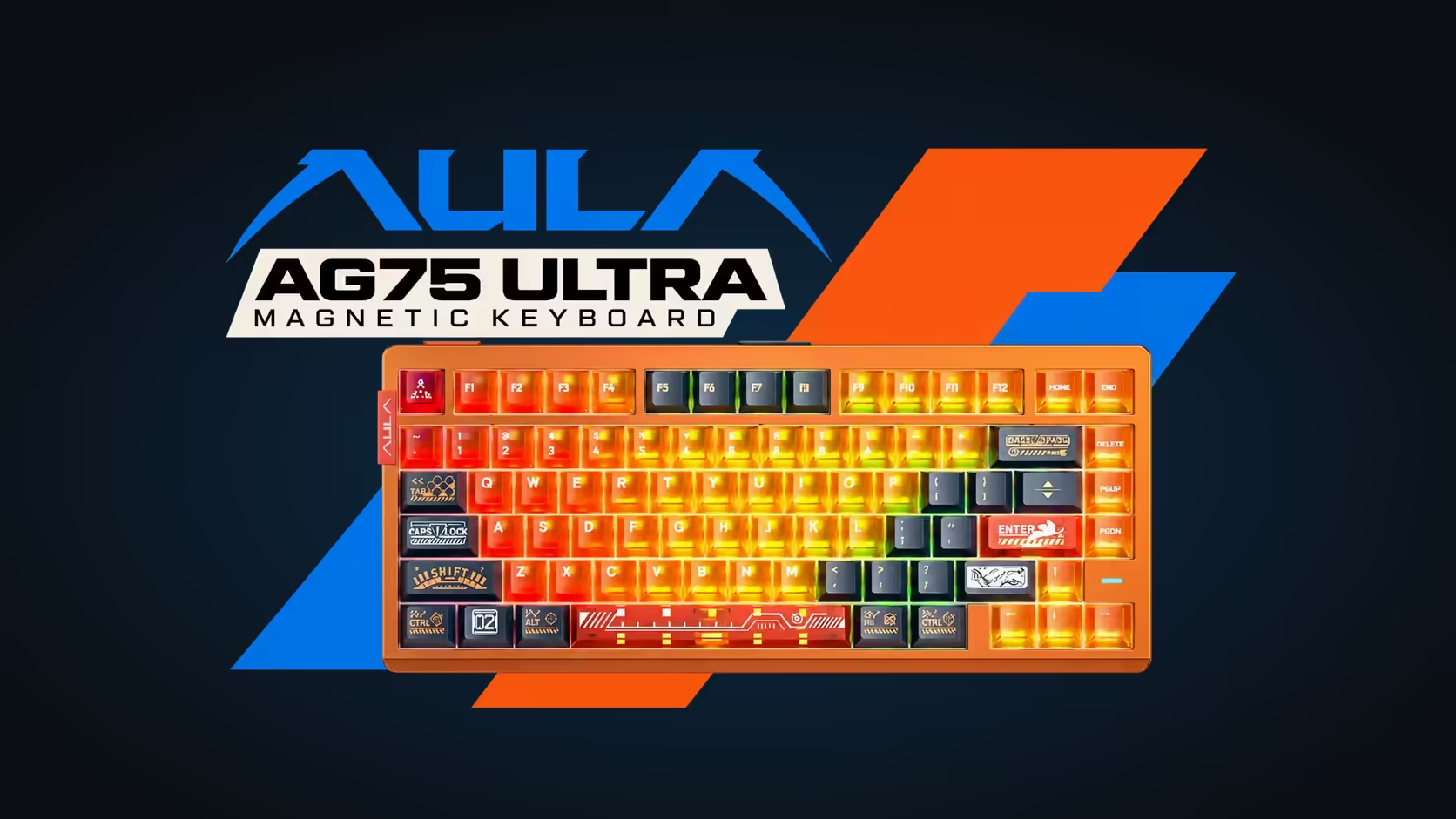
Most keyboards treat their insides as off limits. Getting into them means hunting for hidden screws under feet and stickers, then prising plastic clips that were never meant to open twice. The AG75 takes the opposite view. Its case is held together by ball catches rather than screws, so it separates by hand, and AULA presents that as a way to customise the board quickly. A tool-free keyboard case makes cleaning and tinkering far less nerve-racking, as long as you go about it carefully.
Quick Answer
The AULA AG75 opens without tools: its ball-catch quick-release structure lets the aluminium case separate by hand for cleaning or part swaps. Unplug the USB-C cable before you start, work on a soft, clean surface, and photograph the order of the six internal dampening layers before you touch them. The magnetic switches are hot-swappable, and the whole AG75 family, Pro and Ultra, shares this design. At Evetech the Ultra and the Shadow Grey Pro are R2,399, and the Armor Silver Pro is R2,799.
🧰 Before you open it
Preparation is most of the job. Get these sorted before the case moves:
- Unplug the USB-C cable from the keyboard. Never open a board that is connected.
- Clear a flat table and lay down a soft towel or mat. The anodised aluminium finish is durable, but a hard, gritty surface can still mark it.
- Have a small tray for anything you remove, and a phone ready for photos.
- Wash and dry your hands so no oils or crumbs end up inside.
- Set aside enough time that you are not rushing.
It is also worth looking up AULA's own guidance for the AG75 before you ever open it, since the maker knows exactly where the catches sit and how much force they expect. The ball-catch design means the halves come apart by hand; if they resist, stop and check rather than levering with a tool.
📸 Once it is open
Photograph everything
Inside sit six damping layers, from the Poron directly beneath the switches down to the PO foam lining the bottom. Take photos from above and at an angle before moving anything. When you reassemble, those pictures are the difference between a board that sounds exactly as it did and one that suddenly rattles.
Leave the layers where they are
For routine cleaning there is no need to lift the damping stack out at all. The layers are there to absorb vibration, and every time they are handled there is a chance of creasing or misaligning one. If you must move one, lift it straight up, keep it flat, and put it back in the same orientation.
Where dust collects
Dust and hair tend to gather at the edges of the case, around the gap between the case and plate, and at the base of keys you use most. A soft brush, a hand blower and a dry microfibre cloth deal with nearly all of it. Keep liquids away from the foam layers and the circuit board.
🔄 Swapping parts
Switches
AULA describes the AG75's magnetic switches as hot-swappable, which means they come out without soldering. On most hot-swap boards, switches are pulled from above with the keycaps removed, so a switch change may not require opening the case at all. Check AULA's guidance for the AG75 before deciding whether a full opening is needed for your job.
When choosing replacements, stay with magnetic switches that are known to suit the board. An ordinary mechanical switch will not work in a Hall Effect keyboard. After any swap, open AULA's web HUB and revisit actuation and Rapid Trigger for the keys you changed, since the board tunes those per key.
What stays the same
Pro editions ship with LEOBOG Frostcore switches and the Ultra with Eight Treasures. Whichever you have, the case, the carbon fibre plate and the damping layout are identical, so the same care applies.
🔒 Closing it back up
Reassembly is the reverse of what you did, guided by your photos:
- Check every layer is flat and in its original position.
- Make sure no cable, foam edge or loose item is trapped at the seam.
- Line the two halves up squarely and press them together evenly so the ball catches engage. Do not force a corner that will not seat; open it again and look for what is in the way.
- Reconnect the USB-C cable, then test every key, including the spacebar with its ten LEDs underneath, before you call it done.
If the board ever misbehaves after all that, the AG75 is covered by a 2 Years Local Warranty. It sits in Evetech's gaming keyboards selection, and you can compare it with other popular boards in the keyboard best sellers at Evetech. Pricing appears on the product pages.
Frequently Asked Questions
Do I need a screwdriver to open the AG75?
No. The ball-catch quick-release case separates by hand.
What should I do before opening it?
Unplug the USB-C cable, work on a soft surface and have a phone ready to photograph the layers.
Must the case come apart to change switches?
Not necessarily. Hot-swap switches are usually pulled from above with the keycaps off, but check AULA's guidance for the AG75.
Should I take out the six dampening layers to clean?
Only if you have to. Photograph them beforehand and keep each one flat and in the same orientation.
How do I know the case has closed properly?
The seam should sit even all the way round with nothing trapped in it, and every key should test normally once it is plugged back in.
Want a board you are allowed to open?
Browse Evetech's gaming keyboard range for the AG75 Pro and Ultra, with cases that come apart by hand.