


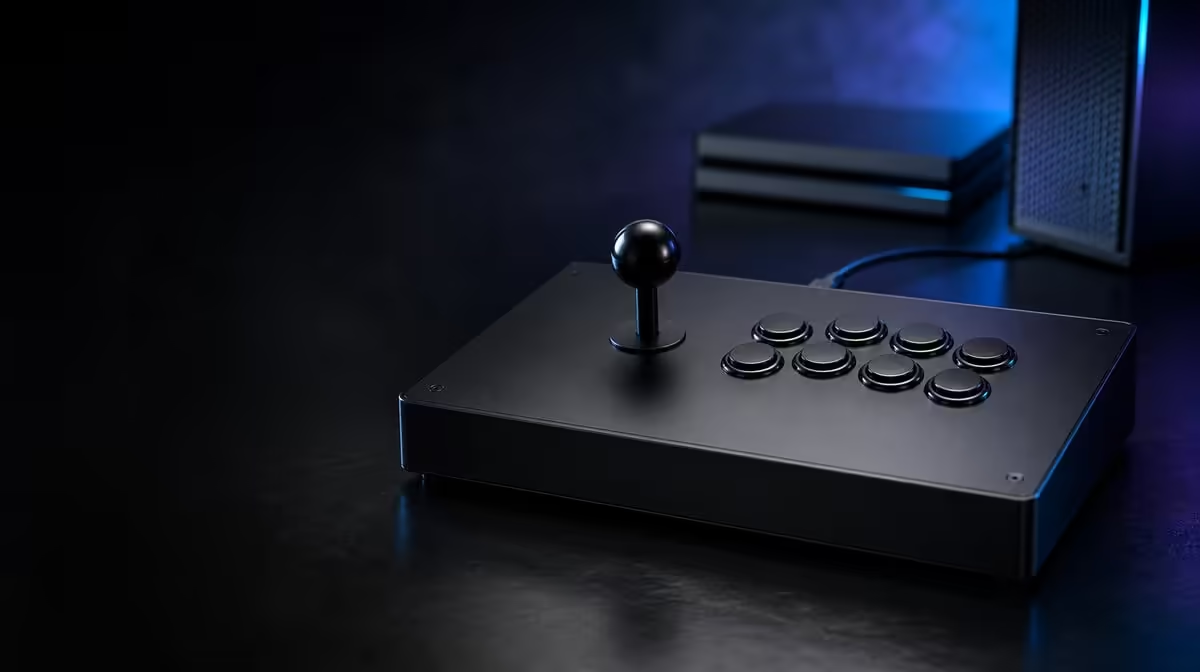
A platform change should not turn the first ten minutes with a GameSir C2 arcade fightstick into guesswork. Treat each console or computer as a separate setup: identify the host, establish that it can see the controller, then test movement and buttons in a harmless screen before launching a match.
Quick Answer
Set up the GameSir C2 by selecting the intended platform, connecting it, checking recognition and then testing every direction and action. The R1,799 model explicitly supports PS4 and Xbox One; PC use should be checked against the exact computer, game and connection path rather than assumed from the console list.
🎮 Start with the host, not the game
Write down the platform and game you intend to use before changing any control. That sounds basic, but it prevents a console setting, a game mapping and a directional mode from being adjusted together. The C2 names PS4 and Xbox One support, so either console is a sensible first test environment. A computer is a separate compatibility question and deserves its own check.
Connect the fightstick while you can still see the system interface. If the host reacts to a button press or lets you move through a menu, you have proved a useful first layer: the controller is being recognised. That still does not guarantee that the intended game will interpret every input correctly.
South African buyers comparing other input options can use Evetech's gaming controller range to see how an arcade layout differs from conventional pads. Keep the C2's R1,799 price in mind while comparing, but let supported platforms and your preferred control style lead the decision.
🕹️ Prove directions before buttons
Move the lever through up, down, left and right one at a time. Follow with the four diagonals, using slow deliberate motions rather than a combo. If a direction fails, note whether the system menu and the game behave the same way. A fault that appears only inside one title points to a different layer from a direction that never registers anywhere.
The C2 includes a multi-functional directional toggle. Record its starting position, change it only if the software expects a different direction mode, and repeat the complete movement test. The toggle changes how directional commands are presented; it is not a substitute for proving physical lever operation.
Buttons come next. Press each one separately and watch for one clear response. Once single inputs are dependable, test short combinations that matter in your game. This order keeps a missed direction from being confused with an unfamiliar button assignment.
Recognition should also survive a controlled restart. Close the game normally, disconnect only if the platform guidance permits it, then repeat the connection and menu test from the beginning. The purpose is not to create a demanding stress test. It is to make sure the setup can be reproduced without relying on the lucky order of an earlier attempt.
Keep notes about symptoms precise. "The controller failed" is less useful than "down-left did not appear in the training display after the toggle moved". Exact observations shorten later troubleshooting and help another person follow what you already tested.
🔒 Add match safeguards last
The Key Lock is useful after normal operation has been established. Engage it and deliberately try the functions you want protected, then confirm that normal combat buttons still behave as expected. Learn that boundary outside a ranked set or tournament round.
The customisable faceplate can make a shared setup easier to identify, but artwork should wait until the controller is working correctly. Cosmetic work cannot solve recognition, mapping or direction-mode problems. If you need carrying, cable-management or desk accessories around the setup, browse the relevant gaming accessories without treating a general accessory as a compatibility fix.
✅ Save a repeatable test routine
A useful setup note is short: platform, game, directional-toggle position, button mapping and Key Lock state. Keep that note with the fightstick or on your phone. The next platform change then becomes a controlled five-minute check instead of a memory test.
Before a serious session, repeat the movement circle, press every active button, test the lock and play one low-pressure round. If you are still choosing equipment, Evetech's accessories best sellers provide another way to survey popular additions while you check current availability.
Keep the surface consistent during the final test. A fightstick that slides on a narrow table can make lever movements feel unreliable even when the electronics register correctly. Position the cable so it is not pulled during play, sit at a comfortable height and repeat the same hand placement you intend to use in longer sessions.
Give the finished setup to another person with only the written note. If they can reach the correct platform state, identify the switch positions and complete the basic input check, the instructions are clear enough to survive memory gaps. If they cannot, revise the note with the missing screen or action instead of adding vague detail. This handover test is particularly useful for a C2 that moves between rooms or consoles.
Frequently Asked Questions
Which platform should be tested first?
Begin with the PS4 or Xbox One you actually plan to use most, because those platforms are named for the C2. Treat any computer setup as a separate host-and-game check.
Should I remap buttons as soon as the fightstick connects?
First prove that every direction and button produces an input. Remapping too early can hide whether the problem is recognition, direction mode or the game's assignment screen.
What does the directional toggle change?
It changes the way lever directions are presented for a supported setup. Note the original position and retest all eight directions after moving it.
When should the Key Lock be enabled?
Enable it only after ordinary controls have passed a complete test. Practise the lock routine before using it during a consequential match.
How much does the GameSir C2 cost?
The South African reference price in this wave is R1,799. Compare that figure with the exact platforms and arcade layout you need.
Ready to build a calmer multi-platform routine? Explore Evetech's controller and gaming-accessory categories, then choose the setup whose confirmed support matches the systems you actually play.











