


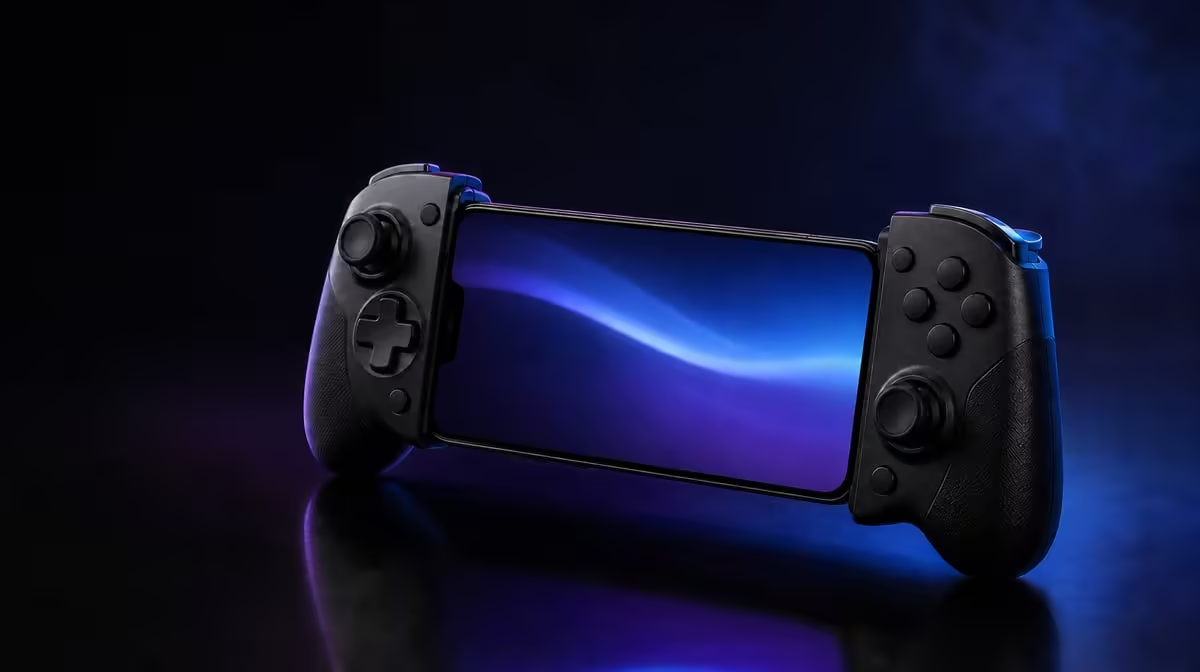
Pairing is only the first half of a good Bluetooth mobile gaming controller setup. The useful test is whether Android sees the controller, the game responds to every input you need, and the phone remains secure when your hands start moving. The GameSir Pocket Taco keeps that process compact with Bluetooth, a vertical handheld shape and protective silicone contact pads.
Quick Answer
Charge the controller, enable Bluetooth on Android, place the Pocket Taco in its pairing state, and select it from the phone's available devices. Then open a controller-compatible game and test movement, buttons and menus before starting a full session. The Pocket Taco costs R599 at Evetech.
🔗 Pair the controller cleanly
Start with enough charge in the Pocket Taco's 600mAh battery. A low battery can complicate diagnosis because a controller may appear briefly and then behave inconsistently. Open the phone's Bluetooth settings, make sure Bluetooth is active, and put the controller into its pairing state. The precise Android menu wording varies between phone brands, but the device list is normally under connected devices, connections or Bluetooth.
Wait for the controller to appear, select it once, and give Android time to finish saving the connection. Repeated tapping can create confusion if the phone is still processing the first request. A successful pairing entry proves that the Bluetooth link exists. It does not prove that a particular game knows how to use the controller.
If the Pocket Taco was previously paired with another phone, disconnect it there before trying again. When Android remembers an old entry but refuses to reconnect, remove that saved device and build a fresh pairing. This clears stale connection details without changing anything inside the game.
Players still comparing formats can browse Evetech's gaming controller range before choosing a phone-first design.
📱 Fit the phone before play
A connected controller is not ready if the phone can shift under input. Remove dust from the Pocket Taco's silicone pads and from the contact areas on the phone. Seat the handset centrally rather than letting its weight pull to one side. A thick or unusually shaped case may change the fit, so test gently before applying pressure.
Hold the mounted combination over a soft surface for the first check. Press the controls with normal force and watch the phone rather than the game. It should remain aligned without forcing you to squeeze the mount throughout the session. The controller itself weighs 62.2g, but the phone supplies most of the combined mass, so balance matters more than the controller figure alone.
This is also the right point to decide whether the vertical format matches the game. Portrait-oriented play can benefit from an upright layout, while some landscape games may suit another controller shape. Evetech's gaming accessories category is useful when the setup needs more than a controller alone.
🎮 Test Android and game support separately
Open an Android menu first and check whether the system reacts to the controller. Then launch the actual game you intend to play. Test every essential input in a quiet practice area or settings screen: directional control, confirmation, cancellation and any actions needed during play. A button working in Android but doing nothing in the game usually points to software support or mapping, not a failed Bluetooth connection.
The Pocket Taco also has Built-In Keyboard Mode. Treat it as an additional input route for software that recognises those signals, not as a universal fix. Try the normal controller mode first, then test Keyboard Mode only where the app's control options make it relevant. Avoid changing several settings at once because that makes the result harder to interpret.
For an online game, separate controller response from network delay. Test in a local menu or offline section before blaming the Bluetooth link for slow action on screen. Once inputs work locally, reconnect to the online session and compare. This simple split prevents a data or Wi-Fi problem from being mistaken for controller failure.
Before buying, check the current R599 price and availability, the phone's physical fit, and the game's controller documentation. Evetech's accessories best sellers provide another view of popular add-ons without replacing the compatibility check.
Frequently Asked Questions
Where do I start Bluetooth pairing on Android?
Open the phone's settings and find Bluetooth under connected devices or connections. Turn it on, place the Pocket Taco in pairing state, and choose the controller when it appears in the available-device list.
Does successful pairing mean every Android game will work?
No. Pairing confirms the wireless link and Android recognition, while the game still needs compatible controller input. Test the exact title you plan to play before relying on it for a long session.
When should I use Built-In Keyboard Mode?
Try it when an app accepts keyboard-style commands or text input and the normal controller route does not cover the required action. Software support decides the result, so it should be tested per app.
Why should I inspect the silicone pads?
Clean, correctly aligned pads help cushion the phone and resist unwanted movement. Dust, an off-centre handset or a bulky case can make the mount feel unstable even when Bluetooth is working perfectly.
What should I do if Android remembers the controller but will not reconnect?
Disconnect it from other nearby devices, remove the saved pairing on the phone, and pair again from the beginning. Charge the 600mAh battery first so power is not another unknown during diagnosis.
Ready to build a cleaner mobile setup? Compare gaming controllers and phone-friendly accessories at Evetech, then confirm current availability for the format that fits your Android games.











