


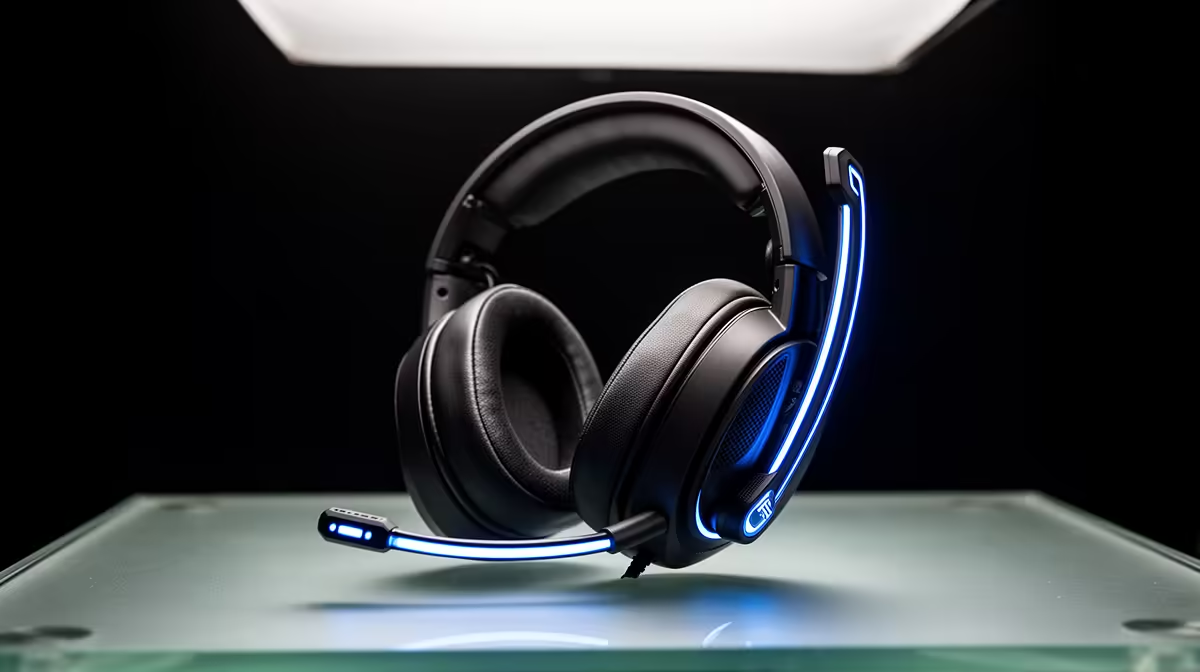
Your squad hears every breath and keyboard tap, but half your sentence disappears. The microphone may be too close, too loud or fighting two noise filters at once. A clean headset mic setup starts with boom position, then input level, followed by one recording outside the game.
Quick Answer
Place the boom two to three finger-widths from the corner of your mouth, aimed across your voice rather than into your breath. Set input gain so normal speech peaks below clipping, disable mic boost unless the signal remains weak and use one noise-suppression layer. The median in-stock gaming headset at Evetech was R1,299 in July 2026; tune the mic you own before replacing it over a Discord complaint.
🎙️ Put the capsule beside your mouth
Move the boom to the left or right corner, level with your mouth and slightly below it. Speak across the capsule. This position reduces the burst of air from "P" and "B" sounds while keeping your voice close.
Keep the mic away from your nose and beard stubble. Turn the earcups on your head and make sure the boom does not drift back during play. A foam windscreen helps with air movement but cannot rescue a mic sitting against your lips.
Evetech's gaming-headset category lets you compare fixed, detachable and flip-to-mute boom designs if position remains hard to hold.
🎚️ Set gain with a real voice recording
Open Windows Sound settings, select the correct input and speak at game volume. Adjust input level so the meter reaches a strong level without hitting the end. In a recording app with dB meters, normal speech can peak around -12dB to -6dB and leave room for a laugh or shout.
Avoid stacking high Windows level with a large mic boost. Boost raises electrical noise and can make every keyboard tap louder. Use the headset's USB adapter or direct motherboard input according to the model, then choose one gain stage for the main adjustment.
Check the input format under the microphone's Advanced properties. Use a common voice setting supported by the device and untick exclusive control for one test if an app keeps stealing the mic. Return the option when your recording software needs it.
🤫 Add one layer of noise control
Enable noise suppression in the headset app, chat program or broadcast tool, not all three. Speak while a fan runs and listen for clipped word endings. Strong suppression can remove consonants along with the background.
Set a noise gate below your quiet speech. Test the first word after silence; if it disappears, lower the threshold or slow the gate. Push-to-talk remains the cleanest option in a very noisy room.
Record with the keyboard in the same place you use during games. A mechanical board between your mouth and monitor may reach the mic from behind, where some boom capsules reject less sound than you expect. Move the keyboard a few centimetres before applying a harsh gate.
🎧 Check sidetone, chat apps and game input
Sidetone lets you hear your own voice and reduces the urge to shout. Set it low enough that it does not distract you. Then confirm Discord, Teams and the game all use the same named microphone rather than a webcam or controller input.
Record thirty seconds in the Windows recorder and another clip through the chat app. Compare volume, breath noise and missing words. Ask one friend for a test call before the match begins, and save the working profile.
Read back a sentence with "P", "B" and "S" sounds, then say it once at your loudest game voice. That sample exposes plosives, harshness and clipping in under a minute. Keep it as the baseline for future driver changes.
Use Evetech's headset best-seller page if the capsule crackles, cuts out with boom movement or remains too weak on two devices.
Frequently Asked Questions
Why does a headset mic sound too loud?
Input level, mic boost or app gain may be clipping the signal. Lower one gain stage and record again.
What is the ideal mic input level?
Set normal speech below clipping with room for a louder word. A meter around -12dB to -6dB peaks gives useful headroom.
Where should a boom mic sit?
Place it two to three finger-widths from the corner of your mouth, aimed across your voice.
Should you enable noise suppression?
Use one layer when fans or room noise reaches the call. Check that it does not cut word beginnings or endings.
Does mic boost reduce audio quality?
It can raise hiss and background noise along with your voice. Use it only when normal input gain remains too low.
How do you test a mic before a game?
Make a local recording, play it back through headphones and run a short call in the app you will use.
Choosing a headset after proving the old boom has a fault? Compare microphone style, connection and comfort at Evetech, then save a test recording with the setup that sounds clean.











